Gree AC Error Code List: Symptoms, Meanings, and Fixes
Explore the comprehensive Gree AC error code list, what each error means, and practical steps to diagnose and fix common issues safely. Includes DIY tips, safety guidance, and advice on when to call a professional.


Here's a practical guide to Gree AC error code lists: understand typical meanings (sensor faults, communication errors, overheat, or high/low refrigerant pressure), identify the displayed code on your indoor or outdoor unit, and follow a safe, step-by-step troubleshooting process. You'll learn to reset safely, inspect air filters, verify wiring connections, and decide when professional service is required.
Understanding the Gree AC error code list
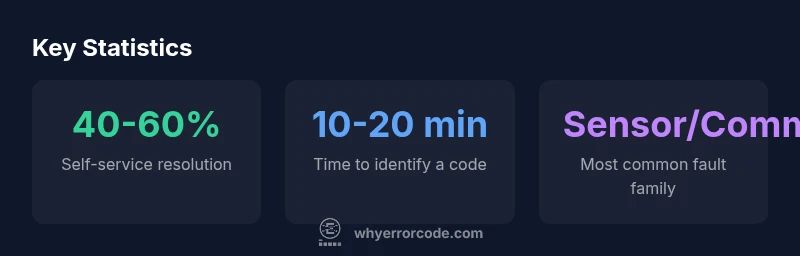
Gree air conditioners use error code lists to communicate what’s happening inside the system. The codes typically fall into several broad families: sensor faults (temperature or humidity sensors), communication errors between the indoor unit and outdoor unit or control boards, protection modes triggered by overheating or abnormal pressure, and refrigerant or airflow issues. It’s important to note that the exact codes and their meanings can vary by model and region, so always refer to your model’s manual or the official support portal. For developers, technicians, and consumers, recognizing these families helps you triage problems quickly and avoid unnecessary parts replacements. In this guide, we’ll map common code families to practical troubleshooting steps and emphasize safety and proper documentation.
How Gree displays error codes and where to read them
Gree systems may display codes on the indoor unit’s display, the remote controller, or an external diagnostic LED cluster on the outdoor unit. The form of the code varies by model; some models show a single alphanumeric symbol (for example, a letter followed by a number), while others flash a sequence of digits. When you see a code, write it down exactly as shown, including any leading zeros or letters. If the code is ambiguous, capture a photo or video of the display and the unit’s status indicators. Cross-reference the code with your manual, then use the code family approach to narrow down likely causes before diving into fixes.
Safety first: before you troubleshoot
Safety is non-negotiable when dealing with electrical appliances. Before touching any wiring, power down the unit at the breaker and verify there is no residual voltage. Do not attempt repairs beyond your training, especially with refrigerants, high-voltage components, or sealed systems. Wear eye protection when inspecting fans or the outdoor coil, avoid contact with sharp fins, and keep children and pets away. If you smell burning insulation, notice buzzing, or see damaged wiring, stop and seek professional help immediately. Clear, calm steps reduce risk and prevent accidental warranty voids.
A structured troubleshooting framework for common codes
Adopt a repeatable framework to triage most codes:
- Confirm the exact code and family (sensor, communication, protection, refrigerant).
- Check air flow and filters; dirty filters can trigger temperature-related codes.
- Power cycle the system: switch off at the breaker, wait 60 seconds, then turn back on.
- Inspect the indoor and outdoor wiring harnesses for loose connections or corrosion.
- Inspect the outdoor coil for dirt or obstructions that reduce heat transfer.
- If the code persists, consult the manual for model-specific steps or contact support. This framework keeps you from chasing symptoms and helps you discover root causes more efficiently.
When a reset can help and how to perform it safely
Resetting can clear transient faults, but it won’t fix underlying hardware issues. After performing the steps above, you can try a controlled reset: power off the unit, wait 60 seconds, then power back on and re-check the display. If the code reappears, document the conditions under which it appears (ambient temperature, usage mode, recent changes) and proceed to deeper checks or escalation. Never reset a unit while it’s in a protective shutdown caused by a suspected refrigerant or electrical fault.
DIY fixes that often resolve common codes
Many codes are resolved by straightforward maintenance tasks. Try:
- Replacing or cleaning the air filters and ensuring unobstructed airflow.
- Cleaning the condenser coils and removing debris around the outdoor unit.
- Checking and reseating all accessible connectors between the indoor and outdoor boards.
- Verifying that the thermostat or control app is communicating correctly with the control board. If these steps don’t resolve the code, avoid forcing the system; persistent codes usually indicate a deeper issue requiring a technician.
When to contact Gree support or a licensed tech
If a code persists after performing basic checks and resets, or if you see signs of refrigerant leaks, refrigerant pressure irregularities, burning smells, or melted insulation, schedule service promptly. A licensed technician should verify refrigerant integrity, verify electrical safety, and diagnose potential sensor or PCB failures with proper tooling. Document the exact code, unit model, and recent maintenance actions to expedite support.
Documenting codes for support and warranty considerations
Keep a dedicated troubleshooting log: note the model, serial number, firmware version, and the exact code displayed, along with the conditions under which it appeared. Include photos of the unit, wiring harnesses, and error displays. This information helps customer support or a service technician reproduce and diagnose the issue accurately. If your unit is under warranty, check the warranty terms for coverage of diagnostics and repairs related to sensor or control-board failures.
Model and regional variations in error code lists
Gree models sold in different regions may have unique code sets or thresholds. When you troubleshoot, always confirm you’re using the code reference for your specific model and region. If in doubt, contact official support channels or authorized service providers. This regional variation is a common reason for misinterpreting a code; always verify against the correct manual or online portal for your device.
Sample Gree AC error code family mapping
| Error Code Family | Meaning | Likely Cause | Recommended Action |
|---|---|---|---|
| Sensor fault | Temperature sensor fails to respond | Loose connector or damaged sensor | Reset connections, test sensor, replace if needed |
| Communication error | Control boards can't talk to each other | Wiring issue or damaged harness | Check wiring, reseat connectors, inspect harness |
| Overheat / High pressure | System protection engages due to high pressure or heat | Blockage, dirty condenser, refrigerant issue, fan fault | Clean coils, ensure airflow, consult pro for refrigerant/fan checks |
Frequently Asked Questions
What does a Gree AC error code list generally indicate?
A typical Gree error code list points to sensor faults, communication problems, or system protection modes. By grouping codes into families, you can quickly narrow down the likely cause without replacing parts on a whim.
Most codes point to sensor or communication issues or a protective shutdown. Use the code family to guide your next steps.
Can I reset my Gree AC to clear error codes?
Resetting can clear transient codes, but it won’t fix underlying hardware issues. If the code returns after a safe reset, proceed with deeper checks or contact support.
Yes, you can try a safe reset, but if the code comes back, don’t ignore it—get professional help.
What should I do if the error code keeps coming back after a DIY fix?
If the code recurs, re-evaluate possible root causes like refrigerant issues, wiring, or sensor faults. Stop attempts that could void warranty and escalate to a professional to avoid further damage.
If the code returns, stop and call a pro to diagnose the root cause safely.
Are refrigerant leaks a common cause for Gree error codes?
Pressure-related codes can be triggered by refrigerant leaks, but only a qualified technician should handle refrigerant work. Leaks demand professional assessment and proper recovery.
Leaks are serious—don’t attempt DIY refrigerant work; get a licensed tech involved.
Is it safe to operate the unit with an error code displayed?
Operating a unit with a code displayed can risk further damage. If in doubt, switch off the unit and unplug if safe, then check the basic causes or contact support.
If you see a code, don’t push the unit to work; turn it off and inspect or contact support.
Where can I find model-specific error code lists for Gree?
Check the unit’s manual or the official Gree support site for model-specific codes. Codes vary by model and region, so always refer to the correct reference.
Look in the manual or official support site for your exact model’s codes.
“"Understanding error code lists helps users isolate faults without guesswork, reducing downtime and unnecessary parts swaps."”
Top Takeaways
- Identify the error code quickly to guide troubleshooting.
- Always prioritize safety before touching electrical components.
- Start with simple steps: clean filters, reset, check wiring.
- If codes persist, escalate to professional service.
- Document codes and model details for faster help.