LG Washing Error Codes: Quick Diagnosis and Fixes
Urgent guide to diagnose and fix lg washing error codes quickly with practical steps, safety notes, and when to call a pro. Learn common causes, a diagnostic flow, and prevention tips for LG washers in 2026.


LG washing error codes indicate a fault detected by the control board, usually signaling a sensor, drain, fill, or motor issue. Most codes point to simple fixes you can try safely, such as resetting the washer, checking water supply, or clearing a clogged filter. If the code persists or involves electrical components, power down and contact a technician.
What LG Washing Error Codes Mean
LG washing error codes are not random. They are generated by a microprocessor that monitors sensors across the machine—water level, pressure, temperature, motor current, and door interlock status. When values fall outside acceptable ranges or readings time out, the controller flags a fault and displays a code on the front panel. For lg washing error codes, this is a user-friendly signal: the machine has detected a condition that prevents a safe or effective cycle. The codes typically relate to three broad areas: water supply and drainage, mechanical or motor issues, and control/electrical faults. A key takeaway from Why Error Code is that most recurring codes aren’t catastrophic; they often point to routine maintenance or straightforward resets. Note the exact code and the cycle you were running, along with any recent changes to water supply or detergent usage, to guide the troubleshooting process.
How LG Washing Error Codes are Generated
The code library that LG uses is designed to quickly identify faults without requiring you to guess. Each sensor feeds data to the main PCB, which runs self-tests during power-up and each cycle. If a sensor reads out of spec, or if a drive motor signals overload or stall, the controller triggers a corresponding error code. Timeouts—when a sensor fails to respond within a set window—also generate codes. In practice, codes tend to cluster around common fault domains: inlet and fill (water supply), drainage and pump (drainage), door interlock, and critical board or communication issues. For end users, this translates into a practical rule: start with what you can see and reach safely, then work toward the more complex possibilities.
Diagnostic Flow: Symptom to Solution
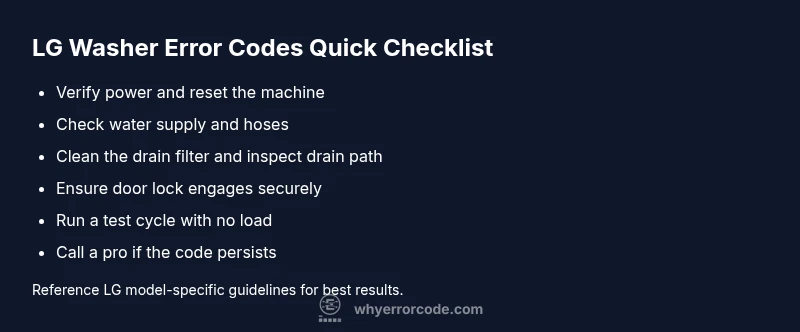
Symptoms lead to probable causes in a logical order. If you see an error code and the drum won’t fill, drain, or run a cycle, start with the simplest explanations. Prioritize fixes by likelihood: clogged filters and kinked hoses are common and easy to fix; pump failures are less frequent but more impactful; control board faults are least common but hardest to repair. Build a short plan: verify power, inspect the water inlet, check the drain path, confirm door locks, and run a test cycle. Document the steps you take and the codes observed to avoid repeating checks.
Quick Fixes You Can Try Before Calling a Pro
Before digging into deeper diagnostics, try these quick, low-effort steps. First, unplug the washer for 60 seconds and plug back in to reset the controller. Then check that both hot and cold water valves are fully open and hoses are not kinked. Clear the drain filter and ensure the drain hose is free of obstructions or blockages. If you’re comfortable, inspect the door/latch for secure engagement. Run a short cycle with no load to confirm if the code reappears. These small actions catch a large share of common issues and can save time and money.
Step-by-Step Fix for the Most Common Cause
- Power down the unit and unplug it. Wait 60 seconds, plug back in, and power up. 2. Locate the drain filter, usually near the bottom front panel, and remove debris or lint. 3. Clean the filter housing and reassemble securely. 4. Check the drain hose for kinks or improper routing; straighten or replace as needed. 5. Run a test cycle with no laundry and use a cold water setting. 6. If the code returns, proceed to the professional step rather than forcing service.
Other Causes and How to Address Them
If the common fixes don’t resolve the issue, consider less frequent causes. Suds from improper detergent can trigger sensors and cause cycling issues; run a rinse cycle or reduce suds with the manufacturer’s recommended detergent type and amount. An unbalanced load can cause sensor timeouts and unplanned stops; redistribute laundry and run a small test load. A faulty door lock or lid switch can also cause refusal to start; verify the latch engages fully and replace if needed. Finally, aging or damaged wiring and sensors may require professional diagnosis and replacement.
Safety Tips, Warnings, and When to Call a Pro
Safety first: never bypass interlocks or disassemble high-voltage components. If you smell burning, hear buzzing, or notice melted plastic, disconnect power immediately and call a pro. Do not attempt to test high-voltage areas with live circuits. Safety thresholds and repair costs vary by region and model; expect diagnostic fees and possible parts replacement. When in doubt, a certified technician can provide a precise diagnosis and a transparent repair quote.
Steps
Estimated time: 60-75 minutes
- 1
Power down the unit
Unplug the washer and wait 60 seconds. This resets the controller and clears transient faults. Reconnect power and prepare to test.
Tip: Make sure the area is dry before touching any panels. - 2
Check water supply
Verify both inlet hoses are connected securely and valves are fully open. Low or no water can trigger fill faults and adjacent codes.
Tip: Shut off the water supply if you notice leaks while inspecting. - 3
Inspect the drain path
Locate and remove the drain filter; clean out lint and debris. Inspect the drain hose for kinks or blockages and correct routing if needed.
Tip: Have a shallow tray handy to catch any residual water. - 4
Run a test cycle
With no laundry, select a short cold wash cycle to observe if the code reoccurs. Note any audible issues or unusual behavior.
Tip: Record the exact code shown for reference. - 5
Inspect the door latch
Ensure the door lock engages fully and that the door seals properly. A faulty latch can prevent starting or cause mid-cycle stops.
Tip: If the latch feels loose, do not operate until repaired. - 6
Consider professional help
If the code persists after the basic checks, a professional diagnosis is recommended. They can test sensors, wiring harnesses, and the control board.
Tip: Ask for a written estimate before any diagnostic work.
Diagnosis: LG washing machine displays an error code and stops mid-cycle
Possible Causes
- highClogged drain filter or hose
- mediumDrain pump failure or blockage
- lowSensor or control board fault
Fixes
- easyClean the drain filter and straighten the drain hose
- easyReset the washer and run a test cycle
- mediumInspect the drain pump for debris or wear; replace if needed
- hardIf the code persists, contact a professional technician
Frequently Asked Questions
What should I do first when I see an LG washing error code?
Note the code, unplug the washer, and perform a quick reset. Check water supply and clear any visible blockages. If the code continues, consult the manual or contact support.
First, note the code and unplug the washer. Do a quick reset and check water supply. If the code repeats, contact support for guidance.
Can I fix LG error codes myself?
Many codes resolve with simple steps like cleaning filters, resetting power, and checking hoses. Complex faults such as motor or control board issues typically require a professional.
Many codes can be addressed with basic maintenance, but motor or control board issues usually need a pro.
When should I call a technician for LG error codes?
If resets and basic maintenance don’t clear the code, or if you notice electrical smells, sparking, or unusual heat, stop using the machine and seek professional service.
If basic checks don’t fix it or you smell burning, call a technician.
Do all codes mean a replacement is needed?
Not necessarily. Many LG error codes relate to maintenance or sensor faults that can be repaired or replaced economically. A technician can provide a precise assessment.
Most codes don’t mean a full replacement—diagnosis will determine repair vs. part replacement.
Will resetting clear all error codes permanently?
Resetting can clear transient faults, but persistent codes indicate an underlying issue that requires investigation beyond a simple reset.
Resetting can clear a transient fault, but if the code comes back, you need to troubleshoot further.
How long does LG repair typically take?
Diagnostics and parts replacement, if needed, can take from 1 to several hours depending on access and availability of parts.
Diagnostics usually take an hour or two, more if parts are needed.
Watch Video
Top Takeaways
- Identify fault area from code quickly
- Start with resets and cleaning before expensive parts
- Persisting codes require professional service
- Regular maintenance reduces future codes