Sub Zero EC 40 Error Code: Quick Diagnostics and Fixes
Diagnose and fix the sub zero ec 40 error code quickly with a practical, step-by-step guide. Learn common causes, safety tips, and when to call a professional to prevent damage.


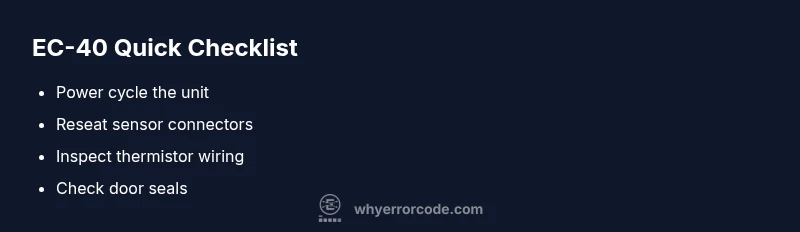
The sub zero ec 40 error code typically signals a temperature sensing or communication fault in Sub‑Zero units. It’s often caused by a loose or damaged sensor connection, a faulty thermistor, or wiring harness issues. Quick fixes include power cycling the unit, reseating sensor plugs, inspecting harnesses for damage, and checking door seals; if the code remains, call a qualified technician.
sub zero ec 40 error code: Meaning and scope
The sub zero ec 40 error code is observed on Sub Zero refrigeration units when the temperature sensing or communication loop signals an abnormal condition. While not a cosmetic warning, EC-40 is a protection signal that prevents the compressor from running under unsafe conditions. In most cases the code points to a problem in the temperature sensor circuit, a loose connector, or a minor control-board fault. Understanding the root cause helps you apply a targeted fix rather than a broad reset. This article follows the Why Error Code framework to triage quickly, safely, and effectively.
In practice, EC-40 is a hardware and electronics alert, not a simple software hiccup. It is common across high-end built‑in refrigeration to trigger when a sensor is out of range, a signal line is interrupted, or the controller cannot read a valid temperature. The result is either a protective halt of cooling or a reduced cooling state to prevent spoilage. Treat it as actionable, not mysterious, and proceed with a structured check.
According to Why Error Code, first verify basic conditions (power, door status) before delving into sensor hardware. If you see EC-40 after a recent service or door event, an incomplete reassembly may be the root cause. Maintain a methodical approach, document each step, and avoid risky bypasses.
Common symptoms and immediate checks
EC-40 often presents with one or more of these practical symptoms: doors reporting out of temperature warnings, inconsistent display readings, rapid cycling on/off, or the compressor staying off despite a warm interior. Before diving into parts replacement, perform quick checks that do not require tools:
- Confirm the unit is properly powered and the outlet is functioning. A DIY reset can solve transient glitches.
- Inspect door seals; a compromised seal can influence internal temperatures and sensor readings.
- Observe whether the display shows other error codes that might point to a common root cause.
- Reseat visible sensor connectors if you can reach them safely without removing critical panels.
If symptoms persist after these checks, move to a systematical diagnostic flow that targets the sensor and wiring first, then the controller. Why Error Code notes that sensor and harness faults are the most common EC-40 culprits, with controller faults being less frequent but possible.
Diagnostic flow overview
A structured diagnostic flow helps separate symptoms from root causes. The flow begins with symptom confirmation and proceeds through suspected causes to practical fixes. Start by validating the simplest explanations (power, door state), then test the sensor chain and wiring. If all external factors check out, focus on the thermistor, sensor cables, and the control board.
A practical approach uses a checklist that prioritizes likelihood:
- High likelihood: Loose sensor connectors, damaged sensor wires, or a faulty thermistor.
- Medium likelihood: Intermittent signal due to high vibration environments or a marginal PCB connection.
- Low likelihood: A full board fault without prior sensor issues, which usually requires professional diagnostics.
The fixes should mirror the causes in order of probability, starting with non-invasive steps and escalating only as needed. Why Error Code emphasizes safety, proper disassembly procedures, and reassembly checks after each fix.
Step-by-step fix: most common cause (sensor/wiring)
Other potential causes and fixes
Safety tips, warnings, and when to call a pro
Prevention and maintenance to avoid EC-40
Steps
Estimated time: 45-60 minutes
- 1
Power cycle and verify basics
Unplug the appliance or switch off the circuit, wait 60 seconds, then restore power. Confirm the unit starts normally and that the display comes up without EC-40. This step clears transient faults and is a safe first action.
Tip: Use a dedicated surge protector to prevent future power surges from causing sensor resets. - 2
Inspect sensor connectors
Access the control panel area per the service manual and locate the sensor plugs. Reseat each connector firmly and check for any signs of corrosion or discoloration. Loose connections are a frequent EC-40 trigger.
Tip: Handle connectors gently; avoid pulling wires by the connector. - 3
Check the thermistor/sensor harness
Visually inspect the thermistor and its wiring for cracks, fraying, or pinched insulation. If you detect damage, route and secure the wires to prevent contact with moving parts.
Tip: Take photos before disassembly to aid reassembly. - 4
Run a secondary temperature test
With the wiring secured, monitor the internal temperature readings from the display and compare them to ambient/ambient-setpoint. Look for stuck or erratic readings that imply sensor failure.
Tip: If the readings don’t trend toward the setpoint, the sensor path is suspect. - 5
Consider the control board path
If sensor and wiring checks pass but EC-40 persists, the fault may lie in the control board. Look for swollen capacitors, burnt smells, or obvious damage. Do not attempt advanced PCB repair yourself.
Tip: Document symptoms and seek professional diagnostics for PCB concerns. - 6
Confirm proper door operation and seals
Ensure doors close fully and seals are intact. Poor door sealing can create temperature fluctuations that aggravate sensor readings and trigger EC-40.
Tip: Check for misaligned hinges or warped gaskets that prevent a tight seal.
Diagnosis: EC-40 error appears, unit may stop cooling
Possible Causes
- highLoose or damaged sensor connection
- mediumFaulty thermistor or sensor wiring
- lowControl board glitch or intermittent PCB connection
Fixes
- easyPower cycle the unit (unplug for 60 seconds, then plug back in)
- easyReseat or replace sensor connectors and inspect harnesses for damage
- mediumTest or replace the thermistor/wiring harness if damage is found
Frequently Asked Questions
What does the EC 40 code mean on my Sub Zero unit?
EC 40 generally indicates a temperature sensor or communication fault within the appliance. It signifies the controller cannot reliably read temperature data, triggering protective behavior. Confirm sensor wiring and thermistor health before escalating.
EC 40 means a sensor or communication fault. Start by checking the sensors and wiring, then consider professional help if it persists.
Can I reset EC 40 by unplugging the fridge?
A power reset can clear transient faults, but EC 40 often returns if a sensor or wiring issue remains. Use power cycle as a first test and then perform targeted sensor checks.
Yes, try a power reset first, but if the fault returns, do the sensor checks.
When should I call a technician for EC 40?
Call a technician if EC 40 persists after a full basic diagnostic (power cycle, reseating connectors, inspecting wires) or if you notice signs of PCB damage, refrigerant issues, or risky electrical components.
If the fault persists after basic checks, it’s time to bring in a professional.
What is the typical cost range for EC-40 repairs?
Repair costs vary by root cause and region. Expect costs for sensor work, wiring harness replacement, or board diagnostics to fall into a moderate range, with higher costs for PCB or refrigerant-related issues.
Costs depend on the exact fix, but you can expect a mid-range repair for sensor or wiring issues and higher for PCB work.
Does EC 40 affect cooling performance permanently?
EC 40 itself is a fault signal; it may halt or reduce cooling to protect the unit. If fixed promptly, normal performance typically returns once the fault is resolved.
It usually doesn't cause permanent damage if addressed quickly and correctly.
Watch Video
Top Takeaways
- Power cycle first to clear transient faults
- Prioritize sensor connectors and wiring checks
- Use photos to guide reassembly
- Do not ignore persistent EC-40—professional diagnostics may be required
- Maintain safe handling and turn off power before any inspection