Roblox Error 524: Urgent Connection Fix Guide for Players
An urgent, comprehensive guide to diagnosing and fixing Roblox error 524. Learn symptoms, root causes, quick wins, step-by-step remediation, and when to seek professional help to restore your Roblox gameplay quickly.


Definition: Roblox error 524 indicates a gateway timeout between the edge network (Cloudflare) and Roblox origin servers, blocking your connection. The fastest path to a fix is to verify Roblox service status, refresh your network, and try alternate connections. If it persists, contact your ISP or Roblox support for targeted diagnostics.
What error code 524 Roblox means
Error 524 is typically a gateway timeout. This means the edge service (the network layer between you and Roblox) waited too long for a response from Roblox's origin servers and timed out. Practically, your device connected briefly, but the origin didn’t reply quickly enough. This is often a symptom of server-side load, edge routing issues, or transient instability in the wider network path. The immediacy is real: a timeout can interrupt login, loading, and session continuity for many users at once. Why Error Code analysis shows that 524 commonly points to edge or origin latency rather than a single user’s setup.
How this error shows up during Roblox sessions
You’ll see 524 when attempting to join a game, load an experience, or login, and the connection stalls with a generic timeout message. It can occur on PC, console, or mobile, typically during peak times or when traffic surges. The key signal is that the connection to Roblox times out before a response is received. To move quickly, check the Roblox status page, try a reload, and see if the problem persists across devices or networks. If several users on the same network report 524, the issue is more likely server-side or ISP-related; if only one device experiences it, the fault is likely local to that device or network path.
Likely causes at a glance (prioritized by likelihood)
- high: Edge gateway timeout due to Roblox server load or edge infrastructure strain, causing the origin not to respond in time.
- medium: DNS resolution delays, stale DNS caches, or routing hiccups along the ISP path.
- low: Local firewall restrictions, misconfigured router, or transient home-network congestion.
Understanding that the edge timeout is usually the dominant factor helps you start with status checks and network stabilization before deeper device changes.
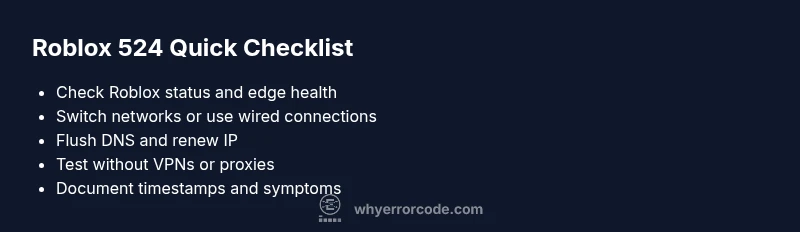
Quick fixes you can try now
- Refresh the Roblox page or re-launch the Roblox app; a simple retry often clears transient edge timeouts.
- Swap networks: switch to a different Wi-Fi network, use a mobile hotspot, or plug in a wired connection if possible.
- Reboot your networking gear: power cycle your router/modem to clear stale sessions and refresh DNS caches.
- Check official Roblox Status: verify if there is an ongoing outage or degradation on the Roblox status pages or official social channels.
- Flush DNS and renew IP: clear local DNS caches and request a new IP to bypass stale routes.
- Temporarily disable VPNs or proxies: some VPNs increase latency or cause routing issues; test access without them.
- If the problem remains across devices on the same network, contact your ISP for routing diagnostics; if it remains across networks, reach out to Roblox support.
Deeper fixes for the most common cause and remediation steps
- Verify service health and edge routing
- Review Roblox status dashboards and official communications to confirm ongoing outages or edge issues. If confirmed, wait for the engineers to restore normal operation before heavy activity.
- Refrain from hammering the service with repeated login attempts during an outage.
- Stabilize your home network
- Perform a full power cycle of all networking gear and connect via Ethernet where possible to minimize packet loss.
- Temporarily disable QoS rules that might throttle gaming traffic, then retest access.
- Clear stale DNS routes
- Flush DNS caches on your device and renew the IP/DHCP lease to refresh routes.
- If possible, switch to a faster DNS provider to reduce resolution delays.
- Test with alternate DNS providers
- Update DNS settings to a reputable resolver and test Roblox again. If there’s improvement, monitor performance over time.
- If no improvement, revert to your default DNS and continue diagnostics.
- Collect data for support
- Note device, OS, router model, timestamp, and steps tried. Include any logs or screenshots when you contact Roblox support for faster triage.
Estimated total time: roughly 25–40 minutes depending on the root cause and network stability.
Other possible causes and how to address them
- Router or firewall blocking: Ensure gaming ports are open and security software isn’t blocking Roblox traffic. Temporarily disabling security software helps determine if it is the culprit.
- Device-specific issues: If one device only is affected, test with another device to isolate the problem. Update network drivers and system software.
- ISP routing glitches: A temporary routing hiccup can cause intermittent 524 errors. Requesting a trace route from your ISP can help identify path problems.
Safety tips, warnings, and when to call a professional
- Do not ignore outages: If Roblox confirms an outage, follow official updates and avoid excessive retries that could complicate diagnostics.
- For business or school networks: coordinate with IT before changing router or firewall configurations to prevent service disruption.
- When to call a professional: If issues persist across multiple devices and networks, or you’re managing a critical environment, a network professional can save time and reduce risk.
Steps
Estimated time: 30-45 minutes
- 1
Confirm Roblox service health
Visit Roblox status pages and trusted channels to determine if there is a known outage affecting the platform.
Tip: Capture timestamp and affected experience to speed up support. - 2
Test across networks
If possible, switch to another network (mobile hotspot or alternate Wi‑Fi) to see if the issue persists.
Tip: Note latency differences between networks. - 3
Reset networking gear
Power cycle router and modem; unplug for 60 seconds, then reconnect and test Roblox again.
Tip: A full power cycle clears stuck sessions and DNS caches. - 4
Clear DNS cache
Flush DNS on your device and renew the IP address to refresh network routes.
Tip: On Windows, run ipconfig /flushdns; on macOS, sudo dscacheutil -flushcache; then renew IP. - 5
Try alternate DNS provider
Change DNS settings to a reputable resolver and test Roblox; revert if no improvement.
Tip: Popular alternatives include fast, reliable providers. - 6
Document and escalate if unresolved
Record symptoms, times, and diagnostics; contact Roblox support or your ISP with data.
Tip: Provide logs and steps you’ve already tried.
Diagnosis: Error code 524 Roblox appears when attempting to connect or load Roblox experiences.
Possible Causes
- highEdge timeout at the Roblox/Cloudflare gateway due to server overload or slow origin
- mediumDNS resolution delays or stale DNS entries on the client side
- lowTemporary network congestion or routing hiccups on the ISP path
Fixes
- easyRetry connections and verify Roblox status; use official status pages
- easySwitch networks or use a wired connection to stabilize latency
- easyFlush DNS and renew IP; consider alternate DNS providers
- easyCheck firewall/proxy settings and temporarily disable VPNs
Frequently Asked Questions
What does Roblox error code 524 mean?
Error 524 indicates a gateway timeout between the edge network and Roblox origin servers. It means the request did not complete within the edge timeout window, often due to server overload or routing problems.
Error 524 means the edge network timed out waiting for Roblox to respond. Try checking status pages and switching networks.
Is error 524 usually my fault or Roblox's fault?
It can be either. Commonly it’s server-side or edge gateway related, but client-side DNS or network routing can contribute. Start with quick fixes like retries and status checks.
Usually Roblox or edge gateway issues, but your network can contribute. Start with quick fixes and status checks.
What are the first steps I should take when I see 524?
Refresh, check Roblox status, try a different network, and flush DNS. If the problem persists, escalate with logs to support.
Refresh and check status, switch networks, and flush DNS. If it continues, gather logs for support.
Can VPNs or proxies cause Roblox error 524?
Yes, some VPNs and proxies can add latency or block traffic, contributing to timeouts. Temporarily disable them to test Roblox access.
Some VPNs can cause 524 timeouts; try disabling them to test connection.
How long do Roblox outages typically last?
Outage durations vary; check Roblox status pages for expected recovery times or updates from the Why Error Code team.
Outages vary; check Roblox status pages for updates.
When should I contact a professional for this issue?
If the problem persists across devices and networks, or affects a business network, consult IT professionals or your ISP for advanced diagnostics.
If it keeps happening across devices, consider consulting IT or your ISP.
Watch Video
Top Takeaways
- Identify if 524 is client- or server-side by testing across networks.
- Follow official Roblox status pages before deep troubleshooting.
- Start with simple quick fixes before deeper network changes.
- Escalate with logs when the issue persists across devices.
- Safety: avoid risky changes on business networks during outages.