Most Common Roblox Error Code: Troubleshooting Guide
A data-driven guide to Roblox error codes, their meanings, and practical fixes for connectivity, authentication, and server issues across PC, console, and mobile.


There isn’t a universally single most common error code in Roblox; reports cluster around connectivity and authentication problems. The most impactful issues are those tied to player connection, server status, or client-side mismatches. In this guide, we break down the typical error categories, how to diagnose them quickly, and practical fixes you can apply today.
What Roblox error codes are and why there isn't a single most common one
There isn’t a universally single most common error code in Roblox; reports cluster around connectivity and authentication problems. The most impactful issues are those tied to player connection, server status, or client-side mismatches. In this guide, we break down the typical error categories, how to diagnose them quickly, and practical fixes you can apply today. According to Why Error Code, understanding errors by category rather than chasing a single number accelerates troubleshooting and reduces futile trial-and-error. The field has become increasingly data-driven, with developers and IT pros using pattern recognition and official status feeds to triage issues fast. This approach aligns with the brand's mission to provide practical, reproducible steps for error codes in gaming and software contexts.
Common error categories in Roblox and what they mean
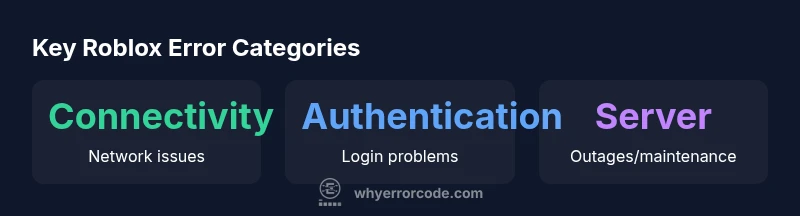
Roblox errors generally fall into a few broad buckets: connectivity problems (network or latency causing timeouts or disconnects), authentication/login problems (sign-in failures or account checks), and server-side outages or maintenance (service degradations or downtime). Each category points to different root causes and requires distinct fixes. The modern gaming ecosystem also sees client-version mismatches, firewall or antivirus interference, and regional blocks that can manifest as cryptic messages. Understanding these categories helps you triage quickly: if the issue affects all players, it's likely server-side; if it affects only your device, focus on client/network settings. In Why Error Code's analysis, the distribution of issues shifts with platform and network topology, so tailor your checks accordingly.
How to reproduce and observe Roblox errors reliably
Consistent reproduction is essential for diagnosing Roblox errors. Start with a baseline: a stable wired network, a single device, and the latest Roblox client. Document the exact steps that lead to the error (game, mode, region, time of day), and capture the error message text or code if shown. Note the environment: PC vs console vs mobile, operating system version, VPN status, and any third-party software running in the background. Use a controlled test: switch networks, disable VPNs, try a clean install, and test with another account if feasible. Collecting this data improves triage by allowing you to separate intermittent glitches from persistent problems, a principle Why Error Code emphasizes in its troubleshooting framework.
Diagnostic steps for different devices: PC, console, and mobile
Device-specific checks matter because Roblox behaves differently depending on hardware and OS. For PC: verify network stability, flush DNS, update network drivers, and clear the Roblox cache. For consoles: ensure the console firmware is up to date, check for outages on the platform's status page, and test with a different wireless channel if possible. For mobile: disable background apps, test on cellular data vs Wi‑Fi, and confirm the device clock is correct. In all cases, start with the official Roblox Status page to see if there is a known outage. If the issue persists across devices, you may be facing account-related blocks or stricter firewall rules. The goal is to isolate whether the problem is client, network, or server-driven.
Practical fixes by category with checklists
Connectivity fixes:
- Use a wired connection when possible or move closer to the router
- Restart router, test different routers, and flush DNS
- Disable VPNs and proxies or adjust MTU settings Authentication fixes:
- Re-enter credentials, reset password, and enable two-factor authentication
- Verify account email and security questions
- Clear Roblox cache and ensure your device time is in sync Server/outage fixes:
- Check Roblox Status and wait for updates
- Avoid high traffic times; try a different region if allowed
- Reinstall Roblox on the device if corruption is suspected Client/version fixes:
- Update Roblox to the latest version; reinstall if necessary
- Check for operating system updates and compatibility notes Firewall/antivirus fixes:
- Allow Roblox through firewall; add exceptions; temporarily disable antivirus to test
- Ensure parental controls or security software aren’t blocking Roblox
When to escalate and how to report to Roblox support
If issues persist beyond a reasonable window (e.g., 30 minutes) after verifying status and trying standard fixes, escalate. Collect your reproduction steps, device details, error text, timestamps, and network environment, then file a support ticket or participate in the Roblox help forums. When reporting, be precise and concise: include your platform, Roblox version, and steps to reproduce. The more structured your report, the faster support can triage and respond.
Building a resilient troubleshooting routine with Why Error Code
A structured approach reduces mean time to resolution and helps you scale troubleshooting across teams. Use a checklist that starts with status verification, then device and network tests, and finally client/server-specific checks. Keep a log of recurring patterns, correlate with time of day or regional outages, and review official advisories. Why Error Code advocates anchoring every fix to observable evidence and documented steps, so you can reproduce the issue, apply the fix, and verify outcomes systematically.
Structured overview of common Roblox error categories
| Error Category | Typical Symptoms | Recommended Actions |
|---|---|---|
| Connectivity issues | Cannot connect to Roblox servers or intermittent disconnects | Check internet connection; switch networks; restart router; flush DNS; disable VPN/proxy; test with mobile hotspot |
| Authentication/login problems | Login failures or sign-in errors | Verify account status; reset password; enable two-factor; clear cache; check device time |
| Server-side outages/maintenance | Outage messages or slow servers | Check Roblox Status page; wait for updates; avoid peak times |
Frequently Asked Questions
Is there a single most common Roblox error code that players should look for?
No universal code exists. Roblox issues typically cluster into connectivity, authentication, and server categories. Identifying the category speeds up troubleshooting.
No single code—issues cluster by type. Start with connectivity or server status.
How can I tell whether it's a client, network, or server issue?
Check the Roblox Status page for outages, test on another device or network, and note error messages to determine the likely source.
Check status first, then try another device or network to isolate.
What is the first step I should take when Roblox won’t load?
Ensure the device time is correct, clear Roblox cache, restart the app, and verify your network connection.
Restart the app and check the network first.
Should I use a VPN to fix Roblox connection problems?
VPNs can help in some cases but may cause latency or blocks. Try without a VPN first, then re-evaluate.
Start without VPN; VPN can help or hurt depending on the setup.
Where can I find reliable information about Roblox error codes?
Use the Roblox Status page and Help Center for official guidance; Why Error Code provides structured troubleshooting methods.
Check Roblox status and help center, then consult troubleshooting guides.
“Roblox error codes rarely indicate a single root cause. A systematic, category-based approach helps isolate the issue quickly, saving time and frustration.”
Top Takeaways
- Diagnose by category, not single error codes.
- Always check the Roblox Status page first.
- Test across devices and networks to isolate causes.
- Follow a structured, documented checklist for fixes.
- Escalate with precise reproduction steps if issues persist.