Urgent Guide to HTTP Error Code 480: Diagnose & Fix
Learn how to diagnose and fix HTTP error code 480, a non-standard status. This urgent guide covers common edge-based causes, diagnostic steps, and practical fixes to restore access quickly.


HTTP error code 480 is not part of the official HTTP status set; its meaning varies by vendor and gateway. According to Why Error Code, you should assume a gateway- or proxy-specific condition. Immediate steps: check logs, verify proxy/firewall rules, and test directly against the origin to confirm where the block originates.
What http error code 480 means in practice\n\nHTTP error code 480 is not part of the official HTTP status set; its meaning varies by vendor and gateway. In practice, you may encounter this code as a signal from an edge device (proxy, gateway, CDN) that a request was blocked or rerouted due to policy, rate limits, or access restrictions. Because 480 is not standardized, the client and server alike should not assume a single universal meaning. Instead, treat it as a red flag that points to an edge-layer decision rather than a conventional origin error.\n\nFor triage, collect the client request details (URL, headers, host), the gateway/edge logs, and the origin's accessibility status. Compare responses across different clients, networks, and times to see if the condition is consistent or transient. If you can replicate the code against a direct origin, with the gateway bypassed, you can narrow the root cause to the edge rather than your application or origin. According to Why Error Code, this edge-first approach often yields the fastest clues.
Why the code isn't in the official HTTP specification\n\nHTTP/1.1 and HTTP/2 define a broad set of standard status codes (200, 400s, 500s). Non-standard codes like 480 exist because gateways, proxies, CDNs, and load balancers implement their own policies and pass-through conventions. Because there is no RFC for 480, the meaning and handling are vendor-specific. This means clients should not rely on a fixed interpretation and should instead log the exact gateway response, headers, and timing. When you see 480, the recommended approach is to consult the gateway's documentation or support to understand the intended semantics for that environment. For safety, never assume it maps to a particular server-side condition; verify with the operator or vendor documentation.
Where you might see 480 in the wild\n\nEdge layers—proxies, firewalls, WAFs, and CDNs—are the most common places you will encounter 480. In practice, a gateway can return 480 to indicate a policy block, a rate-limit decision, or a routing anomaly. Some deployments use 480 to signal that the request should be retried after a cooldown. You may also see 480 when a custom mobile or legacy client uses a nonstandard flow that the gateway interprets as blocked. Because each environment can interpret 480 differently, you must test across your network path and compare edge configurations.
Diagnostic signs and symptom patterns\n\nSymptoms include a browser or client receiving a 480 response instead of the expected content, often with headers that indicate an edge or proxy origin. The error can appear intermittently when traffic patterns change or when a gateway policy is updated. Look for accompanying headers such as X-Edge-Cache or Cf--ray-like identifiers, and check the gateway logs for the exact policy decision that led to the block. If available, compare to a direct request to the origin outside the edge path. The goal is to verify whether the issue is at the edge or deeper in the origin. As Always, collect timestamps and client identifiers to correlate with gateway events. From a Why Error Code perspective, edge-layer rules are the most frequent culprits.
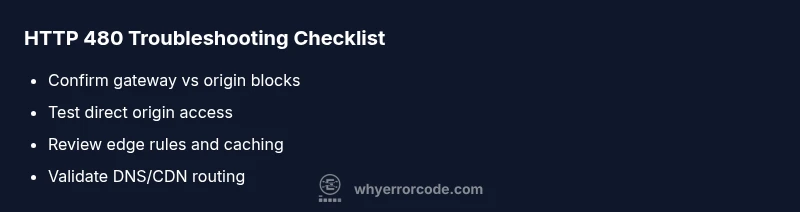
Practical testing plan\n\nBegin with a controlled test: run curl -I -s https://yourdomain and inspect the status line. If you see 480, repeat the test bypassing the gateway by routing directly to the origin (e.g., using host headers to point to the origin only). Next, examine edge gateway logs for policy hits, rate-limit rules, and IP-block lists. Use traceroute or mtr to verify the network path and DNS lookups to ensure responses are consistent across regions. If the environment uses a CDN, temporarily bypass or purge cache to rule out stale content. Finally, compare the gateway's public documentation for the 480 semantics to see if a known policy is applying to your request.
Quick fixes to try now\n\n1) Temporarily adjust gateway rules to allow the request while you investigate; 2) Ensure DNS records and CNAMEs point to the correct origin and that TTLs are not causing stale caches; 3) Confirm TLS/SSL termination is consistent across edge and origin and fix any certificate mismatches; 4) Verify that authentication or rate-limit configuration aligns with the client behavior; 5) Reproduce in a staging environment to avoid impacting production. If changes fix the issue, implement a formal change and monitor for reoccurrence.
Steps
Estimated time: 30-60 minutes
- 1
Identify the source of the 480
Collect the exact request path, headers, and host, then determine whether the block originates at the edge, gateway, or origin. Review the edge gateway or proxy access logs for any policy decision tied to the 480 response. Cross-check with your DNS provider and CDN to rule out routing or TTL issues.
Tip: Use a controlled test from a known-good client and compare with a test from a different network. - 2
Isolate edge gateway from origin
Temporarily route traffic directly to the origin, bypassing the edge/CDN path if possible. If the origin responds without 480, the issue is edge-related. If 480 persists, focus on the origin and its immediate network path.
Tip: Document the exact routing changes and restore them after testing. - 3
Test origin accessibility
Perform curl or HTTP client tests directly against the origin server. Record status codes, response times, and headers. Compare with edge responses to identify discrepancies in routing or policy decisions.
Tip: Enable verbose curl output to capture TLS handshakes and header details. - 4
Review edge security rules
Inspect the WAF, rate-limit, IP allow/deny lists, and content blocking policies for the domain. Look for recent changes that could trigger 480, and test rule adjustments in a staging environment.
Tip: Only modify one rule at a time to isolate the cause. - 5
Validate caching and TLS termination
Ensure that caches don’t serve stale content and that TLS termination is consistent across edge and origin. Misconfigured TLS or mismatched ciphers can cause edge devices to reject a request with a non-standard code.
Tip: Check certificate chains and SNI configurations on both edge and origin.
Diagnosis: User reports HTTP error code 480 when accessing a resource through the edge path
Possible Causes
- highNon-standard status code semantics defined by gateway/proxy
- mediumEdge firewall or WAF rule blocking origin access
- lowDNS or CDN misconfiguration causing wrong routing
Fixes
- easyReview gateway/proxy documentation for 480 semantics and log details
- easyTest origin accessibility directly bypassing edge (curl to origin)
- mediumTemporarily loosen or adjust edge security rules to verify reachability
- hardValidate DNS and CDN routing, clear caches, and ensure TLS termination is correct
Frequently Asked Questions
What does HTTP error code 480 mean?
480 is not part of the official HTTP spec. Its meaning is determined by the gateway or proxy handling the request, so it can indicate a block, policy, or routing decision at the edge. Always check gateway logs and vendor documentation.
480 is not an official HTTP status. Its meaning depends on the gateway, so check edge logs and vendor docs to understand the cause.
Is 480 a security risk?
Not inherently a vulnerability. It usually signals an edge policy decision. Investigate edge rules and the path to the origin to determine if access controls are misconfigured.
It's not a vulnerability by itself, but it can indicate misconfigured edge security rules.
How can I verify where the 480 originates?
Test the same request from networks that bypass the edge, inspect gateway logs, and compare with direct origin responses. This helps identify whether the block is edge-side or origin-side.
Test directly to the origin and compare edge logs to see where the block starts.
What fixes are typically effective for 480?
Review edge gateway policies, correct DNS/CDN routing, and revalidate TLS termination. If needed, adjust rate-limits or IP-block lists and confirm the changes with staging tests.
Check gateway rules, DNS routing, and TLS; test changes in a staging environment.
When should I call a professional?
If you cannot identify the root cause after structured checks or production impact persists, a professional with gateway/CDN expertise should be engaged.
If the cause remains unclear after checks, consider professional help.
Watch Video
Top Takeaways
- 480 is non-standard; verify vendor docs.
- Test edge vs origin to locate the root cause.
- Use direct-origin tests to isolate edge issues.
- Document changes and monitor for recurrence.