WampServer Error Code 1066: Urgent Troubleshooting Guide
A comprehensive, urgent guide to diagnosing and fixing wampserver error code 1066 with step-by-step instructions, diagnostic flow, and prevention tips for developers and IT pros.


wampserver error code 1066 typically signals a SQL query issue detected by MySQL within the WampServer stack, usually related to non-unique table aliases or misnamed columns. The quickest fix is to inspect the failing query, correct the alias usage or column names, and re-run the statement. If the error persists, verify the database schema and server SQL mode to ensure compatibility.
What the error means in practice
When you encounter the phrase wampserver error code 1066, it signals a problem that MySQL raises while parsing a query within the WampServer environment. In practical terms, this is most often triggered by a malformed query that uses a non-unique table alias or references a non-existent column. In development setups, such issues frequently surface during data imports, dynamic reporting, or while executing ad-hoc queries from PHP scripts. The error interrupts the current operation and may cascade into failed page loads or incomplete results. According to Why Error Code, such error codes are symptoms of a mismatch between the SQL statement and the database schema or server settings, so the fastest path to resolution is a targeted query review and environment check.
The first step is to locate the exact SQL text and the line of code where the error originates. Look in your PHP error log, MySQL error log, or the browser console for the failing statement. Once you have the exact query, copy it into a MySQL client or PHPMyAdmin and reproduce the failure with a simplified version. This helps you isolate whether the issue is with the statement itself or with the surrounding application logic. In many cases, correcting a duplicated alias or fixing a misspelled identifier resolves the problem immediately.
Quick checks you can run now
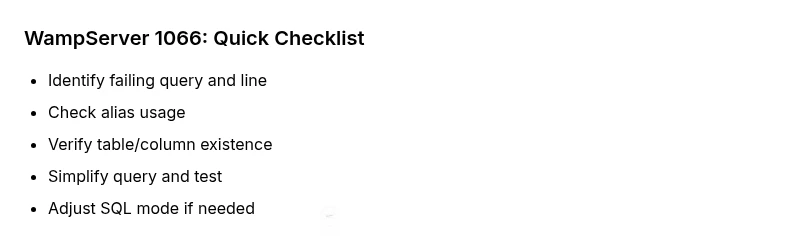
- Capture the exact error message and line number from the MySQL/PHP logs.
- Reproduce the issue in a MySQL client or PHPMyAdmin with a simplified query.
- Check for non-unique table aliases in JOIN clauses (the same alias used for two different tables).
- Verify that all referenced tables and columns exist in the chosen schema.
- Ensure reserved words are properly quoted as identifiers or avoided altogether.
- Review recent schema changes or data imports that could have introduced the issue.
- If you recently migrated data, consider re-importing with correct mode and encoding to avoid hidden corruption.
Diagnostic flow: symptoms to causes to fixes
Symptoms often align with a syntax or schema mismatch rather than a server outage. Common causes include non-unique table aliases, references to non-existent tables/columns, or improper use of identifiers without quotes. Solutions start with a focused review of the failing query, followed by a comparison with the live schema. In many cases, adjusting aliases and ensuring correct column names resolves the error. If the problem persists, verify server settings and SQL mode compatibility, as strict modes can elevate otherwise harmless queries to error state.
Step-by-step fix for the most common cause
- Back up your database and codebase before making changes. 2) Open the failing query in a safe editor and isolate each JOIN and alias. 3) Rename conflicting aliases to unique one-to-one mappings. 4) Confirm every referenced table and column exists and is visible to the user account. 5) Run the query in a MySQL client to verify the fix before deploying. 6) If the error continues, adjust SQL mode or version compatibility and re-test thoroughly.
Other causes and remedies
- Non-existent or misspelled column/table names: correct the spelling and re-run.
- Reserved keywords used as identifiers without quotes: wrap with backticks or rename.
- Complex nested subqueries with aliasing: simplify or break into smaller parts to identify the breakpoint.
- Case sensitivity in table/column names on different OS/filesystems: ensure consistent casing across schema and queries.
- Query plans affected by permissions: verify the user account has necessary SELECT/ALTER rights on involved objects.
Tips & warnings: safety and escalation
- Always back up before making schema changes or importing data. Mistakes can corrupt production data quickly. - Use a staging environment to verify fixes before applying them to production. - If you rely on external plugins or extensions that generate dynamic SQL, review their behavior and disable problematic components temporarily. - If you cannot reproduce or fix the error after attempting these steps, seek professional help from a database administrator or a developer with MySQL expertise.
Steps
Estimated time: 45-90 minutes
- 1
Back up your data and code
Create a fresh backup of your database and the application code before applying any fixes. This ensures you can roll back if something goes wrong.
Tip: Store backups off the production server or in a version-controlled archive. - 2
Reproduce in a safe environment
Use a local test database or staging environment to reproduce the error with a simplified version of the query.
Tip: Limit scope to a single problematic statement to isolate the issue. - 3
Check for non-unique aliases
Examine JOIN clauses for repeated aliases and ensure each table has a unique alias.
Tip: Prefer explicit aliases like t1, t2, instead of repeating the same name. - 4
Validate table and column references
Confirm that every table and column used in the query exists and matches the schema.
Tip: Search the information_schema or your schema dump to verify names. - 5
Test with a minimal query
Strip the query to the smallest working form, then gradually reintroduce complexity until the error reappears.
Tip: This helps pinpoint the exact contributing clause. - 6
Apply and verify the fix
Implement the identified correction in your application, then re-run the full query to confirm resolution.
Tip: Check server logs for any related warnings after the fix.
Diagnosis: Error code 1066 appears when executing a MySQL query in WampServer
Possible Causes
- highNot unique table/alias in the SQL statement
- mediumQuery references a non-existent table or column
- lowReserved keyword used as an identifier without proper quoting
Fixes
- easyCorrect the alias usage or rename conflicting aliases
- easyVerify table and column names against the schema; adjust the query accordingly
- easyRun the query in a MySQL client to isolate the error, then fix
- mediumReview SQL mode and server version compatibility; adjust as needed
Frequently Asked Questions
What does wampserver error code 1066 mean?
WampServer error code 1066 indicates an issue with a SQL query, typically related to non-unique table aliases or references to non-existent columns. It points to a mismatch between the query and the database schema.
WampServer 1066 means your SQL statement has an alias or column reference that doesn’t line up with the database.
Is 1066 a MySQL error only?
Yes. This error originates from MySQL while processing a query within the WampServer stack. It is not specific to PHP alone but is triggered by how MySQL interprets the query.
Yes, it’s a MySQL-level error that shows up inside WampServer when a query is bad.
How can I fix it quickly?
Start by checking the exact failing query for alias conflicts and missing columns. Test a simplified version in a MySQL client, then adjust the query or schema as needed. If the issue persists, review server SQL mode settings.
Start with the failing query, simplify it, fix alias or column names, and re-test.
When should I escalate to a professional?
If you cannot reproduce or confidently fix the error after these steps, consider hiring a database administrator or an experienced MySQL developer. Complex schema changes or production outages warrant expert help.
If you’re stuck after trying the fixes, it’s time to bring in a MySQL expert.
Will upgrading WampServer help with error 1066?
Upgrading components can help if the issue stems from version incompatibilities or edge-case bugs. Test upgrades in a staging environment and review changelogs for MySQL and PHP compatibility.
Upgrade might help if there’s a version clash; test first.
Watch Video
Top Takeaways
- Review aliases and column names carefully.
- Test queries in a safe environment before deploying.
- Log errors and line numbers for faster triage.
- Align SQL mode and MySQL version with your queries.