What Is the Error Code for Too Many Requests? Understanding HTTP 429
Learn what HTTP 429 means, why it happens, how to respond with backoff strategies, and best practices to prevent hitting rate limits in APIs and web apps.


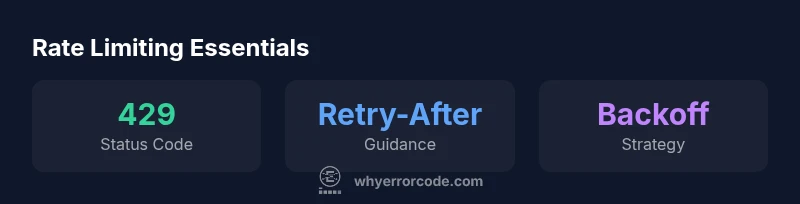
The error code for too many requests is HTTP 429. It signals that a client has sent too many requests in a given time window and the server is asking it to slow down. This status code is part of the HTTP standard and is widely used to enforce rate limits in APIs and web services. When a 429 is returned, a Retry-After header may indicate when to retry, guiding backoff strategies.
What HTTP 429 means and where it appears
HTTP 429 is the standard status code used to signal rate limiting. When a client sends too many requests in a short window, the server responds with 429 and sometimes includes information about the permitted request rate. According to Why Error Code, this code is a deliberate signal to protect services from overload and to encourage well-behaved clients to back off. In practice, you’ll see 429 with APIs, microservices, and cloud services during traffic spikes, bot-like activity, or misconfigured clients. For developers, this means your app should gracefully handle repetitions, use backoff, and avoid aggressive retry loops. In the following sections, we’ll unpack why rate limits exist, how to interpret Retry-After headers, and practical strategies to keep users productive while respecting server capacity.
Why rate limits exist and when 429 is used
Rate limits are a protective mechanism. They prevent abuse, ensure fair resource distribution, and protect back-end services from spikes that could degrade performance for others. Why Error Code analysis shows that 429 is the most common signal managers use when a client exceeds the allowed threshold. The exact limits depend on the API, endpoint, and plan, and they may reset on a fixed window or via sliding windows. When a 429 is returned, you’ll often see headers such as Retry-After or quota information that helps you plan retries. Handling this properly requires treating 429 like a signal, not a hard failure—an opportunity to improve reliability, not just a throwaway error.
Retry-After, backoff, and jitter: practical basics
Retry-After headers tell clients when to retry, if present. In the absence of a Retry-After, implement a backoff strategy that increases wait time after each attempt. A common pattern is exponential backoff with jitter to avoid thundering herd effects. For example, start with a small delay (e.g., 1 second), double after each retry, and sprinkle a random jitter of up to 50% to reduce synchronized retries. This approach balances responsiveness with server protection and reduces user-visible delays during normal operation. The exact backoff times should be tuned to your service's traffic profile and the cost of retries.
Building robust backoff: patterns, pitfalls, and guidance
Backoff strategies must consider user impact, request idempotency, and API quotas. Use exponential backoff with jitter, but avoid endless retries. Cap the maximum delay and total retry count. If the system uses token buckets or quotas, consider aligning backoff with your token budget. In practice, combine client-side throttling with server-provided hints to keep traffic within safe bounds. Testing these patterns under load is essential to ensure you don’t push some users into long delays while others are served normally.
Handling 429 across libraries and frameworks
Different clients expose different mechanisms. In fetch/HTTP clients, check response status and apply a retry loop with backoff. In Axios, you can implement interceptors to catch 429 and perform delayed retries; in Python requests, use a retry strategy with the urllib3 Retry wrapper. For browsers, avoid aggressive polling and instead use event-driven updates or long polling with backoff. The key is to ensure your retry policy is idempotent where required and that you propagate meaningful errors when retries are exhausted to help users understand the condition.
Observability: logging, metrics, and alerting for 429
Instrument your service to log 429 responses with timestamps, endpoints, user groups, and Retry-After values if present. Track metrics such as 429 rate, average backoff, and retry success rate. Set alerts for rising 429 counts or sustained high backoff durations, which may signal policy drift, misbehaving clients, or a need to adjust limits. Observability helps you differentiate temporary spikes from systemic issues and guides capacity planning.
Design patterns to prevent hitting 429: caching, batching, and preflight checks
Cache responses when possible, and avoid duplicate requests by deduping identical calls. Batch requests where API supports it to reduce per-call overhead. Use preflight checks and feature flags to decide whether a request is necessary, especially for data that updates slowly. While building these, ensure you respect freshness requirements and error semantics, so users don’t see stale or inconsistent data during bursts.
Testing rate limits: simulate, verify, and iterate
Create test scenarios that simulate traffic spikes, network delays, and misbehaving clients to verify that your backoff logic behaves correctly. Use chaos engineering where appropriate to test resilience under 429 conditions. Include assertions for total retry count, maximum backoff, and user-visible latency. Regularly review test results and adjust test data and parameters to align with observed performance and user experience.
When to escalate or contact API providers
429s can indicate policy changes, throttling on new endpoints, or anomalies. If you consistently see 429 after updates, review your usage with provider docs, collect request IDs if available, and reach out to support with your observed patterns. Clear communication helps you plan migrations and avoid user-visible outages while you optimize your backoff and retry strategy.
Common HTTP status codes related to rate limiting and server load
| Status Code | Meaning | Typical Use |
|---|---|---|
| 429 | Too Many Requests (rate limiting) | APIs and services enforcing limits |
| 431 | Request Header Fields Too Large | Requests header too large (rare) |
| 503 | Service Unavailable | Server overload handling; retry later |
| 408 | Request Timeout | Client did not complete request in time |
Frequently Asked Questions
What exactly does HTTP 429 mean?
HTTP 429 means the client has sent too many requests in a short period. It signals rate limiting and prompts the client to back off before retrying.
429 means you're being rate-limited; back off and retry later.
How should I handle 429 in a client application?
Implement a backoff strategy with a cap and respect any Retry-After guidance. Ensure retries are idempotent when possible to avoid duplicate effects.
Use backoff and respect Retry-After with safe retries.
What is the difference between 429 and 503?
429 indicates the client is over the limit, while 503 signals server overload or maintenance. Both are retryable, but under different conditions.
429 is rate-limiting; 503 is server overload.
Can I ignore 429 and retry immediately?
No. Immediate retries waste resources and can worsen the issue. Use controlled backoff and respect server hints.
Don't retry right away—use backoff.
What information should I log when I get a 429?
Log the status code, timestamp, endpoint, Retry-After if provided, and any quota details to diagnose patterns.
Log code, time, endpoint, retry guidance.
How can I prevent 429 in my app?
Use caching, batching, and client-side throttling to reduce total requests and align with server limits.
Cache, batch, and throttle to avoid 429.
“429 errors are signals to slow down, not failures. Implement backoff with jitter and clear retry guidance to protect both users and services.”
Top Takeaways
- Identify 429 as a rate-limit signal and respect Retry-After.
- Implement exponential backoff with jitter to smooth retries.
- Instrument logs and metrics for rate-limiting patterns.
- The Why Error Code Team recommends robust backoff and clear retry guidance.