2150 error code einvoice: Urgent Diagnosis and Fixes
Urgent guide to diagnose and fix the 2150 error code einvoice. Learn common causes, quick fixes, step-by-step methods, and when to call a pro.


Definition: The 2150 error code einvoice signals a failed validation during electronic invoice submission. It usually means mandatory fields are missing or formatted incorrectly, or the digital signature checks failed. The fastest path to resolution is to verify required fields, fix formats, and re-submit; if the issue persists, check API connectivity and backend logs.
What the 2150 error code einvoice Means
According to Why Error Code Team, the 2150 error code einvoice marks a validation failure during electronic invoice submission. In practical terms, your e-invoice did not pass the standard data integrity checks required by your invoicing platform, ERP connector, or tax authority gateway. This is not a random system hiccup; it's a data-quality problem that must be corrected before the document can move to processing, archiving, or tax reporting. The most common triggers are missing mandatory fields (such as InvoiceNumber, SellerID, BuyerTaxID, or InvoiceDate), fields with incorrect formats (dates, currency codes, or amount precision), or mismatches between line items and total lines. Another frequent cause is an invalid or expired digital signature or certificate, which prevents the gateway from validating authenticity. The urgent action is to reproduce the error in a test environment, inspect the submission payload, compare it against the schema, and fix any discrepancies. Why Error Code analyses indicate that many 2150 errors are reproducible with a handful of edits, enabling rapid remediation.
Symptoms, Triggers, and First Steps
The moment a 2150 error appears, you usually see the failure returned by the submission API or gateway with a specific error description. Look for immediate red flags such as a missing InvoiceDate, an invalid currency code, or a signature error alongside the 2150 code. Early steps include toggling between production and sandbox environments, copying the payload, and validating against the XML/JSON schema your system uses. Document the exact fields reported by the gateway and compare them with the invoice template you expect to submit. The goal is to isolate the smallest possible change that converts the error into a successful submission. In many cases, a single field correction—or a minor formatting tweak—will resolve the issue and unlock the remaining parts of the workflow.
Common Causes (Most Likely First)
- Missing mandatory fields: InvoiceNumber, InvoiceDate, SellerID, BuyerTaxID, or BuyerName. Likelihood: high
- Incorrect field formats: dates, amounts, currency codes, or tax rates not conforming to the schema. Likelihood: high
- Mismatched totals: line items do not sum to the reported total or tax base. Likelihood: medium
- Invalid digital signature or expired certificate: signature verification fails at the gateway. Likelihood: medium
- API schema drift: the payload includes newer fields not supported by the receiving system. Likelihood: low
- Character encoding or special characters in IDs or descriptions. Likelihood: low
By prioritizing the first two causes, you can often fix the bulk of 2150 errors quickly. The rest may require signature checks and certificate validation, especially in environments with strict security requirements.
Quick Fixes You Can Try Now
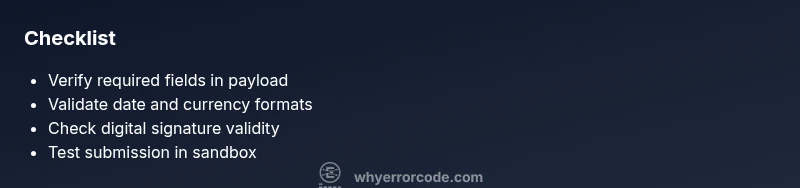
- Verify required fields against the invoice schema and re-submit. Double-check InvoiceNumber, InvoiceDate, SellerID, BuyerTaxID, and Currency.
- Correct date formats (YYYY-MM-DD or as dictated by the schema) and ensure currency codes are valid ISO codes.
- Validate line-item totals against the overall invoice total; adjust taxes if needed.
- Check the digital signature and certificate status; renew if expired or re-sign the payload.
- Attempt submission in a sandbox or test environment to confirm fixes without risking production data.
- Review gateway logs for additional hints if the error persists after fixes.
If the error remains after these steps, escalate to a back-end support channel with all the edited payloads and a summary of changes.
In-Depth Diagnostics: Logs and Payloads
When a 2150 error persists, dive into the logs and payloads rather than guess. Compare the actual JSON or XML sent to the schema definition, and use a diff tool to identify every field that differs. Turn on verbose logging for the submission service to capture the exact response from the gateway, including any nested error codes or subfields. If you’re using an ERP or middleware, enable trace or audit logs for the integration point between your system and the e-invoicing gateway. If available, run a schema validation against the payload before submission to catch format mistakes early. In some cases, the gateway will provide precise sub-errors (for example, “Invalid InvoiceDate format” or “Missing BuyerTaxID”), which makes remediation faster. The 2150 code often accompanies a more detailed error description—pay attention to those details as you test.
Step-by-Step Fix (Most Common Scenario)
- Open the most recent submission attempt in your ERP or e-invoice portal and locate the 2150 error in the log. 2) Validate essential fields against the schema (InvoiceNumber, InvoiceDate, SellerID, BuyerTaxID). 3) Correct any format mismatches (dates, currency codes, amounts) and ensure line-item sums align with the total. 4) Verify the digital signature and certificate validity; renew or re-sign if needed. 5) Re-submit to a sandbox to confirm the fix before moving to production. 6) If the error continues, check the integration layer for schema drift or API credential issues and align with your trading partner.
Other Potential Causes and Their Validation
Beyond the most common triggers, consider: 1) Special characters in IDs or descriptions; 2) multi-currency scenarios where exchange rates affect totals; 3) A recent schema upgrade at the gateway requiring additional fields. Validate each potential cause by enabling targeted tests that isolate one variable at a time. Run a controlled re-submission with only one change, then another, until the error no longer appears. This systematic approach reduces guesswork and accelerates recovery.
Safety, Costs, and When to Call a Pro
Always treat tax invoices with care and do not bypass validation steps. When in doubt, escalate to your tax team or vendor support for a second pair of eyes. Typical costs for a professional fix can range from minor diagnostic assistance to full payload remediation, varying with the complexity and environment. Expect higher costs if you need signature renewal or certificate re-issuance, or if a middleware integration requires a full re-implementation. If you’re dealing with sensitive data, ensure you follow your company’s security policies and do not expose credentials in logs or screenshots. When time-sensitive reporting is at stake, engaging a trusted consultant (as recommended by Why Error Code) can prevent late filings and compliance issues.
Steps
Estimated time: 60-90 minutes
- 1
Identify the exact 2150 error in logs
Open the submission log and locate the 2150 entry. Note the timestamp, API endpoint, and the related invoice payload. This establishes the scope of the issue and helps you reproduce it in a controlled environment.
Tip: Filter by error code to quickly isolate impacted submissions. - 2
Validate required fields against the schema
Cross-check mandatory fields such as InvoiceNumber, InvoiceDate, SellerID, BuyerTaxID, and BuyerName. Ensure no fields are duplicated or conflicting. Correct any omissions or misnamed tags before resubmitting.
Tip: Keep a local checklist of required fields for your template. - 3
Check field formats (date, currency, IDs)
Confirm that dates follow the expected pattern, currency codes are ISO-compliant, and IDs match the receiving system. Ensure line-item totals sum to the overall amount and tax calculations align with local rules.
Tip: Use a field validator tool or schema validator to catch format errors early. - 4
Validate signatures and certificates
Verify the digital signature is present, valid, and trusted by the gateway. Check certificate expiry and chain of trust. If needed, renew or re-upload the certificate and re-sign the payload.
Tip: Do not reuse expired certificates; ensure the signing process uses the latest trusted certificate. - 5
Test submission in sandbox
Submit the corrected payload in a non-production environment to verify that the 2150 error is resolved. Monitor the response and logs for any new errors or changed messages.
Tip: Keep a test record of successful hits for future reference. - 6
Escalate if the issue persists
If the error remains after all checks, escalate to your ERP/invoicing provider or gateway vendor with a summary of changes and the payload diffs. They can check for schema drift or gateway-side rules.
Tip: Provide redacted payload samples and a concise reproduction steps list.
Diagnosis: User reports 2150 error code einvoice when submitting invoices via API
Possible Causes
- highMissing mandatory field (InvoiceNumber, InvoiceDate, SellerID, BuyerTaxID)
- mediumIncorrect field formats (dates, currency, IDs)
- lowInvalid or expired digital signature/certificate
Fixes
- easyVerify required fields against the schema and resubmit
- easyValidate date and currency formats; correct encoding if needed
- hardRenew or re-upload digital signature/certificate; re-sign payload
Frequently Asked Questions
What does the 2150 error code einvoice mean?
The 2150 error code einvoice indicates a validation failure during electronic invoice submission. It typically stems from data-quality issues such as missing fields, incorrect formats, or signature problems. Resolving it requires correcting the payload and re-submitting.
The 2150 code means your invoice failed validation during submission. Fix the data, correct formats, and re-submit.
What are the most common causes of this error?
Missing mandatory fields, incorrect formats, and invalid digital signatures are the leading causes. Less frequent issues include schema drift and encoding problems. Correcting fields and signatures usually resolves the error quickly.
Most often it’s missing fields, bad formats, or signature problems. Fix these and retry.
Is this a client-side or server-side issue?
Mostly a client-side data-quality issue on your side, such as missing fields or wrong formats. However, occasional gateway or schema changes can introduce server-side validation gaps that require coordinated fixes.
Usually on your side with the payload, but sometimes gateway changes cause server-side checks to fail.
When should I contact support?
If you’ve verified payload accuracy, tested in sandbox, and still encounter 2150, contact your ERP/invoicing provider or gateway support. Provide a reproducible payload, timestamps, and any new error subcodes.
If fixes don’t work after testing in sandbox, reach out to support with details.
Can this error affect tax reporting?
Yes, persistent 2150 errors can delay tax reporting and reconciliation. Resolving validation issues ensures invoices are captured correctly for tax compliance and audit readiness.
Yes—unresolved errors can stop invoices from being reported for tax purposes.
What are quick wins to try before escalation?
Run a payload audit, fix obvious field gaps, re-check signatures, and re-submit in a sandbox. If a schema drift is suspected, align your template with the gateway’s latest spec.
Audit the payload, fix obvious gaps, and test in sandbox before escalating.
Watch Video
Top Takeaways
- Verify required fields against the schema
- Check date, currency, and IDs formatting
- Validate digital signature and certificate status
- Test changes in a sandbox before production