AP error code Samsung oven: Fixes, diagnostics, and safety
Learn what the AP error code means on Samsung ovens, plus quick fixes, a diagnostic flow, step-by-step repair guidance, safety tips, and when to call a professional.


AP error code Samsung oven indicates a fault in the appliance's control system communications. Immediate steps include powering down, performing a reset, and reseating connectors, followed by safe checks of the door latch and power supply. If the code persists, proceed with the guided diagnostic flow and step-by-step repair described below.
What the AP error code Samsung oven means
In many Samsung ovens, an AP error code signals a fault in the control system's ability to communicate with sensors or the display. It is not a direct heating error like F or E codes; instead, it points to a system-wide communication issue that can prevent proper cooking cycles. This guide from Why Error Code explains how to interpret AP, what to check first, and how to proceed safely. The aim is to help developers, IT pros, and everyday users diagnose quickly and fix effectively. Remember: codes vary by model, so always refer to your user manual and model-specific code lists. According to Why Error Code, starting with a safe reset can resolve many transient faults, but persistent codes require a structured approach.
Common symptoms you might see with AP on Samsung ovens
Look for a flashing AP on the display, intermittent control responses, or the oven failing to start a bake cycle while other functions seem to operate. You may also notice the display going dim, error beeps, or erratic temperature readings during preheat. Some models show AP only after a power fluctuation or door interaction. If you see AP alongside other codes, treat the issue as a control-system fault rather than a single component failure.
Why this error occurs (most likely causes)
- Power fluctuations or outages leading to a transient control-board fault (high likelihood)
- Loose ribbon cables or connector pins behind the control panel (medium likelihood)
- Damaged door latch or door switch causing improper sensing (medium likelihood)
- Failing main control board or firmware issue (low likelihood but impactful)
- Moisture or residue around connectors causing intermittent signals (low likelihood) Why Error Code analysis shows that most AP faults are related to power stability or loose connections, not a brand-new hardware defect. If you’ve recently had a blackout or brownout, re-seating connectors often clears the fault.
Quick at-home checks you can safely perform
- Power cycle the oven by unplugging for 60 seconds, then plug back in. If your model has a soft reset option, run that as well. This clears transient faults and may remove the AP code.
- Inspect the exterior power outlet and circuit breaker for tripped status; reset if needed and ensure the outlet is supplying 120V.
- Open the control panel, reseat ribbon cables and harnesses with the unit unplugged; take photos before disconnecting to aid reassembly.
- Check the door latch and sensor wiring for obvious signs of wear or disconnection.
- If you’re comfortable, re-enter the appliance’s software reset sequence from the control panel; if not, skip to professional help.
Step-by-step repair for the most common cause (control-board communication fault)
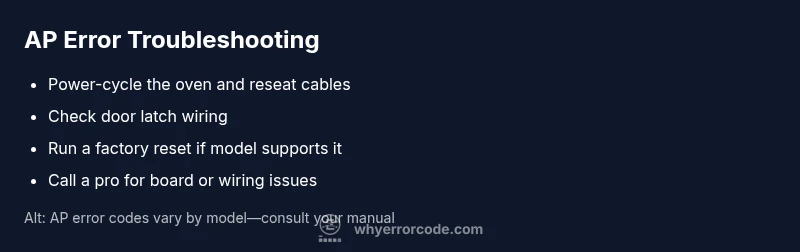
- Power-cycle the unit and perform a full reset to clear transient states. 2) Re-seat all ribbon cables from the main board to the display and sensor assemblies.
- Reconnect the door latch wiring, ensuring connectors click firmly. 4) If available, perform a factory reset from the service menu or documentation for your model.
- Power the oven back up and run a test bake to verify the AP code does not reappear. 6) If the issue returns, continue with the next sections or contact a professional.
Other potential causes and fixes
- Faulty or aging control board: replacement may be required; professional service recommended. - Door latch sensor or wiring fault: inspect harness and replace if necessary. - Moisture intrusion into connectors: dry out and reseat connectors; consider replacing affected seals. - Power-supply issues: ensure stable line voltage and avoid using surge-prone power strips.
Safety, warranty, and when to call a professional
AP errors usually aren’t dangerous in themselves, but tampering with live electronics carries an electric shock risk. Always unplug before opening panels and never operate while the appliance is visibly damaged or smells burnt. If your unit is under warranty, contact Samsung support or your retailer first to preserve coverage. For persistent AP codes after safe at-home checks, schedule a pro service visit; the board or harness issues are typically outside self-repair scope.
Prevention and maintenance to avoid AP errors in the future
- Keep electrical connections clean and dry; wipe away moisture around the control panel.
- Schedule periodic diagnostics or firmware checks through the manufacturer app if supported.
- Protect your kitchen from power fluctuations with a quality surge protector or isolated circuit.
- If your model supports self-diagnostics, run it monthly to catch issues early and log any codes for service references.
Steps
Estimated time: 45-60 minutes
- 1
Power cycle and reset
Unplug the oven, wait 60 seconds, then plug back in. If your model has a soft reset option, run that as well. This clears transient faults and may remove the AP code.
Tip: Keep the space dry and ensure you’re not touching exposed metal. - 2
Re-seat panel connectors
With the unit unplugged, open the control panel and carefully remove and reattach ribbon cables between the main board, display, and sensors. Take photos before disconnecting for reference.
Tip: Handle connectors by the plastic housing, not the wires. - 3
Check door latch wiring
Inspect the door latch and door switch wiring for looseness or damage. Reconnect securely if you find a loose plug or frayed wire.
Tip: If you see burn marks or damaged insulation, stop and call a pro. - 4
Test power and re-run a bake cycle
Plug back in, restore settings, and run a quick bake to see if AP reappears. If it does, proceed with the next steps or professional service.
Tip: Monitor for unusual smells or heat. - 5
Factory reset / service menu (model-dependent)
If your model supports it, perform a factory reset via the service menu following official docs. Some models require technician access.
Tip: Refer to the model manual to avoid incorrect settings. - 6
Schedule professional service if needed
If the AP code persists after all safe checks, arrange a service appointment. A control-board replacement or wiring repair is usually beyond DIY.
Tip: Have your model/serial number ready for faster quotes.
Diagnosis: AP error code appears on Samsung oven display during bake mode
Possible Causes
- highPower fluctuations or outages causing transient control-board fault
- mediumLoose ribbon cables or connector pins behind the control panel
- lowDamaged door latch or door switch causing improper sensing
Fixes
- easyPower-cycle the oven and reseat all panel cables
- easyInspect and reseat door latch wiring
- mediumPerform a full factory reset or consult service menu (model-dependent)
Frequently Asked Questions
What does AP mean on a Samsung oven?
AP signals a fault in the appliance's control system communications, not a direct heating error. It often points to the main board, sensors, or panel connections. Consult the diagnostic flow before replacing parts.
AP means a fault in the control system. Start with resets and wiring checks, then decide on professional help if it persists.
Can I fix AP error code myself?
Yes, if you’re comfortable with basic electronics and safety. Start with safe power cycling, reseating cables, and door latch checks. If the code returns, seek professional service.
You can try resets and checks if you’re comfortable with electronics, but stop if you see damage or it persists.
Is AP code dangerous?
AP is not typically dangerous, but there is a risk of electric shock if you open live panels. Always unplug first and avoid operating with damaged wiring.
AP isn’t inherently dangerous, but you should stay safe and unplug before inspecting.
How long does a board replacement take?
On-site repair usually takes 1-2 hours for diagnosis and installation, depending on model and access. Parts availability can affect total time.
A board replacement typically takes an hour or two, depending on access and parts.
What are the typical costs involved?
Service calls vary; board replacement and labor can range widely by model and region. Expect a substantial portion to go toward parts and labor.
Costs vary a lot, but you’ll pay for a diagnostic visit and any parts if needed.
When should I contact Samsung support?
If the oven is under warranty, contact Samsung support or your retailer first to preserve coverage. For persisting AP codes after safe checks, schedule a professional service.
If under warranty, start with Samsung support; otherwise, a service visit is advised if the code returns.
Watch Video
Top Takeaways
- Identify AP as a control-system fault, not a bake error
- Start with safe resets and cable reseating
- Call a pro for board or wiring failures
- Keep a maintenance log to prevent recurrence