Battlefront 2 Error Code 721 Guide: Fixes and Diagnostics
Urgent, practical guidance to diagnose and fix Battlefront 2 error code 721. Learn how to verify servers, test your network, repair files, and avoid future outages with proven steps.


Error code 721 in Battlefront 2 typically signals a connectivity or authentication failure preventing online play. Immediate steps include checking your internet, verifying EA servers are online, restarting your router, and validating game files. If the issue persists, try a clean reinstall or contact support. This quick guidance helps you act fast to restore online access.
What Error Code 721 Means for Battlefront 2
Error code 721 is not just a generic message; in Battlefront 2 it most often signals a problem establishing an online session or authenticating your account with EA servers. When you encounter 721, you may be blocked from joining online matches, accessing progression features, or playing in a party with friends. The root cause can be a mix of your local network status, server-side maintenance, or client-side blocks like firewall filtering. Because downtime can erase the window for multiplayer play, it’s urgent to run a targeted troubleshooting flow to minimize downtime and get back into the action quickly.
Why It Happens: Server Status, NAT, and Client-Side Barriers
Several layers can trigger error 721. On the server side, EA servers might be undergoing maintenance or experiencing regional outages, which blocks authentication and matchmaking. On the client side, a strict NAT type, firewall or antivirus blocking, VPN or proxy interference, stale game data, or out-of-date game builds can all surface 721. The interaction among these factors often creates a frustrating catch-22: your network looks fine, but the game cannot complete the required network handshake with the servers.
Quick First-Aid: Immediate Steps You Can Try
Start with the simplest fixes first, since they often resolve 721 without a deep repair. Check your internet connection for stability, pause any VPNs, and verify EA server status. Power cycle your router and modem, then relaunch Battlefront 2. If you still see 721, run a quick file check or integrity scan on your game client, and try signing out and back into your account. These steps are fast and safe, and they often restore multiplayer access.
Step-by-Step Fix for the Most Likely Cause: Local Network/Firewall Interference
- Confirm your internet connection is stable with a speed test and try another device on the same network. 2) Temporarily disable VPNs or proxies; if you’re on a corporate or school network, switch to a home connection if possible. 3) Add Battlefront 2 and your game launcher to the firewall/antivirus allowlist, or temporarily disable security software to test. 4) Ensure your router’s UPnP is enabled and that NAT type is not strictly blocked. 5) In your game launcher, select 'Repair' or 'Verify Integrity' to fix corrupted local files. 6) Reboot the router and PC/console, then re-launch the game. 7) If the problem persists, connect directly via Ethernet or try a different network.
Other Causes and Fixes: Firewalls, Antivirus, and Client-Side Issues
If the previous steps don’t fix 721, you may be dealing with a stricter network barrier or a broken client install. Ensure your system time and region settings align with Battlefront 2 servers. Update all drivers, particularly network adapters, to eliminate compatibility issues. Reinstalling the game is a last resort when file integrity checks fail to repair the issue, and you should backup saves if applicable.
Safety, Costs, and When to Seek Help
Be mindful that disabling security software carries risk. Only disable temporarily for testing and re-enable immediately after testing. Most fixes here cost nothing or only require basic hardware (your router or PC). If you reach a brick wall, contacting EA Support is prudent, especially if you have a recent outage notification from EA Help. Expect possible wait times but you’ll receive guided steps based on your platform and region.
Prevention: How to Avoid Error 721 in the Future
Keep Battlefront 2 and its launcher up to date, maintain a stable home network, and document any server notices from EA. Reserve time to run periodic integrity checks, especially after major patches or system updates. If you game behind a corporate or shared network, coordinate with the network admin to ensure Battlefront 2 traffic is not being blocked.
Steps
Estimated time: 60-120 minutes
- 1
Verify the error and capture details
Note the exact error code, platform, time of occurrence, and whether it happens offline or online. This helps distinguish server-side outages from your network issues.
Tip: Keep a small log of outages to spot patterns. - 2
Check server status and regional outages
Visit EA Help or the Battlefront 2 official channels to confirm current server health and any maintenance windows affecting your region.
Tip: If servers are down, you may just need to wait. - 3
Test your network with a wired connection
Switch to Ethernet if you’re on Wi-Fi, run a speed test, and check for jitter or packet loss. Disable VPNs temporarily to test baseline connectivity.
Tip: Stable bandwidth often correlates with fewer 721 errors. - 4
Temporarily disable security software
Turn off firewall/antivirus protection briefly to test whether they’re blocking Battlefront 2. If it fixes the issue, add an exception instead of leaving protections off.
Tip: Do not leave security disabled long-term. - 5
Repair game files or reinstall the launcher
Use the launcher’s repair/verify tool to fix corrupted files. If unresolved, consider a clean reinstall of the game while preserving saves.
Tip: Back up saves if possible before reinstall. - 6
Relog and reauthenticate
Sign out of your EA account or game launcher, then sign back in. Re-authentication can clear account-related handshake issues.
Tip: Use a fresh login to rule out session cookie problems. - 7
Escalate to EA Support
If steps above fail, contact EA Support with diagnostic details, your platform, and any error logs. They can provide platform-specific guidance.
Tip: Prepare a ticket with your PC/console specs and network setup.
Diagnosis: Battlefront 2 shows error code 721 when attempting to connect to online services.
Possible Causes
- highNetwork connectivity issues (local network instability, VPN, or proxy)
- highEA servers down or experiencing regional outages
- mediumFirewall/antivirus blocking Battlefront 2 or launcher
- lowCorrupted game files or outdated game version
Fixes
- easyTest and stabilize your internet connection; disable VPNs/proxies briefly to test
- easyCheck EA Help or Battlefront status pages and wait if servers are down
- easyAdd exceptions for Battlefront 2 and the launcher in firewall/antivirus settings
- mediumRun a file integrity check or repair installation, then update to the latest patch
Frequently Asked Questions
What does error code 721 mean in Battlefront 2?
Error 721 indicates a connectivity or authentication problem blocking online play. It is commonly caused by server outages, network blocks, or corrupted files.
Error 721 means your game can’t connect to online services. Start by checking servers, then test your network and files.
Is error 721 server-side or a local network issue?
It can be either. Begin by checking server status; if servers are online, examine NAT, firewall, and local network configuration.
It could be server-side or your network. Start with server status, then inspect your setup.
How can I check Battlefront 2 server status?
Visit the official EA Help page and Battlefront 2 social channels for real-time updates on server health and maintenance windows.
Check EA Help or the official Battlefront channels for live server updates.
Can I fix error 721 without reinstalling?
Often yes. Start with repairing game files, adjusting firewall rules, and checking your network before considering a reinstall.
Usually you can fix it without reinstalling by repairing files and checking your network.
Will I lose progress if I reinstall Battlefront 2?
Save data is typically preserved if stored in the cloud or linked to your account; verify cloud saves are enabled before reinstalling.
Reinstalling usually preserves progress if your saves are in the cloud.
When should I contact EA Support?
If troubleshooting doesn’t resolve 721, reach out to EA Support with platform details, timestamps, and error logs for targeted guidance.
If the issue persists after troubleshooting, contact EA Support for help.
Watch Video
Top Takeaways
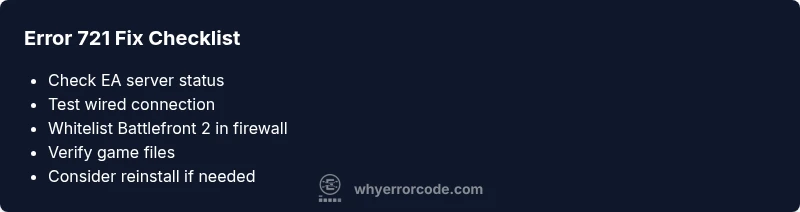
- Check network and server status first
- Repair game files before reinstalling
- Whitelist Battlefront 2 in firewall/AV
- Seek EA Support if issues persist