Electrolux Stove Error Code: Diagnosis & Fix Guide
Urgent guide to understanding and fixing Electrolux stove error codes. Learn quick checks, diagnostic flow, step-by-step repairs, safety tips, and what to do if you need professional service.


What an electrolux stove error code means
An electrolux stove error code is a message from the appliance's built-in controller indicating a fault it detected during operation. These codes are designed to protect you from unsafe conditions and to guide a quick path to restoration of normal function. The exact cause can vary widely—from a minor transient glitch to a safety-critical failure in ignition, sensors, or interlocks. For developers, technicians, and everyday users, the key is to treat any error code as a signal to pause use and begin a controlled diagnostic sequence. In practical terms, this means: identify the code pattern, check for obvious safety issues, and move toward a safe reset or repair path. Keep in mind that Electrolux appliances differ by model, so always consult the official manual for your specific code meanings. This guide follows the general principles used by the Why Error Code team to diagnose and fix stove error codes efficiently while prioritizing safety and preventing recurrence.
Quick checks you can do safely
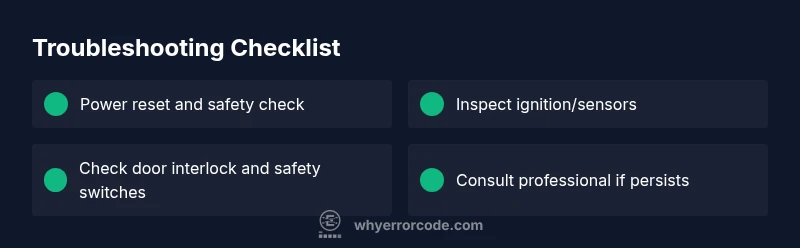
Before doing any hands-on work, ensure your stove is powered down and disconnected from power. If you smell gas or hear hissing, do not attempt further troubleshooting—leave the area and call emergency services or your gas provider. For non-gas models, a simple power reset can clear transient faults. Try these quick checks:
- Unplug the stove for 60 seconds, then plug back in and test.
- If the unit is hard-wired, switch off the circuit breaker for 60 seconds and restore power.
- Inspect the power cord, outlet, and nearby wiring for visible damage.
- Verify gas supply (for gas stoves) and confirm gas shutoff is fully open.
- Check the door interlock and any safety switches to ensure they latch correctly when closed.
If the error reappears after a reset, proceed with deeper diagnostics or contact support. The Why Error Code team emphasizes documenting the exact code and conditions under which it appeared to speed up later troubleshooting.
Common fault categories and how they manifest
Electrolux stove error codes typically fall into several broad categories, each with its own telltale symptoms:
- Ignition or flame-sensing faults: The stove fails to ignite or the flame sensor does not detect flame, often accompanied by a failure to lock the burner safely.
- Sensor or temperature fault: The control panel reports temperature or sensor irregularities, causing warning codes or automatic shutoffs.
- Door interlock or safety circuit fault: The unit will not operate if the door interlock is miscalibrated or a safety switch is stuck.
- Power supply or control board issues: A transient power spike or a failing control board can trigger various codes or restart loops.
Recognize these categories to guide your diagnostic path without jumping to conclusions. Always verify that basic safety conditions (gas, oxygen, and electrical supply) are stable before diving deeper.
Diagnostic flow you can follow (high level)
A practical diagnostic approach helps you separate simple resets from complex repairs. Start with a safe baselined reset, then test each subsystem in a logical order. The diagnostic flow below is designed to be executed by technicians and informed DIYers alike, with safety and cost-awareness in mind:
- Confirm the exact error code and the sequence of events leading up to it. Note time, temperature, and whether the error reappeared after resets.
- Run a controlled power reset to clear transient faults and observe if the error returns.
- Inspect wiring harnesses, connectors, and the control board for obvious damage or loose connections.
- Check ignition components or sensors relevant to the fault category identified (gas valve, spark generator, temperature sensors).
- Verify safety interlocks and door switches function properly in all states (open/closed).
- If the issue persists, prepare for professional service and gather model number, firmware version, and error patterns to share with the technician.
Safety tips and when to call a pro
Safety is non-negotiable when troubleshooting a stove. If you smell gas, hear a hiss, or notice scorching, do not continue. Turn off power, evacuate, and contact your gas provider or emergency services immediately. For most non-emergency cases where the fault persists after a reset, a qualified technician should diagnose and repair the appliance. Expect costs to include a service call plus parts or board replacement if required, with typical ranges depending on region and model.
Maintenance to prevent future error codes
Proactive maintenance can reduce the frequency of error codes. Implement a simple preventive routine:
- Clean burners, ignition ports, and sensor housings to prevent buildup that may trigger faults.
- Inspect and tighten electrical connections annually; look for signs of wear or corrosion.
- Update firmware if your model supports it, using the official app or manual.
- Schedule professional inspections every 1–2 years for high-use kitchens or commercial environments.
- Keep a log of error codes and resolution steps to accelerate future diagnostics.
Preparing for service: what to document before you call
To minimize service time and cost overruns, collect and share specific information with your service technician:
- Model and serial numbers, located on the back or inside the frame.
- The exact error code text, any accompanying beeps, and the sequence of events when the error appeared.
- Recent maintenance history, filters or ignition parts replaced, and any firmware updates.
- Photos of wiring or components that look damaged or discolored.
- Your observations about safety conditions (gas smell, burner sparking, or unusual noises).
Having this data ready helps the technician diagnose faster and can reduce labor costs.