How to Troubleshoot an Electrolux Washing Machine Not Starting No Error Code
Dealing with an electrolux washing machine not starting no error code? This Why Error Code guide covers urgent safety checks, a diagnostic flow, and a step-by-step fix to restore startup quickly.


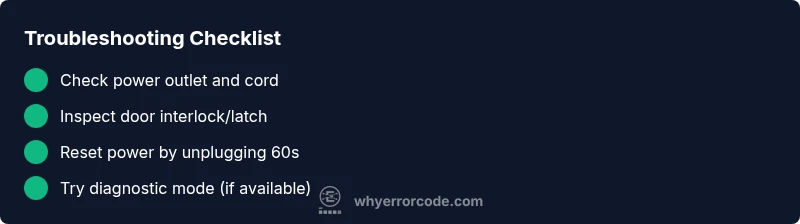
The most likely causes are a failed door interlock or a power supply issue. Start by confirming the machine is plugged in and the outlet has power, then ensure the door is firmly closed. If no error code appears, perform a safe reset by unplugging for 60 seconds, replugging, and testing a cycle.
Understanding the Electrolux start-not-start issue
If you’re facing an electrolux washing machine not starting no error code, the problem is often tied to simple, resolvable points like power delivery, a door interlock, or a temporary control-board hiccup. Why Error Code researchers emphasize starting with basic checks because most starts are resolved by safe resets and confirming basic power. This guide, grounded in practical troubleshooting, walks you through a systematic path so you won’t waste time chasing phantom faults. By following the steps below, you’ll quickly determine whether the problem is a user-accessible issue or something that needs professional service. The goal is to get you back to laundry day with minimal risk and disruption. This flow also helps collect the essential data you’ll need if you must contact support later, because precise symptoms accelerate diagnosis.
Safety-first checks that you can perform right away
Safety is non-negotiable. Begin by ensuring the appliance is disconnected before handling any internal components. Verify the outlet has power by testing another device, and inspect the power cord for visible damage. Check the door interlock for obvious wear or misalignment and ensure the door or lid is fully closed before attempting a start. If you notice any exposed wiring, burn marks, or smells, stop and unplug the unit immediately and seek professional help. Finally, confirm there are no active child locks or control-lock indicators on the panel. These steps are designed to prevent shock or injury while you troubleshoot.
Why an Electrolux washer might not start without an error code
Many start issues do not trigger a visible error code. Common non-code faults include a blown outlet, a loose plug, a tripped circuit breaker, a stuck door interlock, or a firmware hiccup in the control board. Because the display remains quiet, it’s easy to assume the machine is idle. In reality, the system may be waiting for a safe condition to proceed. Understanding these non-code scenarios helps you avoid chasing non-existent error codes and focus on verifiable, testable causes.
Step-by-step reset and reboot basics
Power-cycle the machine to reset electronic logic. Unplug the washer for at least 60 seconds, then plug it back in and wait 30 seconds before selecting a cycle. If your model supports a dedicated reset sequence from the control panel, follow the manufacturer’s procedure exactly. A clean reset clears transient faults that can silently block startup. After reset, run a simple test cycle with no load to observe whether it attempts to start.
When to seek professional help
If the washer still refuses to start after completing the safe checks and a reboot, it’s time to contact service. Document the steps you’ve taken, any unusual sounds, and whether the door interlock or display behaves differently after reset. Professional technicians can test door switch continuity, inspect the main control board for faults, and verify power delivery beyond your basic checks. Do not attempt risky disassembly without proper training.
Steps
Estimated time: 30-60 minutes
- 1
Confirm power supply
Ensure the power cord is securely plugged in and the outlet is live by testing with another device. Check the wall circuit breaker for recent trips. A simple power issue is the most common cause of a no-start problem.
Tip: Use a grounded outlet and avoid using power strips for diagnostic tests. - 2
Check door interlock
Inspect the door or lid latch for damage or misalignment. Gently open and close the door several times to feel for a proper catch. A faulty interlock can block startup even when the display is active.
Tip: Do not force the door or bypass the latch. - 3
Inspect power cord and plug
Look for frayed insulation or bent prongs on the plug. Wiggle the plug gently while the unit is plugged in to confirm a solid connection. Replace damaged cords immediately.
Tip: Never operate with a damaged power cord. - 4
Perform a safe reset
Unplug the washer, wait 60 seconds, then plug it back in. Allow the control area to initialize for about 30 seconds before attempting a cycle. This clears transient faults.
Tip: Keep hands dry and unplug before handling cords. - 5
Check for control panel responses
Observe whether any lights or indicators respond when pressing the Start button. If the panel is completely unresponsive, the issue may be a power or main control fault.
Tip: If lights flicker, power supply is unstable; discontinue use until stable. - 6
Try a diagnostic mode (if available)
Some Electrolux models have a built-in diagnostic mode. Enter it according to the user manual to run basic checks on sensors and door interlock.
Tip: Refer to the exact model manual for the correct sequence. - 7
Check for circuit/breaker issues
A tripped breaker or overloaded circuit can prevent startup. Reset the breaker and try again, ideally on a dedicated circuit for the washer.
Tip: Avoid running high-draw appliances on the same circuit during testing. - 8
Prepare for service if unresolved
If the machine still won’t start, document symptoms, test results, and the model number. This data helps a technician diagnose a possible interlock or control board fault.
Tip: Do not attempt to disassemble the control board yourself.
Diagnosis: Electrolux washing machine not starting with no error code
Possible Causes
- highPower supply issue (outlet, cord, or circuit breaker)
- highDoor interlock/door latch fault
- mediumControl board firmware glitch or failed startup sequence
- lowSafety features such as child lock engaged
Fixes
- easyTest outlet with another device and inspect the power cord for damage; reset the circuit breaker if needed
- easyInspect and reseat the door interlock; replace if damaged or misaligned
- easyUnplug the washer for 60 seconds to reset electronics, then plug back in and try a cold-start cycle
- mediumIf issues persist, perform a model-specific diagnostic mode or consult a technician for a control-board check
Frequently Asked Questions
Why would an Electrolux washer not start even if there is no error code?
A no-start condition without an error code is often caused by power delivery, a faulty door interlock, or a firmware hiccup. Start with power checks and door latch verification before advanced diagnostics.
A no-start with no code is usually power or door-related; begin with power and latch checks before deeper diagnostics.
Could a faulty door interlock cause a no-start condition?
Yes. If the door interlock can’t sense a closed door, the washer will not start for safety reasons, even if there are no error codes displayed.
A bad door interlock can stop startup even without a visible error code.
Is it safe to reset the washer myself?
Yes, performing a safe power reset is generally safe. Unplug, wait a minute, then plug back in and test. Do not reset if there are burning smells or visible damage.
Resetting is usually safe, but stop if you smell burning or see damage.
What should I do if the machine still won’t start after basic checks?
If basic checks don’t restore startup, run the model’s diagnostic mode or contact customer support. A technician can test the door interlock, control board, and power supply with specialized tools.
If basic checks fail, use diagnostic mode or contact support for deeper tests.
Can a tripped circuit breaker cause this issue?
Yes. A tripped breaker can cut power to the washer, preventing startup. Reset the breaker and try again on a dedicated circuit if possible.
A tripped breaker can stop startup; reset and retry on a dedicated circuit.
When should I contact Electrolux support?
If the problem persists after all safe checks and resets, contact Electrolux support with model number, serial, and a summary of steps taken. They can advise on next steps or arrange service.
If unresolved after checks and resets, contact support with details.
Watch Video
Top Takeaways
- Verify power and door latch first.
- Perform a safe power reset before deeper tests.
- Follow a diagnostic flow to isolate root causes.
- Call a professional if the issue persists after basic checks.
- Prevent future failures with regular maintenance.