Error Code Not Found: Urgent Diagnosis & Fixes
Urgent guide to diagnosing and fixing 'error code not found' across software and devices. Learn symptoms, causes, step-by-step fixes, and prevention tips to restore systems quickly. Why Error Code provides actionable, expert guidance for developers, IT pros, and everyday users.


Definition: Error code not found means the system cannot locate a mapped error code in its lookup table or database. This usually stems from a missing entry, corrupted mappings, or a localization mismatch. Quick fixes include refreshing the code map, clearing caches, and updating software dependencies. According to Why Error Code, keeping code maps current minimizes repeated occurrences and speeds recovery.
What the error means in practice
In software and IT operations, not finding an error code usually means a lookup path failed to resolve a numeric code or a string identifier to a meaningful message. You might see a missing-label in an API response, a blank field in a dashboard, or a log entry that simply says “not found” instead of a descriptive error. This is an urgent signal that the code map, database, or translation layer is out of sync with the running system. When this happens, downstream logic may rely on that mapping and produce incorrect results, confusing users and complicating debugging. The root cause is typically a mismatch between what exists in the source of truth and what the live service is using.
Why this happens: common causes
Most occurrences fall into a few predictable categories. First, a new release or patch may introduce a code that isn’t yet registered in the central lookup map. Second, localization or translation updates can accidentally omit codes for certain languages or regions. Third, caching or replication delays can cause services to read stale mappings from a cache instead of the latest table. Finally, configuration drift between environments (dev, staging, prod) can leave a code registered in one place but missing in another. Recognizing these patterns helps you triage with speed.
Quick fixes you can try now
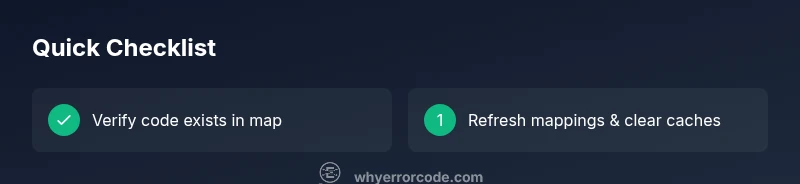
- Refresh the error-code map or dictionary from the source of truth and reload services that rely on it. This is often the fastest way to restore proper mapping.
- Clear caches and restart the affected services to eliminate stale data playing into not-found responses.
- Verify that the requested code exists in all relevant locales and configurations; fix any obvious misses in translation or regional files.
- Run a lightweight smoke test that exercises the affected lookup path to confirm the fix before deploying widely.
- If you’re using a third-party library, check for an updated version that includes the missing code.
Diagnostic flow: symptoms → causes → solutions
Symptom: an API call returns a not-found error for a coded message. Possible causes: (high) missing mapping in the code database; (medium) localization gaps; (low) environment drift. Immediate solutions: refresh mappings, clear caches, and validate locale files. If the symptom persists, escalate to a patch or update.
Step-by-step fix: most common cause
- Confirm the exact code string or numeric value requested. 2) Locate the master mapping repository and verify that the code exists. 3) If missing, add or re-import the code from the source control or vendor feed. 4) Redeploy the service and monitor for reappearance. 5) Validate with a unit/integration test that covers the lookup path. 6) Document the change for future audits.
Other causes and their fixes
Beyond a missing mapping, consider: (a) locale-specific files that omit certain codes; (b) regional feature flags that disable a subset of codes; (c) downstream service changes that use a different key. For each, update the locale packs, adjust feature flags, and ensure all services reference the same canonical code source. After changes, repeat the diagnostic flow to confirm resolution.
Safety, backups, and professional help
Always back up mappings and configuration before applying changes. If the code not found error persists after updates, seek expert help to audit data integrity and deployment pipelines. Do not deploy fixes without testing in a staging environment, and ensure rollback plans are in place in case a patch introduces new problems.
Prevention: best practices to avoid recurrence
Keep error-code maps under version control and automate synchronization across environments. Add automated tests that cover all known codes, including edge cases and locale variants. Monitor logs for missing codes and set alerts when a code lookup returns not-found more than once in a given window. Regularly review vendor feeds and library versions to ensure compatibility.
Real-world scenarios and lessons learned
In practice, teams who maintain strict code-map governance report shorter triage times when new codes are introduced. A common lesson is to align development, staging, and production mappings and to enforce a lightweight cross-team review for code changes. The key takeaway is that proactive mapping maintenance reduces user-facing incidents and speeds recovery when issues arise.
Steps
Estimated time: 20-40 minutes
- 1
Verify the error code context
Identify the exact code string and where the request originated. Note any recent changes to the release, locale, or configuration that could affect mapping.
Tip: Capture logs and the input that triggered the lookup for precise reproduction. - 2
Check the master code map
Open the master mapping repository or database and confirm the code exists. Look for recent deletions or failed imports that might have removed it.
Tip: Use version control history or change tickets to backtrack changes. - 3
Apply mapping updates
If the code is missing, import or re-create the entry from the source of truth and reindex caches if needed.
Tip: Validate the import with a small test in a staging environment. - 4
Reload services and clear caches
Restart the services that rely on the mapping and purge caches so new data takes effect immediately.
Tip: Schedule during low-traffic windows and monitor for errors post-restart. - 5
Run validation tests
Execute unit and integration tests that exercise the lookup path and locale variants to ensure the code returns the correct message.
Tip: Include both positive and negative test cases. - 6
Monitor and document
Observe logs for recurrence over the next 24-48 hours and document changes for future audits and onboarding.
Tip: Set alert thresholds for rapid detection of recurrence.
Diagnosis: User reports that a system returns 'error code not found' for a specific operation
Possible Causes
- highMissing or corrupted error code mapping in the lookup database
- mediumLocalization/translation mismatch causing code to be unavailable in the current locale
- lowOutdated software or library version that does not include the code
Fixes
- easyUpdate the error code map/database to include the missing code
- easyClear caches and reload mappings to ensure fresh data is used
- mediumPatch or upgrade software to a version that contains the code
Frequently Asked Questions
What does the error code not found mean?
It means the system cannot locate a mapping for the requested error code in its lookup table. This is usually software-related and fixable with mapping updates and cache clears.
The error means the code mapping is missing or unavailable; updating mappings and clearing caches usually fixes it.
Is this a software or a hardware issue?
Typically software: missing mappings, locale discrepancies, or stale caches. Hardware faults are unlikely to cause missing code mappings directly.
Most often software related; hardware issues are unlikely to cause missing error code mappings.
Can I fix this myself?
Yes, for software mapping issues you can update the mapping, clear caches, and test the path. More complex problems may require vendor patches or professional help.
Yes, you can fix software mapping issues yourself, but for complex cases, consider professional help.
How long does a fix typically take?
A straightforward software mapping fix can take 15-30 minutes in a staging environment; full validation may extend to 1-2 hours depending on scope.
Most fixes are quick, often under an hour with proper testing.
Will this affect end users during the fix?
If fixes are deployed quickly with proper testing, user impact is minimal. Delays or misconfigurations can result in brief service gaps.
Impact is usually minimal if tested and rolled out carefully.
Should I contact the vendor or a professional?
If the code remains missing after updates or involves vendor-specific mappings, contact the vendor or a qualified professional for assistance.
Yes—reach out to the vendor or a pro if the issue persists after updates.
Watch Video
Top Takeaways
- Review the exact code and its source of truth.
- Refresh mappings and clear caches first.
- Validate across locales to prevent gaps.
- Test fixes in a staging environment before production.
- Document changes to prevent recurrence.