GTA 4 Error Code 1005: Quick Fixes and Diagnostics
Urgent guide to GTA 4 error code 1005. Learn what this startup error means, common causes, and fast steps to verify files, adjust launchers, and restore access without guesswork. Includes step-by-step fixes, safety tips, and when to seek professional help.


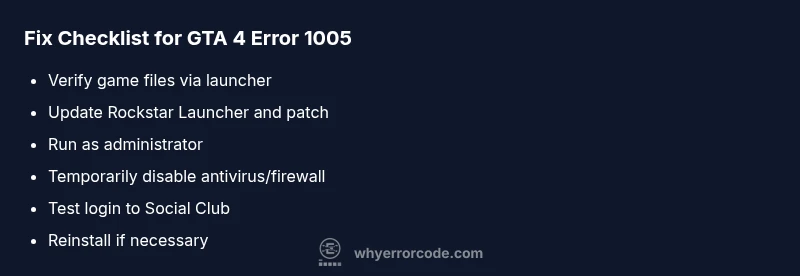
GTA 4 error code 1005 means a launch-time check failed, often due to corrupted game files, launcher issues, or license verification problems. The quickest fix is to verify game files, update the launcher, and run as administrator while temporarily disabling conflicting security software. If the issue persists, a clean reinstall may be necessary.
What GTA 4 Error Code 1005 Means
GTA 4 error code 1005 is a startup failure signal that points to a validation or integrity check failing when you attempt to launch the game. It commonly involves the game client, the launcher (Rockstar Games Launcher or Steam), or the licensing verification process. In many cases, corrupted files, incomplete patches, or a patch mismatch between platforms (Steam vs. Rockstar) are to blame. The error disrupts both single-player and potential multiplayer access, and users may see messages about failed authentication, missing files, or an inability to initialize the game.
Common Symptoms You Might See
Symptoms of GTA 4 error code 1005 include an abrupt game stop at startup, a hostile error message detailing a validation failure, or the game hanging on the loading screen before returning to the desktop. Some users report the launcher flashing, then closing, followed by a Windows notification about blocked access. Antivirus or firewall prompts may appear, suggesting the game was blocked from network or file access. If you see any of these cues, you’re likely dealing with a verification or file integrity issue rather than a hardware fault.
Diagnostic Path: Narrowing Down the Cause
To diagnose GTA 4 error code 1005, start with the simplest explanations first: missing or corrupted files, and launcher-related problems. If file verification passes but the error repeats, focus on launcher integrity, patch compatibility, and antivirus interference. Network blocks or license verification problems can also trigger 1005, especially if you use multiple launchers or accounts. System permissions and running the game outside standard user contexts can also contribute to startup failures.
Quick Fixes You Can Try Right Now
- Verify the integrity of game files through your launcher or platform (Steam/ Rockstar Launcher). This replaces corrupted data with good backups.
- Update both the game and the launcher to the latest version to ensure patch compatibility.
- Run the game as an administrator to grant necessary permissions for file access and network verification.
- Temporarily disable antivirus or firewall programs to test if they’re blocking verification, then re-enable with exceptions for the game.
- If issues persist, perform a clean reinstall of the game and launcher, ensuring no residual files remain.
Deeper Fixes If the Quick Fixes Fail
If the basic steps do not resolve GTA 4 error code 1005, proceed with more thorough measures. Reinstall the Rockstar Games Launcher and the entire game, ensuring a clean registry and no leftover config files. Check for conflicting background applications and clean boot the system to test launch conditions. Consider creating a fresh user profile or testing on a different PC account to rule out local permission issues. If all else fails, contact official support with logs from the launcher and game directories.
Steps
Estimated time: 30-60 minutes
- 1
Verify game files
Open the launcher, locate GTA 4, and choose the option to verify integrity or verify files. Let the process complete; it will replace corrupted or missing files from the official sources. This step often resolves 1005 without further work.
Tip: If verification fails, check for a recent partial download and retry after clearing any paused downloads. - 2
Update launchers and patches
Ensure both Rockstar Games Launcher and Steam (if used) are up to date. Apply all available patches to align the game and launcher versions, which reduces mismatch errors that can trigger 1005.
Tip: Turn on automatic updates if possible to avoid future mismatches. - 3
Run as administrator
Right-click the launcher or game executable and select Run as administrator. This grants permission to modify files, access network components, and write to protected directories during startup.
Tip: If you’re on Windows UAC, you may see a prompt—allow it to proceed. - 4
Check antivirus/firewall
Temporarily disable real-time protection or firewall rules that might block game verification. After testing, add an exception for GTA 4 and its launchers to prevent future blocks.
Tip: Do not leave security disabled for long—re-enable after testing. - 5
Test license/authorizations
Log into Rockstar Social Club (and Steam if applicable) to confirm accounts are in good standing and not blocked. Reauthorize the game if prompted, then launch again.
Tip: Keep login credentials ready in case you need to reauthenticate. - 6
Reinstall if all else fails
Uninstall GTA 4 and the launcher, remove residual folders (save games if you want to preserve them), then reinstall from official sources. This often clears stubborn 1005 states caused by deep corruption.
Tip: Back up saves before uninstalling; a clean install typically resolves stubborn errors.
Diagnosis: GTA 4 won't launch; error code 1005 appears at startup
Possible Causes
- highCorrupted or missing game files
- mediumLauncher patch mismatch or outdated launcher
- mediumAntivirus/firewall blocking verification
- lowLicense verification or Social Club authentication issue
Fixes
- easyVerify game files via the launcher or platform
- easyUpdate the launcher and game to the latest patch
- easyTemporarily disable security software and re-test
- hardReinstall the game and launcher cleanly if needed
Frequently Asked Questions
What does GTA 4 error code 1005 mean?
Error code 1005 indicates a startup validation failure, often tied to corrupted files, patch mismatches, or license checks. It blocks the game from launching until the issue is resolved.
Error 1005 means the game can’t validate itself at launch, usually due to file problems or launcher issues.
Can I fix error code 1005 without reinstalling?
Yes. Start with verifying game files, updating launchers, running as administrator, and temporarily disabling security software to test interference. Many users resolve 1005 without a full reinstall.
You can often fix it without reinstalling by verifying files and updating launchers, then testing security software causes.
Does the Rockstar Games Launcher cause 1005?
Launcher issues or patch mismatches can trigger the error. Keeping the Rockstar Games Launcher current and aligning patches with the game helps prevent 1005.
Launcher issues can cause 1005; update the launcher and ensure patches match the game version.
Is online play affected by error 1005?
Online access can be affected if authentication or license verification fails. Even if you can launch, multiplayer access may be blocked until verification succeeds.
If 1005 blocks verification, online play may be unavailable until resolved.
How much does a professional fix cost for this issue?
Professional help typically ranges from free (if due to misconfiguration you’re guided) to a modest service fee. Extensive OS or hardware issues could incur higher costs.
Professional help can vary, but for this software issue expect a moderate service fee if needed.
What if verification continues to fail after updates?
If verification fails after updates and reinstalls, collect launcher logs and contact support with details about your platform, launcher versions, and any error messages.
If it keeps failing, gather logs and contact support with your system details.
Watch Video
Top Takeaways
- Verify game files first to fix 1005 quickly
- Keep launchers and patches up to date
- Security software can block verification—test with safeguards
- Reinstall as a last resort, after backing up saves