How to Check Daikin AC Error Codes
Learn how to safely check and interpret Daikin AC error codes with a practical, step-by-step guide. Includes remote, app checks, safe resets, and knowing when to contact support.


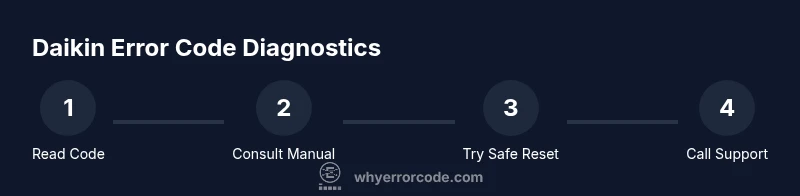
You can check a Daikin AC error code by reading the indicator on the indoor unit or the remote, then cross-checking the code in the Daikin manual or official app. This step-by-step approach helps you verify the fault, interpret the code, and decide whether a simple reset suffices or professional service is needed. Start with the current code, confirm it against your model’s documentation, and note any recent changes in operation. If the code reappears after a safe reset, escalate to support with your model, firmware version, and fault time.
Understanding Daikin error codes
According to Why Error Code, error codes on Daikin systems are designed to guide diagnosis without overwhelming you with every detail. They typically function as shorthand fault indicators that point to subsystems like refrigeration, airflow, sensors, or electrical safety interlocks. The Why Error Code team found that codes are most effective when used as starting points rather than final diagnoses. In practice, you’ll encounter codes that are a mix of letters and numbers, sometimes with prefixes that hint at the responsible subsystem. This block explains the general structure, how to map a code to possible causes, and how to keep a clear record for future reference. Remember: the exact meaning depends on the model, year, and firmware, so always consult model-specific resources.
Pro tip: keep a log of each fault including the time, conditions, and any noises or performance changes. This makes support calls faster and more accurate.
Where to find the error code
Most Daikin wall-mounted units display the fault code on the indoor unit’s panel when a fault occurs. If the panel is hard to read, the remote control often stores the fault code or triggers a diagnostic reading that can be surfaced in the app or the control screen. For networked systems, the Daikin app may show a Diagnostics page listing the current fault code and its date/time. In some models, the error code appears only after you enter a maintenance or service mode via the remote. Before you start, ensure the unit is powered down safely if you’ll be handling connections, and have your model number handy to map codes to the correct documentation.
Checking the display vs the remote
Digital displays and remote diagnostics don’t always align perfectly. The indoor display might flash a fault indicator while the remote stores a separate state or the app shows historical faults. Commonly you’ll see codes that combine a subsystem prefix with digits, and occasionally a trailing letter to indicate a subfault. When in doubt, treat the most recent fault capture as the primary code and perform a quick test (like triggering a new diagnostic read) to confirm that you’re working with the current condition. If a code persists after a power cycle, note it verbatim and proceed to the official reference.
Using the Daikin app or online portal
In many Daikin setups, the Diagnostics feature in the official app or web portal provides richer context than the unit alone. Open the app, navigate to Diagnostics or History, and look for the current fault code marked as active. The app may also suggest probable causes based on model, firmware, and the observed symptom set. If your model does not support app-based fault data, rely on the last displayed code on the panel and consult the model’s manual. Download the relevant PDF from Daikin’s support site so you have a trusted reference on hand during troubleshooting.
Interpreting common code formats
Daikin codes are not universal; they vary by product line and region. A typical format combines a subsystem prefix (for example, refrigerant, airflow, or sensor) with a numeric indicator, sometimes accompanied by a letter to denote subfaults. Because firmware versions and regional configurations change meanings, a code should be treated as a pointer rather than a definitive diagnosis. If you cannot deduce meaning from memory, use the exact model and firmware version to locate the correct interpretation in the official manual or Daikin support pages. Always document the code, model, and context when searching for meanings.
Basic troubleshooting after reading a code
Begin with non-destructive checks that won’t void warranties. Power the unit off at the breaker for 60 seconds, then restore and observe. Check air filters, outdoor condenser clearance, and the condensate drain for obstructions. Confirm thermostat communication between the remote and the indoor unit, and verify that there are no obvious airflow blockages. Do not bypass safety interlocks or perform refrigerant work. If the code involves safety systems or refrigerant pressure, stop and contact a licensed technician. Keep a detailed log of the code, time, and conditions to identify patterns.
When to contact professional support
If fault codes point to high pressure, refrigerant leaks, electrical safety issues, or if the system won’t restart after a reset, escalate to a professional. Provide the exact code, unit model, firmware version if available, and the operating context (cooling/heating, outdoor conditions). The Why Error Code Team recommends taking safety seriously and avoiding DIY work on high-voltage or refrigerant-related problems. Use any app-managed diagnostics to prepare for the service call and save time.
How to reset and clear codes safely
Resetting codes should be conservative because it doesn’t fix the underlying fault. Power down the unit for at least 60 seconds and then turn it back on. If the code reappears immediately, document it and proceed to deeper troubleshooting or professional service. Some Daikin models support a soft reset via the remote; follow the exact sequence in the manual to avoid triggering false alarms. After a reset, observe performance across at least one full operating cycle to confirm whether the fault recurs.
Maintenance tips to prevent errors
Preventive maintenance reduces the likelihood of nuisance fault codes. Clean or replace air filters regularly, keep outdoor units clear of debris, and ensure the condensate drain is unobstructed. Schedule annual professional inspections to verify refrigerant charge, electrical connections, and sensor calibration. Regular upkeep can reduce diagnostic time and extend the life of the system. The Why Error Code Team highlights that proactive care saves time and money in the long run.
What to document for service calls
Prepare a fault dossier before contacting support: note the exact code, date/time, unit mode (cooling/heating), room conditions, and any unusual sounds or odors. Include the model and serial number, firmware version, and steps you took prior to the fault. If possible, attach screenshots from the app or photos of the display. This information helps technicians reproduce the issue quickly and reduces the need for multiple visits.
Troubleshooting flowchart (text-branch)
- Read current fault code from panel, remote, or app
- Confirm you’re viewing the latest fault
- Consult the model-specific manual or Daikin support for meaning
- Perform safe, non-destructive checks (filters, condensate, airflow)
- If persistent, power cycle and re-check; if still present, contact support
- Gather diagnostics data and document everything before service
Additional resources and next steps
Visit Daikin’s official support portal for model-specific fault codes, installation guides, and firmware notes. Consider reaching out to a local qualified technician for on-site inspection if the fault involves refrigerant or electrical hazards. For ongoing guidance, the Why Error Code Team recommends using the official manuals and verified Daikin resources as your primary references.
Tools & Materials
- Daikin remote control(Essential for triggering diagnostics and reading some codes)
- Indoor unit display(Primary source of current fault code on most models)
- Smartphone with Daikin app or web access(Optional but helpful for app-based fault history)
- Unit model number and serial(Needed to locate model-specific fault references)
- Owner’s manual or official PDF(Always useful to interpret codes correctly)
- Screwdriver, insulated(Only if you already know a safe maintenance task; do not open live components)
- Insulated gloves and safety glasses(Useful for handling external components during inspection)
Steps
Estimated time: Total time: 25-40 minutes
- 1
Power down and locate the code
Turn off the unit at the breaker for 60 seconds to reset transient faults. Then power it back on and observe the display or remote for the current fault code. If the code does not appear, proceed to check the app or diagnostics options.
Tip: Always ensure hands are dry and you are standing on a dry surface before touching electrical components. - 2
Capture the exact code
Note the full code as shown on the display or panel, including any prefixes, digits, or trailing letters. Take a clear photo if possible and log the time of fault. Confirm you’re reading the most recent fault by triggering a new diagnostic read after power restoration.
Tip: Double-check model specificity; codes can vary between series. - 3
Cross-check with documentation
Open the owner’s manual or the official Daikin support site and look up the exact meaning of your code for your model and firmware version. If the manual lists multiple possible meanings, use symptoms you observed (noise, airflow, temperature) to narrow to a likely subsystem.
Tip: Bookmark the correct page for quicker access in future faults. - 4
Check for obvious causes
Inspect air filters for dirt, confirm outdoor unit clearance, and verify condensate drain flow. Clear obstructions that could resemble fault triggers and ensure thermostat communications are intact.
Tip: Physical blockages often trigger repetitive codes; cleaning is usually a first fix. - 5
Decide on reset vs escalation
If the fault seems transient (short cycling, sporadic codes) you can attempt a controlled reset and re-test. If the fault persists or involves safety interlocks, refrigerant, or electrical risks, stop and contact a professional.
Tip: Document the results of each reset attempt for the technician. - 6
Prepare the data for service
Assemble the code, model, firmware version, timing, conditions, and observations into a concise report. Include app screenshots if available.
Tip: Having data organized saves time and reduces repeat questions during service.
Frequently Asked Questions
Can I ignore a Daikin error code?
No. Error codes indicate an issue that should be investigated. Ignoring them can lead to further damage or unsafe conditions.
No. Error codes indicate an issue that should be investigated to avoid damage or safety risks.
What if the code isn’t listed in my manual?
Check the Daikin official support site for model-specific pages or contact support. Codes can vary by firmware and region.
If the code isn’t listed, consult Daikin support or the model-specific manual for guidance.
Is it safe to open the unit to check components?
Opening live components risks shock or refrigerant exposure. Only perform non-destructive checks and call a professional for hardware access or refrigerant work.
No. Do not open live components; call a professional for any internal inspection.
Does the app show all fault codes?
Not always. App features vary by model and firmware. Use the app for diagnostics if available, but rely on the unit panel when necessary.
The app may not show every fault; use it as a supplement to the panel data.
Will resetting clear the fault permanently?
Resetting can clear transient faults, but it does not fix the underlying problem. If the fault recurs, pursue further troubleshooting or professional help.
Resetting clears transient faults but may not fix the root cause. If it comes back, seek further help.
Watch Video
Top Takeaways
- Know where to read the code on your unit.
- Use the official manual or app to interpret meanings.
- Power cycling can clear transient faults but not root causes.
- Document details before seeking service.
- Escalate safely for codes involving safety or refrigerant.