HTTP Error Code Maintenance: Troubleshooting Guide 2026
Urgent guide to diagnose and maintain http error code maintenance across apps and APIs. Learn practical steps, diagnostic flow, and prevention tips for developers and IT pros in 2026.


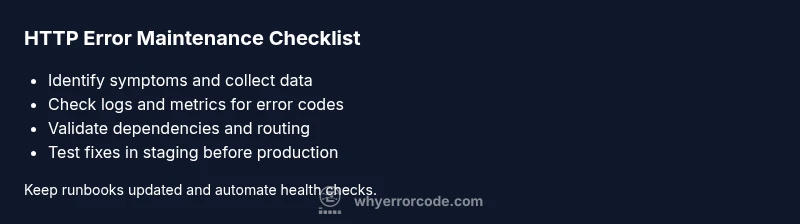
HTTP error code maintenance is the ongoing practice of monitoring, diagnosing, and remediating HTTP response errors to keep web apps reliable. The quickest path to stability is a structured workflow: reproduce the issue, check logs and metrics, apply safe fixes, and verify with tests in staging before production. Follow this steps-based approach to reduce downtime and improve user experience.
What is HTTP error maintenance
HTTP error code maintenance is the disciplined practice of monitoring, diagnosing, and remediating HTTP response errors that affect web apps, APIs, and services. It combines observability, configuration management, and runbooks to prevent recurring errors and minimize downtime. For developers and IT pros, maintaining an awareness of error-code patterns—such as 4xx client errors and 5xx server errors—helps prioritize fixes and design resilient architectures. In practice, http error code maintenance means establishing a standard set of checks, recording incident data, and applying fixes that are tested and repeatable. By treating errors as a signal rather than a nuisance, teams can improve uptime, reduce MTTR, and protect user trust. This guide provides practical steps to implement ongoing http error code maintenance across development, operations, and security teams.
Why reliable maintenance matters for uptime and user trust
When HTTP errors go unchecked, users encounter failed requests, slow pages, and broken APIs. That cascade undermines trust and damages conversions, support metrics, and brand perception. Reliable http error code maintenance helps catch root causes early—before outages escalate—and standardizes responses so teams can react quickly. According to Why Error Code, strong maintenance practices reduce detection and repair time, and improve coordination across development, IT, and security. By investing in formal runbooks, automated checks, and clear ownership, you create a resilient service that serves customers even during peak load.
Common categories of HTTP errors to monitor
Errors fall mainly into two families: client errors (4xx) and server errors (5xx). Client errors indicate problems with requests or permissions, such as 400 Bad Request, 401 Unauthorized, 403 Forbidden, or 404 Not Found. Server errors indicate issues on the backend, such as 500 Internal Server Error, 502 Bad Gateway, 503 Service Unavailable, or 504 Gateway Timeout. In addition, misconfigurations in redirects or load balancers can surface as 3xx or 4xx responses. For http error code maintenance, prioritize alerting on 5xx spikes, followed by consistent 4xx patterns that point to broken routes or stale authentication tokens. Tracking the rate, latency, and distribution of these codes provides actionable insight.
Quick checks you can perform today
Start with simple, non-disruptive checks. Verify the hosting environment is healthy, DNS resolves correctly, certificates are valid, and the load balancer configuration is correct. Inspect recent deploys for changes to routing rules, middleware, or upstream services. Review access and error logs around the time of failures, and pull metrics that show error rate and latency. If you notice a sudden 5xx spike, correlate with API gateway or reverse proxy logs to pinpoint where requests fail. These quick checks form the backbone of reliable http error code maintenance and should be routine in every incident.
Observability: logging, metrics, and alerting
Effective http error code maintenance relies on clear visibility into what goes wrong. Collect access logs, error logs, and tracing data, and store them for post-incident analysis. Key metrics include error rate, request latency, and upstream response times. Set alerts for sustained 5xx events and unexpected increases in 4xx errors that indicate broken routes. Use dashboards to visualize error trends over time, and implement automated reports that summarize incidents for the on-call rotation. With good observability, your team can detect, diagnose, and remediate faster, reducing downtime and protecting user experience.
Preventive maintenance and automation
Prevention beats firefighting. Create runbooks that outline the exact steps to diagnose common issues, test changes in staging, and rollback safely. Automate routine checks like certificate expiry, DNS health, uptime monitors, and dependency status. Integrate these checks into CI/CD so that code changes are validated against error-prone paths before production. Schedule periodic reviews of error code patterns and update the incident playbooks accordingly. Regular drills and blameless postmortems improve readiness for http error code maintenance and minimize repeat incidents.
When to escalate to professionals
If outages persist despite your best efforts, or if errors threaten data integrity, it's time to bring in specialists. External consultants or managed service providers can review architecture, load testing, and dependency graphs to identify root causes beyond quick fixes. The Why Error Code team recommends escalating only after you have a documented runbook, sufficient observability, and a clear containment plan. Professional help ensures you address systemic issues rather than applying bandaids.
Steps
Estimated time: 30-60 minutes
- 1
Identify symptoms and gather data
Document the exact errors, time window, and affected endpoints. Collect logs, metrics, and user-reported issues to establish a clear starting point. Correlate with any recent deployments or configuration changes.
Tip: Tag the incident with a unique ID for traceability. - 2
Check service health and resources
Verify the health of servers, containers, and network resources. Confirm that CPU, memory, and disk I/O are within normal ranges and that endpoints are reachable from the cluster.
Tip: Use health probes and status endpoints to confirm baseline health. - 3
Review logs and tracing for error codes
Filter error logs by time range and look for recurring codes (4xx/5xx). Use distributed tracing to see where requests fail along the path.
Tip: Cross-reference with metrics like latency spikes to pinpoint hotspots. - 4
Validate dependencies and upstream services
Check external APIs, databases, and cache layers for outages or degraded performance. Verify credentials, access, and rate limits haven’t changed.
Tip: Test upstream endpoints with direct calls to isolate failures. - 5
Inspect routing, proxies, and TLS configurations
Review load balancer rules, proxy settings, and certificate validity. Misconfigurations here often surface as 5xx or 503 errors.
Tip: Roll back recent proxy changes if feasible. - 6
Implement safe quick fixes
If a known issue is identified, apply a safe workaround (e.g., temporary cache invalidation, canary route, or reduced feature flag). Avoid disruptive changes during peak load.
Tip: Document any workaround in the runbook. - 7
Apply changes in staging and test
Migrate the fix to a staging environment, run regression tests, and validate in a controlled release. Use canary deployments when possible.
Tip: Ensure rollback procedures are ready. - 8
Monitor, document, and close the incident
Observe the system after changes, update runbooks, and communicate the outcome. Post-incident review should capture root causes and preventive actions.
Tip: Update knowledge base with lessons learned.
Diagnosis: HTTP errors spike during API calls or page loads
Possible Causes
- highBackend service unavailability or slow responses
- mediumMisconfigured reverse proxy or load balancer
- lowDeployment-related changes or failed upstream dependencies
Fixes
- easyRestart affected services or scale resources to handle load
- mediumCheck upstream logs, health endpoints, and dependency graphs
- hardReview recent configuration changes and rollback if needed
Frequently Asked Questions
What is HTTP error maintenance?
HTTP error maintenance is the ongoing process of monitoring, diagnosing, and remediating HTTP errors to keep services available. It combines observability, runbooks, and safe change practices so teams can anticipate and prevent outages.
HTTP error maintenance is the ongoing process of monitoring and fixing HTTP errors to keep services available. It uses runbooks and safe changes to prevent outages.
What should I monitor first during an outage?
Begin with 5xx server errors, as they indicate backend problems. Check application logs, latency metrics, and upstream dependencies. Then review 4xx client errors to identify broken routes or authorization issues.
During outages, start with 5xx errors, then look at logs and latency, and finally check upstream dependencies.
Which logs are essential for diagnosing HTTP errors?
Essential logs include access logs, error logs, and tracing data. Combine these with metrics dashboards to identify patterns and time-correlated failures.
Key logs are access logs, error logs, and tracing data—use them with metrics to find patterns.
How can I prevent HTTP errors from recurring?
Build and maintain runbooks, automate health checks, perform staged deployments, and conduct blameless postmortems. Regular reviews of error-code patterns help prevent repeats.
Prevent recurrence by keeping runbooks current, automating checks, and testing changes in staging.
When should I involve a professional?
If outages persist beyond your team’s capability, or if data integrity is at risk, consider external consultants to review architecture, dependencies, and performance.
Call in professionals if the outage continues or risks data integrity.
What is the difference between 4xx and 5xx errors in maintenance terms?
4xx errors reflect client-side issues (bad requests, missing resources), while 5xx errors point to server-side problems. Maintenance strategies differ: fix routes and permissions for 4xx; stabilize backend services for 5xx.
4xx errors are client-side, 5xx are server-side; fix routes for 4xx and stabilize servers for 5xx.
Watch Video
Top Takeaways
- Start with a documented runbook to guide fixes
- Prioritize 5xx errors to shield users
- Monitor error rates and latency for early detection
- Test in staging before production releases