IPTV Error Code 458: Quick Diagnosis and Fixes
Learn what IPTV error code 458 means, its common causes, and practical, safe steps to diagnose and fix the issue quickly. This guide from Why Error Code covers quick fixes, step-by-step repairs, and safety tips for developers and IT pros troubleshooting IPTV streaming issues.


IPTV error code 458 signals an authentication or licensing block that prevents access to streams. It often means your subscription isn’t active, your device isn’t logged in, or the stream is geo-blocked. Quick fixes include re‑signing in, verifying your subscription, syncing device time, and checking VPN/proxy settings with your provider.
What IPTV error code 458 means
IPTV error code 458 is a control signal from streaming providers that access to a channel or service is being blocked for your current session. It generally points to authentication or licensing problems rather than a broken stream itself. According to Why Error Code, error 458 often appears when a subscription is expired, a device isn’t properly authorized, or regional licensing blocks the content. In practice, you’ll see 458 when playback is blocked before the stream even starts. Understanding the root cause is essential before you dive into repairs.
This error code is not a generic playback failure; it’s a gate that indicates your access credentials or regional allowances don’t align with the provider’s licensing rules. For developers troubleshooting IPTV integrations, recognizing 458 as an access-control issue helps distinguish it from network or encoding problems. The goal is to restore valid authentication and proper authorization to resume streaming.
Diagnostic perspective: symptom to cause mapping
Symptoms
- The 458 error appears as soon as you tap a channel or start a stream.
- Others on the same account report the same block, suggesting a subscription or licensing angle rather than a device-only fault.
- Logs or UI messages often mention authentication, license, or regional restrictions.
Likeliest causes (prioritized)
- Expired or inactive subscription — this is the most common driver of 458, especially when the service detects an outdated authorization token. (Likely: high)
- Incorrect login or device authorization — if the account isn’t properly linked to the device, access can be blocked. (Likely: high)
- Geo-restriction or provider licensing — some content is restricted by region, triggering 458 even with a valid login. (Likely: medium)
- VPNs/proxy traffic detected — masking location can trigger licensing checks and block streams. (Likely: medium)
Solutions (prioritized)
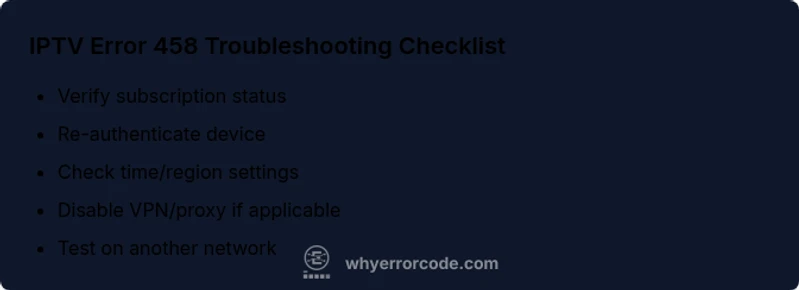
- Verify subscription status and renew if needed.
- Re-login and re-authorize the device in the streaming app.
- Disable VPNs or proxies or set the correct regional server.
- Check time on the device; incorrect time can invalidate tokens.
- Confirm stream availability with the provider if outages are suspected.
Step-by-step fix for the most common cause
Step 1 — Verify subscription status
- Open your provider’s account page and confirm the subscription is active and not flagged for renewal. If in doubt, contact support to confirm the status. Pro tip: keep a copy of your subscription details for quick reference.
Step 2 — Re-authenticate on the device
- Sign out of the IPTV app, clear any cached credentials, and sign back in. This refreshes tokens and re-establishes device authorization. Pro tip: log out from all devices and then log back into the primary device first.
Step 3 — Check date/time and region settings
- Ensure your device clock is set to automatic time or manually correct it to your locale. Also verify the content region matches your location. Pro tip: enable automatic time sync to avoid token expiry issues.
Step 4 — Disable VPNs/proxies and test again
- If you’re using a VPN or proxy, disable it and attempt playback on a direct connection. Some providers block traffic that appears to originate from unapproved regions. Pro tip: switch to a known-good server in your country if you must use a VPN for other reasons.
Step 5 — Test with another device or network
- Try streaming on a different device or network (cellular data vs. Wi‑Fi). If 458 persists on every device and network, contact support with any error logs. Pro tip: capture screenshots of the error and note time stamps for faster troubleshooting.
Other causes and how to test them
Beyond the subscription/authentication path, 458 can also result from licensing blocks and regional restrictions that aren’t obvious at first glance. To test these, perform a controlled rollout: temporarily disable all location modifiers (VPNs, proxies), attempt to access a known-unrestricted channel from a second region’s server if your provider allows it, and compare results. If the issue disappears in a different region, the root cause is most likely geo-licensing. If the error persists across regions, the problem is tied to your account or device authorization. In that case, escalate to customer support with your device IDs and account email.
Best practices to prevent 458 and when to call a pro
Preventing 458 starts with proactive account hygiene and device management. Maintain an active subscription; keep login credentials secured; ensure your device is authorized for the account; and avoid using VPNs or proxies unless you know the provider permits it. Regularly check for license updates or regional policy changes from your service. When in doubt, contacting the provider’s support team is prudent—especially if you recently changed devices, updated apps, or suspect an outage. If the issue involves enterprise-grade IPTV mediation or custom apps, consider consulting a network engineer or the provider’s technical contact for deeper diagnostics.
Steps
Estimated time: 20-40 minutes
- 1
Verify subscription status
Open your account dashboard and confirm the subscription is active and not flagged for renewal. If needed, contact support to confirm the status and renewal date. Ensure your payment method is up to date.
Tip: Keep a record of renewal dates and subscription IDs for quick reference. - 2
Re-authenticate your device
Sign out of the IPTV app, clear cached credentials, and sign back in. Re-authorize the device if the provider requires a fresh authorization token.
Tip: Perform a full sign-out on all devices, then sign back in on the primary device first. - 3
Verify time and region settings
Ensure the device clock is accurate (prefer automatic time) and the region aligns with the content license. Incorrect time can invalidate tokens and disrupt licensing checks.
Tip: After adjusting time, reboot the app to force token refresh. - 4
Test without VPN/proxy
Disable any VPN or proxy and attempt a direct connection. Some providers block traffic that looks regionalized, which can trigger 458.
Tip: If a VPN is necessary, choose a provider-approved server or whitelist the service with support. - 5
Try another device/network
If possible, attempt streaming on a different device or network to isolate whether the issue is device-specific or network-related.
Tip: Document results with timestamps to help support reproduce the issue.
Diagnosis: IPTV error code 458 appears when attempting to play a channel.
Possible Causes
- highExpired or inactive subscription
- highIncorrect login or device authorization
- mediumGeo-restriction or licensing blocks
- mediumVPN/proxy traffic detected
Fixes
- easyRenew or verify subscription status with provider
- easyLog out and log back in; re-authorize device
- easyCheck device location/time and adjust
- easyDisable VPN/proxy or set correct region
- mediumContact provider for license/stream availability
Frequently Asked Questions
What does IPTV error 458 mean?
IPTV error 458 generally indicates an authentication or licensing block preventing access to streams. It is not a pure signal of a network problem. The fix usually starts with subscription verification and re-authentication.
IPTV error 458 means access is blocked due to authentication or licensing issues. Start by checking your subscription and logging back into the device.
Is 458 a subscription problem or a device issue?
458 is most often an authentication or licensing issue tied to your account. However, device authorization and region settings can also trigger the error if they prevent license validation.
It's usually about authentication or licensing, but device or region settings can contribute.
What is the quickest way to fix 458?
Sign out and back in, verify subscription status, ensure correct time/region, and disable VPN/proxy if used. If it persists, contact your provider.
Log out, refresh tokens, check time and region, and disable VPN if needed. If it continues, contact support.
When should I contact customer support?
If the subscription is active, login is successful, and VPN/region are correct but 458 persists, there may be a licensing or outage issue. Provide logs and device IDs when you reach out.
If all checks fail and it keeps showing 458, contact support with details.
Can VPNs cause IPTV error 458?
Yes, VPNs or proxies can trigger 458 by masking location or exposing licensing checks. Test with VPN off to confirm.
Using a VPN can trigger 458; try streaming without it to test.
Watch Video
Top Takeaways
- Verify subscription status and login first.
- Re-authenticate devices to refresh access tokens.
- Disable VPNs or set correct region to avoid geo-blocks.
- Check outages or licensing with your provider before deep troubleshooting.
- Document error times and steps to speed up support.