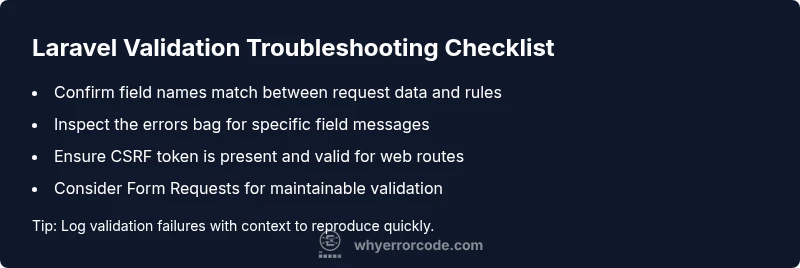
How to Troubleshoot Laravel Validation Error Codes
A comprehensive, urgent troubleshooting guide to diagnose and fix Laravel validation error codes. Learn common causes, diagnostic flows, step-by-step fixes, and best practices to prevent future errors in your Laravel apps.


The most likely cause of a Laravel validation error code is input data that doesn’t meet the defined rules or a mismatched field name. Start by confirming your form field names, validating the incoming data with the correct rule set, and ensuring CSRF tokens and session data are intact. Check the error bag for specific field messages and amend accordingly.
Understanding Laravel validation error codes
Laravel uses HTTP status 422 to indicate a validation failure and returns an error bag containing messages for each field that failed. The phrase laravel validation error code is commonly used to describe these validation results. According to Why Error Code, recognizing the structure of these messages is the first step in rapid triage. The error bag (stored in the session for web routes or returned in JSON for API routes) pinpoints exactly which fields are problematic, what rule they violated, and why. When you map each message to its form input, you can quickly identify whether the issue is a missing field, an incorrect data type, or a rule misconfiguration. This clarity is essential for efficient debugging, especially in teams where multiple developers touch the same forms.
Key takeaways
- 422 status signals validation failure, not server error
- The $errors bag lists field-specific messages
- Correct field names are critical for accurate validation
- Use this structure to triage quickly
Steps
Estimated time: 45-60 minutes
- 1
Inspect the request payload
Check what data is actually sent by the client. Compare each field against your validation rules to confirm names and data types align. If a field is optional, verify its presence doesn't inadvertently fail a rule.
Tip: Use dd(request()->all()) in a safe testing route to inspect payloads during development. - 2
Validate CSRF integrity
For web routes, ensure the CSRF token is present and valid. A missing or expired CSRF token commonly causes unexpected validation failures in production forms.
Tip: If using API tokens instead of sessions, consider disabling CSRF for API routes or using a middleware to exempt them. - 3
Review validation rule syntax
Confirm the rules are written correctly and target the right fields. A typo or misapplied rule can trigger a cascade of validation errors.
Tip: Place rules in a Form Request to centralize and reuse validation logic. - 4
Check error messages in the response
Read the exact messages returned in the errors bag. They tell you which rule failed and on which field, guiding precise fixes.
Tip: If debugging API clients, log the errors bag to a file for later analysis. - 5
Switch to a Form Request
Refactor inline Validator calls into a dedicated Form Request class for maintainability and consistent messaging.
Tip: Define messages() to customize user-friendly error text. - 6
Test locally with representative data
Create test cases that cover typical success and failure scenarios. Ensure edge cases like nulls or empty strings are accounted for.
Tip: Use Laravel's factory and seeder utilities to simulate realistic inputs. - 7
Validate changes in staging before deployment
Replicate the production environment as closely as possible. Validate that fixes behave as intended under real traffic patterns.
Tip: Enable verbose logging temporarily in staging to capture broader error context. - 8
Document validation rules and errors
Maintain a central reference of validation rules and their messages to prevent regression and aid future debugging.
Tip: Include examples of common failures and the exact expected messages.
Diagnosis: User submits a form and the API responds with a validation error code (422) or an error bag in the response.
Possible Causes
- highInput data does not satisfy the defined validation rules
- highField name mismatch between the request payload and validation rules
- mediumMissing CSRF token or expired session in web routes
Fixes
- easyReview the exact field names in the request and ensure rules reference the same keys
- easyUpdate the validation rules to correctly reflect the incoming data types
- easyVerify CSRF token presence and session integrity for web routes
- mediumMove complex validation into a Form Request for better structure
Frequently Asked Questions
What does a 422 status mean in Laravel?
A 422 status indicates that the request was well-formed but failed validation rules. Laravel returns an error bag detailing which fields failed and why, enabling you to fix the input data or validation logic.
A 422 means validation failed. Check the error messages to see which fields failed and adjust your input or rules accordingly.
How can I fix a missing CSRF token error?
Ensure your form includes the CSRF token input and that your session is valid. For API routes, consider using stateless tokens or disabling CSRF protection on specific routes as appropriate.
Make sure the CSRF token is present in your requests. For API routes, use tokens and adjust CSRF settings as needed.
Should I use inline validators or Form Requests?
Form Requests provide centralized validation logic, better reusability, and clearer error messages. Inline validators are fine for small, simple cases but can become hard to maintain.
Form Requests are recommended for maintainability and clarity. Inline validators work for small cases but can get messy over time.
How do I customize validation error messages?
Override messages() in a Form Request or specify custom messages during Validator initialization to present user-friendly feedback tailored to your app.
Use custom messages in a Form Request or Validator to tailor feedback for users.
What debug steps help when errors are ambiguous?
Enable detailed logging of the request, error bag, and validation rules involved. Reproduce with representative data and inspect the exact messages and stack traces where applicable.
Log the request data and validation messages, then reproduce with realistic inputs to pinpoint the issue.
When should I consult a senior dev or developer ops?
If validation failures cause production outages, involve a teammate to review rule design, data flow, and security implications. Complex validation across multiple services often benefits from a second pair of eyes.
Escalate when failures hit production or involve cross-service validation rules.
Watch Video
Top Takeaways
- Understand 422 as the validation failure signal
- Check field names and rule alignment first
- Use Form Requests for scalable validation
- Inspect the errors bag for precise failures
- Test in staging with realistic payloads