LG Dishwasher CL Reset: Troubleshooting Guide
Urgent guide to diagnose and fix LG dishwasher CL reset error code, with quick fixes, a detailed diagnostic flow, step-by-step reset instructions, safety notes, and prevention tips.


LG dishwasher CL error code means the control panel is locked (child lock) and will stop most cycles until unlocked. The quick fix is a simple reset: unplug the machine for 5–10 minutes or press and hold the Lock/Control Lock button for 3–5 seconds, then re-enable normal operation. If the code returns, inspect the door latch and confirm model-specific reset steps.
What CL Means on LG Dishwashers
The CL error on LG dishwashers typically signals a locked control panel, most commonly due to the Child Lock or Control Lock feature being engaged. When CL is active, the keypad is disabled and you may see CL flash or stay lit, preventing new cycles from starting. It is not a fault in the wash system, but a safety feature or user setting. According to Why Error Code, CL is one of the most frequently encountered lock codes across LG models, and understanding its cause is the first step to a quick fix. In most cases, re-enabling the control panel is enough to resume normal operation. If the panel remains locked after a reset, examine the door latch and the user manual for model-specific instructions.
Common Causes of CL Triggering
Several situations can trigger the CL indicator on LG dishwashers. The most common is accidental activation of the Control/Child Lock by pressing the dedicated lock button or a sequence of keys. Power fluctuations or a recent software update can also leave the panel in a locked state. A loose door latch or a faulty door switch might mimic a locked panel, so it’s worth inspecting the door mechanism as a secondary check. Finally, a maintenance issue like a dirty keypad can misread user input and show CL as a persistent state. Distinguishing between these causes helps you choose the right repair path without unnecessary parts replacement.
Quick Fixes You Can Try Right Now
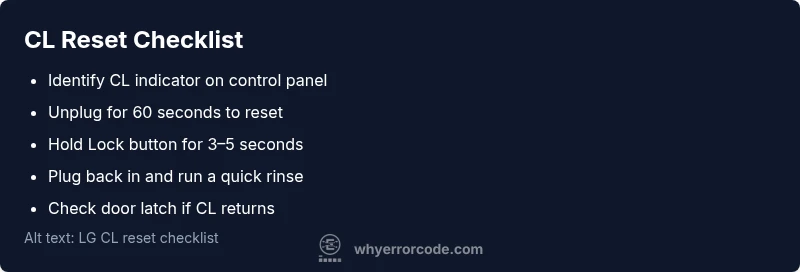
If you see CL and want an immediate return to normal operation, start with these quick actions. First, verify the door is fully closed and latched; a misalignment can trigger a lock anomaly. Next, perform a power reset: unplug the machine or switch off the circuit breaker for 60 seconds, then plug back in. On many LG models, you can also press and hold the Lock button or Control Lock sequence for 3–5 seconds to unlock the panel. After these steps, run a test cycle with a brief rinse to confirm the panel responds. If CL persists, proceed to a more thorough reset or service check.
Safety, Warnings, and When to Call a Professional
Resetting the CL code is relatively safe, but there are safety considerations to keep in mind. Always unplug before accessing any internal components or the control panel, and avoid bypassing interlocks or attempting to repair wiring yourself. If your dishwasher is still under warranty, contact LG support to avoid voiding coverage. If the code reappears after a factory reset, it may indicate a door switch, control board, or wiring fault that requires professional diagnosis. Expect typical repair costs to range from a basic service call to more extensive board or switch replacements, depending on the model and its age.
Prevention: Keeping Your LG Dishwasher Lock-Free Longer
To minimize CL occurrences, develop a simple routine: ensure you're not accidentally holding down the lock sequence during cycles, and verify the keypad is clean to prevent ghost inputs. Regularly inspect the door latch and seal to ensure a proper seal and prevent misreads. Keep the dishwasher's power connections stable and free from surges by using a quality surge protector if needed. Finally, update firmware when LG releases official updates and follow model-specific reset instructions to avoid accidental lockouts.
What Not to Do
Do not attempt to bypass the lock by shorting wires or removing panels without proper training. Do not repeatedly reset in quick succession in a manner that could cause board instability. Do not ignore a persistent CL code; if it comes back, it's a sign of a deeper problem and professional assessment is recommended.
Steps
Estimated time: 10-15 minutes
- 1
Power down the unit
Unplug the dishwasher from the wall outlet or switch off the breaker for at least 60 seconds to clear any lock state.
Tip: Ensure the appliance is fully de-energized before touching any controls. - 2
Attempt a lock release
On LG models with a dedicated lock key, press and hold the Lock/Control Lock button for 3–5 seconds until the CL indicator clears.
Tip: If you can’t locate the button, consult the manual for your model's exact sequence. - 3
Reconnect power
Plug the unit back in or restore power at the breaker and wait a moment for the system to reinitialize.
Tip: Do not press other controls during initialization. - 4
Run a test cycle
Select a quick wash or rinse cycle to test whether the CL indicator stays off and the door latches respond.
Tip: Listen for normal beeps and watch for button response. - 5
Check the door latch
Close the door firmly and ensure the latch engages properly; a misaligned latch can re-trigger CL.
Tip: Look for visible wear or misalignment; replace if needed. - 6
If CL persists, escalate
If the code returns after a full reset, the issue may be a faulty control board or wiring that requires professional service.
Tip: Have your model number and the exact CL behavior ready when contacting support.
Diagnosis: LG dishwasher shows CL error, panel locked and no cycles start
Possible Causes
- highControl/Child Lock is engaged
- mediumPower fluctuation causing a locked state
- lowDoor latch or switch fault mimicking a lock
Fixes
- easyUnplug the unit for 60 seconds to reset the control panel
- easyPress and hold the Lock or Control Lock button for 3–5 seconds to unlock
- mediumInspect and reseat the door latch and door switch if CL remains
Frequently Asked Questions
What does CL mean on an LG dishwasher?
CL typically indicates a control or child lock on the LG dishwasher. It is a safety feature that prevents starting or changing cycles until the lock is released. It is not a fault in the wash system.
CL usually means the control or child lock is active, not a serious fault. Release the lock to resume normal operation.
How do I reset CL on an LG dishwasher?
To reset CL, power cycle the unit by unplugging or switching off the breaker for 60 seconds, then reconnect. On many models, press and hold the Lock or Control Lock button for 3–5 seconds to unlock the panel.
Reset CL by power cycling, then hold the lock button for a few seconds to unlock.
Will CL lock out all cycles permanently?
CL is a reversible lock. If it persists after a reset, there may be a door latch or control board issue that needs professional diagnosis.
Usually not permanent. If it keeps returning, there may be a deeper problem that a technician should check.
Is it safe to reset CL myself?
Yes, performing a standard reset is generally safe if you follow basic electrical safety: unplug first, avoid touching other components, and never bypass safety interlocks.
It's typically safe to reset yourself as long as you follow safety steps and don't bypass interlocks.
What are typical repair costs for a CL-related fault?
Costs vary by model and fault cause. A basic service call might range from moderate to low hundreds, while a control board or latch replacement could be higher, especially outside warranty.
Repair costs can vary; expect a service call plus possible parts, often ranging from a modest service fee to higher amounts if a board or latch is replaced.
Watch Video
Top Takeaways
- Identify CL as a lock, not a crCritical fault
- Use a power reset and lock-release first
- Test a cycle to confirm recovery after reset
- Call a pro if CL recurs or after reset fails