Meiko Dishwasher Error Code 301: Quick Diagnostics and Fixes
Learn what meiko dishwasher error code 301 means, quick fixes, step-by-step repair, safety tips, and prevention strategies. Why Error Code guides you to safe, practical solutions for immediate troubleshooting.


Meiko dishwasher error code 301 signals a drainage or sensor fault that blocks the cycle. The quickest path is to inspect and clean the drain filter, verify the drain hose is clear and not kinked, and run a test cycle. If the code persists, the issue may involve the drain pump or sensor—seek professional help. According to Why Error Code, starting with easy fixes saves time and money.
What error code 301 means on a Meiko dishwasher
Meiko dishwasher error code 301 typically points to a drainage or sensor fault that blocks the wash cycle. It’s a red flag that the machine cannot drain properly or misreads level signals, causing the cycle to halt. In practice, you’ll often see E301 appear after a failed drain or if the sensor circuit reports an abnormal condition. The urgency is high because if the dishwasher cannot drain, standing water can cause odors or damage. The Why Error Code team emphasizes that early identification reduces risk and cost. In many Meiko models, the controller will prevent starting a new cycle until the drain path and sensor readings are cleared. If you’re troubleshooting, start with the safest, simplest checks first.
Most likely causes of E301: prioritized by probability
- Blocked or dirty drain filter (high). Debris can accumulate and prevent proper drainage, triggering E301 as a safety.
- Drain hose kinks or a clogged siphon: A restricted drain path can mimic a pump fault and trigger the code (medium).
- Faulty drain pump or impeller: A non-working pump leaves water in the tub, prompting the controller to raise E301 (medium).
- Sensor or control board fault: If the level sensor or main board misreads, it can report an error 301 (low).
- Improper installation or recent maintenance: If hoses were replaced or fittings loosened, drainage anomalies may occur (low).
Quick fixes you can try today
- Unplug the dishwasher and shut off the water supply to ensure safety before touching any components.
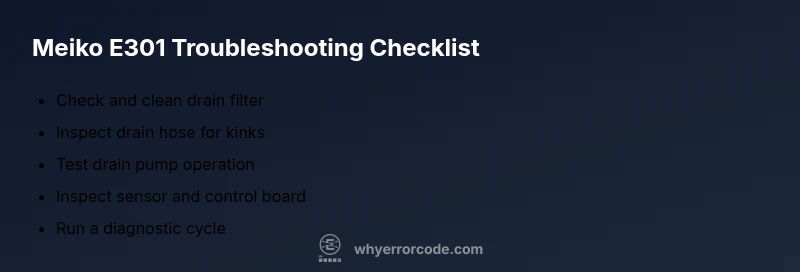
- Inspect and clean the drain filter. Remove debris and rinse the filter and housing under running water.
- Check the drain hose for kinks, crimps, or obstructions. Detach and inspect the hose for blockages and straighten any bends.
- Run a test cycle with no dishes, using hot water if your machine allows, and observe the drain flow and pump sounds.
- Confirm there is no standing water in the sump after the cycle ends; if water remains, you may have a pump or sensor issue that needs professional testing.
Step-by-step repair for the leading cause: drain filter and hose
- Start by unplugging the unit and turning off the water supply. Move the machine away from the wall to access the bottom panel safely.
- Remove the kick panel or access cover to reach the sump and drain filter. Take photos before touching wiring so you can reassemble correctly.
- Remove and clean the drain filter thoroughly. Use a soft brush to clear any debris and reinsert the filter securely.
- Inspect the drain hose for kinks or blockages. Detach and flush the hose from the appliance to the sink or drain. Reconnect firmly.
- Run a short diagnostics cycle. If E301 persists, the fault may lie with the drain pump or sensor—schedule professional service.
Other possible causes and how to verify
- Drain pump failure: Listen for the pump running during the drain phase; a buzzing or no sound could indicate a faulty pump.
- Sensor misreadings: If the level sensor is clogged or dirty, it may misreport water height and trigger E301.
- Control board fault: A software or hardware fault on the main board can sometimes trigger false codes; a reset or firmware check may be needed.
- Water inlet valve issues: Though less common for E301, a malfunctioning inlet valve can cause drainage timing to be incorrect and confuse the controller.
Safety, warnings, and when to call a professional
- Always disconnect power and water before inspecting any components. Wear gloves and avoid touching exposed wiring.
- Do not run the dishwasher if you notice burning smells, melted components, or visible liquid pooling—these indicate a serious fault requiring immediate professional service.
- If your appliance is under warranty, contact the manufacturer or authorized service provider to avoid voiding coverage. Expect labor and parts costs to vary by region; typical service ranges may apply depending on the specific fault.
Prevention tips to avoid 301 in the future
- Clean the filter monthly and inspect the sump area for debris that could hinder drainage.
- Use appropriate dish loads and avoid overfilling the lower rack which can push debris toward the drain.
- Periodically inspect hoses for wear, kinks, or loose clamps and replace as needed.
- Run a routine self-cleaning cycle if your model supports it to keep sensors and drainage pathways clear.
Steps
Estimated time: 30-60 minutes
- 1
Power down and safety prep
Unplug the dishwasher and turn off the water supply. Wait for the tub to cool before touching any internal parts. Remove any standing water using a towel or sponge to prevent slips.
Tip: Keep a small towel handy and take photos before disassembly for easier reassembly. - 2
Access the drain area
Remove the lower front panel or toe kick to access the sump and drain filter. If you’re not sure where the panel is, consult the user manual or model-specific service diagram.
Tip: Label screws or store them in a magnetic dish to avoid losing any parts. - 3
Clean the drain filter
Take out the filter, rinse it under running water, and scrub away any stubborn residue. Reinstall it securely and ensure the housing is dry before testing.
Tip: If debris is hard to remove, soak the filter briefly in warm, soapy water. - 4
Inspect the drain hose and pump
Trace the drain hose from the tub to the plumbing. Look for kinks, crush points, or blockages. If you can, disconnect the hose and vacuum out any debris before reattaching.
Tip: Check the hose connection clamps for tightness to prevent leaks. - 5
Run a diagnostic cycle
Plug the machine back in, restore water, and run a short drain and leak test. Observe the pump sound and ensure water drains within the expected time.
Tip: If the code reappears, document the sequence and prepare for service if needed.
Diagnosis: Meiko dishwasher displays error code 301 and fails to drain during cycles
Possible Causes
- highBlocked or dirty drain filter
- mediumDrain hose kink, clog, or siphon issue
- mediumFaulty drain pump or impeller
- lowSensor or control board fault
Fixes
- easyClean or replace the drain filter and inspect the sump for debris
- easyStraighten or flush the drain hose, clear any blockages in the drain path
- hardTest the drain pump and replace if faulty
- mediumReset the control board and perform a calibration cycle; update firmware if available
Frequently Asked Questions
What does error code 301 mean on a Meiko dishwasher?
Error 301 usually points to drainage or sensor faults that prevent the cycle from finishing. Start by cleaning the drain filter and checking the drain hose before testing again.
Error 301 usually means a drainage or sensor fault. Start with the drain filter and hose checks, then test the cycle.
Can I fix error 301 myself?
Yes, many 301 issues are drain-related and can be fixed with basic tools: clean the filter, clear hoses, and reset the controller. If the problem persists, a professional should check the pump or sensor.
Yes, you can try cleaning the filter and hoses, then reset the controller. If it continues, call a pro.
Should I reset the dishwasher to clear the code?
A controlled reset can clear transient fault codes. Disconnect power, wait 60 seconds, reconnect, and run a test cycle. If the code returns, the fault is likely persistent and may require service.
Try a safe reset by unplugging for a minute, then plug back in and test. If it comes back, service may be needed.
What parts are usually involved in error 301?
Most 301 cases involve the drain filter, drain hose, and drain pump; sensors and the control board can also cause this error if readings are off.
Parts often include the drain filter, hose, and pump; sensors or the control board can also trigger the error.
How much does a professional repair typically cost?
Professional repair for a drainage/sensor fault typically ranges from moderate to high, depending on parts and labor in your area. Expect a possible range around a few hundred dollars, with variation by region and issue complexity.
Costs vary, but drainage or sensor repairs commonly run into a few hundred dollars depending on exact parts and service.
Watch Video
Top Takeaways
- Identify E301 as drainage/sensor-related
- Start with safe, easy fixes—filter and hose checks
- If code persists, consider pump or sensor diagnostics
- Document steps and consult a pro if needed