No Record Found Error Code Troubleshooting Guide
Learn actionable steps to diagnose and fix the no record found error code across databases, APIs, and search layers. Practical checks, root-cause analytics, and prevention tips from Why Error Code.


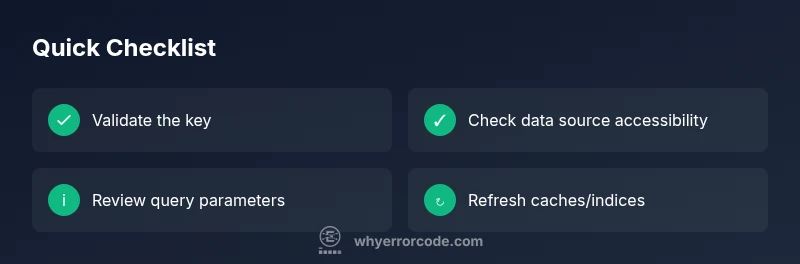
The no record found error code usually means a query is searching for an entry that does not exist in the target data source. Begin by confirming the data source is accessible, and verify the exact query or identifier. In most cases, a corrected key or updated index resolves the issue.
What the no record found error code means
According to Why Error Code, the no record found error code indicates that a query or request asked for an item that does not exist in the configured data source. This can happen with databases, REST APIs, search indexes, or file-based stores. Understanding the exact context is critical: is the request targeting a single record by key, or a filtered search across many items? In practice the error is a signal, not a verdict on data quality. It often points to a mismatch between what the client asked for and what the source actually contains.
Root causes include: the key is wrong, the data has moved or been deleted, the index is stale, or access controls prevent the object from being visible. Because data systems are layered – client, API gateway, application, database, and storage – the failure can arise at any layer. A disciplined approach is to verify the path the request takes and the state of the underlying source. Logging the requested key, the source name, and the response status is essential for reproduction. With this foundation, you can narrow the investigation to the most likely layers, save time, and avoid chasing phantom issues. This article provides a practical troubleshooting flow you can adapt to your stack, with concrete steps, examples, and best practices.
wordCountNoteOnlyIfNeeded
Steps
Estimated time: 15-30 minutes
- 1
Reproduce with a known-good key
In a safe environment, run the lookup using a key you know exists in the source. Confirm the source returns the expected record. This establishes a baseline and helps isolate environmental differences.
Tip: Document environment parity between test and production. - 2
Inspect the query or identifier
Trace the exact value used by the client and inspect for accidental whitespace, URL encoding, or datatype mismatches. Pay attention to leading zeros and numeric vs string formats.
Tip: Use a canonical data form for comparisons. - 3
Check data source state
Look at recent changes: migrations, deletions, reindexing, or partition changes. Ensure the record hasn’t been archived or moved to a different partition.
Tip: Coordinate with data ops to confirm recent modifications. - 4
Validate access controls
Confirm that the requester has permission to view the record. Review role-based access rules, row-level security, and API gateway policies that might hide data.
Tip: Temporarily elevate a test account to verify visibility. - 5
Test in a clean environment
Attempt the same lookup against a staging or mirror environment with identical data to rule out environment drift or cache issues.
Tip: Avoid making production changes during testing. - 6
Implement and monitor a fix
Apply the chosen remediation (e.g., key normalization, cache invalidation, index rebuild). Monitor logs and dashboards for recurrence.
Tip: Set up alerts for repeated no-record events within a time window.
Diagnosis: User reports that a lookup or read operation returns a 'no record found' message or a null result where data once existed.
Possible Causes
- highIncorrect or missing key in query or request
- highData source does not contain the requested record (moved, deleted, or never existed)
- mediumQuery filters or permissions hide the record from the requester
Fixes
- easyValidate the exact key or identifier against the source and test with a known-good key
- easyCheck for whitespace, casing, and encoding inconsistencies in the key
- mediumVerify data source state (recent migrations, index builds, and cache freshness); refresh as needed
Frequently Asked Questions
What does the no record found error code mean?
The no record found error code indicates the requested item does not exist in the data source. It can arise from a missing key, a moved record, or an over-restrictive query. Follow a structured diagnostic flow to identify whether the issue is data-related, aKey formatting problem, or an access-control limitation.
It means the system looked for something that isn’t there. Check the key and data source alignment.
How can I tell whether the issue is data absence or a permissions problem?
Compare the successful lookup path with one that yields no results. Check whether the user or service account has visibility into the target dataset. Review access policies and audit logs for denied attempts that align with the failed query.
Look at access controls and audit logs to see if permissions hide the data.
What steps should I take to test the data source in isolation?
Run a direct lookup in a controlled environment using an explicit key that you know exists. If the direct lookup succeeds, the problem likely lies in the application layer, parameters, or caching. If it fails, focus on the data source configuration and indexing.
Do a direct test in a safe environment to isolate the problem.
Should I reindex or refresh caches to fix the issue?
Yes, if the data source reports recent changes or if there is evidence of stale cache or lag between primary and replica. After refreshing, re-check the lookup to confirm the record appears as expected.
Refreshing indexes or caches can restore visibility to recently updated data.
When is it appropriate to involve a DBA or data engineer?
Escalate when the issue involves complex data migrations, index corruption, or systemic replication delays. A DBA or data engineer can review data integrity, indexing strategies, and replication topology.
If data integrity or indexing is questionable, bring in a data expert.
What can I do to prevent this issue in the future?
Implement input validation, standardized key formats, and proactive monitoring for no-record events. Maintain versioned migrations and ensure staging environments mirror production data to catch problems early.
Prevent it by validating keys and validating data state in staging.
Watch Video
Top Takeaways
- Verify the correct data source and key format.
- Check for whitespace, case, and encoding issues.
- Refresh indices and caches when records are missing.
- Test with known-good keys in a safe environment.
- Document conventions and monitor for recurrence.