SmartThings error code 01-001: Urgent Troubleshooting Guide
Resolve SmartThings error code 01-001 quickly with expert diagnostics, step-by-step fixes, and prevention tips. Learn the meaning, common causes, and how to restore automations for reliable smart home performance in 2026.


SmartThings error code 01-001 signals a hub-to-cloud communication fault often caused by firmware or network issues. The quick path to relief is to update the SmartThings app, reboot the hub, verify your network, and re‑pair the affected device. If problems persist, perform a soft reset or contact support for next steps.
What SmartThings error code 01-001 Means
SmartThings error code 01-001 indicates a disruption in the communication channel between the hub and cloud services that power automation, status reporting, and device control. In urgent scenarios, this means devices may not report accurate states and automations may fail to trigger as intended. The error commonly appears after a firmware update, a network configuration change, or a temporary cloud outage. Recognizing that 01-001 is often about connectivity helps you prioritize network and firmware checks first. For Why Error Code, these issues are typically solvable without a full system reset, especially when you act quickly to restore reliable messaging between hub and cloud in 2026.
Common Causes Behind smartthings error code 01-001
The smartthings error code 01-001 is rarely caused by a single device failure. Most cases stem from a combination of hub firmware, app version, and network health. The most likely culprits include:
- Outdated app or hub firmware (high likelihood): When either side runs old software, messages may not be properly synced with the cloud.
- Temporary cloud service disruption (medium likelihood): Service interruptions can block status updates and command execution even if your local network is healthy.
- Unstable or misconfigured network (medium likelihood): Router settings, DNS issues, or intermittent Wi‑Fi degrade hub-cloud communication.
- Device firmware mismatch (low likelihood): A device with outdated firmware may not properly respond to hub commands, creating a synchronization gap.
- Weak mesh coverage (low likelihood): If the hub can’t reliably reach devices, status updates may fail despite a healthy internet connection.
Quick Fixes You Can Try Right Now
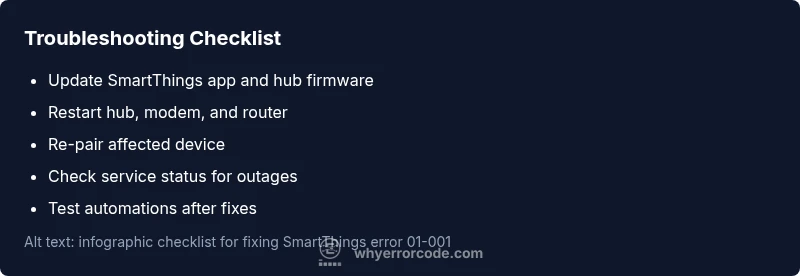
If you’re facing 01-001, these fixes are fast and non-destructive, and they often resolve the issue without a full reset:
- Update the app and hub firmware: Install the latest software to restore compatibility with cloud services.
- Restart hub and network gear: Power cycle the SmartThings hub, modem, and router to refresh connections.
- Verify network stability: Run a quick speed test, check for DNS issues, and ensure devices aren’t on a crowded or unstable network.
- Re-pair the affected device: Remove the device from the hub, then re-add it to reestablish clean communication.
- Check for outages: Look at the SmartThings status page or official channels for any ongoing cloud service problems.
- Soft reset when appropriate: If recommended by official docs, perform a non-destructive reset and reconfigure settings.
Step-by-Step Fix: Most Likely Cause (Soft Reset and Re-pair)
When 01-001 persists after the quick fixes, a targeted soft reset and re-pair can restore reliable messaging without a full factory reset. This approach preserves automations while ensuring devices re-establish clean session keys with the hub and cloud.
More Diagnostic Tips: Logs, Status Pages, and Apps
Diving into diagnostics helps differentiate device, hub, and cloud issues. Check diagnostic logs in the SmartThings app and hub event history for pattern clues (e.g., recurring disconnects, failed heartbeats, or authentication errors). Monitor the official status page for outages, and test a single device in isolation to identify whether the problem is isolated or global. Remember, a clean pairing sequence after a reset often resolves 01-001 without extensive downtime.
Safety, When to Contact Support, and Cost Outlook
For safety, avoid invasive hardware changes or unapproved firmware edits. If the problem persists after the above steps, contact official support for guidance. Cost estimates for professional repairs or hardware replacement vary by model and service level, and quotes are typically provided after diagnostics. In 2026, expect support costs to depend on the device, location, and whether on-site help is required; always request a written estimate before proceeding.
Prevention: Keeping SmartThings error code 01-001 from Returning
To reduce the chances of 01-001 recurring, keep devices on supported firmware versions and avoid frequent network topology changes. Schedule regular firmware updates, maintain a stable home network, and optimize Wi‑Fi coverage to minimize communication gaps. Document changes to your smart home setup and re-test automations after each update or new device integration.
Real-World Example: A Sudden 01-001 Outage
In a recent scenario observed by Why Error Code, a household experienced a sudden 01-001 notice after a router firmware upgrade. Updating the hub firmware, reconnecting the faulty device, and re-enabling automations restored full functionality within the same day. This example highlights the value of a measured, evidence-based approach rather than a blanket reset.
Steps
Estimated time: 30-60 minutes
- 1
Prepare your environment
Ensure you have access to the SmartThings hub and the device you’re troubleshooting. Charge any needed devices and have a stable power source. Record current device IDs and firmware versions.
Tip: Back up automations or scenes before making changes. - 2
Update all software
Install the latest SmartThings app on your phone and update the hub firmware if an update is available. Reboot the hub after updates to ensure all services come online cleanly.
Tip: Restart after updates to ensure changes take effect. - 3
Reboot and test network
Power cycle your modem and router. Verify network naming and DNS settings are correct. Ensure the hub has a strong, steady connection to the router.
Tip: If you use Wi‑Fi extenders, ensure they aren’t causing asymmetric routes. - 4
Re-pair the affected device
Remove the device from the SmartThings app, then add it back as a new device. Follow the on-screen prompts to rejoin and validate its status.
Tip: Test the device with a simple automation to confirm connectivity. - 5
Validate automations and scenes
Trigger key automations manually to confirm they run as expected. Check for any failed logs and resolve device-specific errors if shown.
Tip: Document any failing automations for reference. - 6
Escalate if unresolved
If 01-001 persists after these steps, contact support with your diagnostic steps, firmware versions, and logs for targeted assistance.
Tip: Ask for a service plan or on-site assessment if needed.
Diagnosis: SmartThings shows error code 01-001 on devices or app; automations may fail to trigger
Possible Causes
- highOutdated SmartThings app or hub firmware
- mediumTemporary cloud service disruption or firmware mismatch
- lowWeak or unstable network connection (router or Wi-Fi)
Fixes
- easyUpdate the SmartThings app and hub firmware to the latest versions
- easyCheck SmartThings service status pages and wait if there is a known outage
- easyRestart the hub and power-cycle network equipment
- mediumRe-pair the affected device to the hub
- easyPerform a soft reset of the device or hub if recommended by official docs
Frequently Asked Questions
What does smartthings error code 01-001 mean?
01-001 signals a hub-to-cloud communication fault often tied to firmware or network issues. It typically disrupts status reporting and automation triggers until the underlying connectivity is restored.
01-001 means there’s a problem communicating between the hub and cloud, usually due to firmware or network problems.
How can I fix 01-001 quickly?
Update the SmartThings app and hub firmware, restart the hub and router, verify network stability, and re-pair the affected device. If outages are reported, wait for cloud services to recover.
Update, restart, and re-pair. If the cloud is down, wait and retry.
Is 01-001 caused by my device or the service?
It can be either. Use a process of elimination by testing another device, checking service status, and reviewing logs to identify where the fault lies.
It could be your device, the hub, or the cloud—check status and test devices to find out.
Should I factory reset the hub?
Factory resets are a last resort. They erase configurations, so back up automations first and only reset if recommended by support.
Only reset if advised by support; it can erase settings.
Will this affect automations?
Yes, until the issue is resolved, automations may fail to trigger. After fixes, run tests to verify all automations return to normal.
Automations may be affected until the fix is in place.
How can I prevent 01-001 from returning?
Keep firmware updated, maintain a stable network, and avoid unnecessary topology changes. Regularly verify device pairings after updates.
Keep things updated and stable to prevent it from coming back.
Watch Video
Top Takeaways
- Identify hub-cloud communication as the root cause
- Prioritize app/firmware updates and pairing
- Use a structured diagnostic flow before resets
- Escalate to support when fixes don’t resolve the issue