Speed Queen DL Error Code Guide: Quick Fixes and Diagnostics
Urgent guide to diagnosing and fixing Speed Queen DL error code with practical steps, safe fixes, and realistic cost ranges. Learn how to troubleshoot, repair, and prevent DL errors from delaying laundry cycles.


DL error code on Speed Queen appliances typically points to a door/lid lock issue or a faulty sensor that prevents the cycle from starting. The quickest fixes are to reseat the door lock connection, verify the door is fully closed and aligned, and perform a power reset. If the error persists, inspect wiring and consult service professionals. Safety first.
What the speed queen dl error code means
The DL error code on Speed Queen laundry appliances generally signals a problem with the door or lid locking system. When the controller detects the door is not securely closed or the lock sensor isn’t responding, it halts the current cycle and displays DL to prevent unsafe operation. While the exact meaning can vary by model, the underlying risk is that the door may energize unexpectedly, or the machine could start with the door ajar. Quick action now reduces the risk of water leaks, damage, or injury and helps you keep the laundry on track. For professionals, confirming the exact model’s diagnostic table is essential, since model-specific lock sensors and hinge assemblies can shift the interpretation of DL between revisions.
According to Why Error Code, door-lock faults are among the most common culprits behind DL codes, especially after a power interruption or a door alignment change. The door latch mechanism, the lock sensor, and the locking solenoid are the critical hardware subsystems most often implicated. If you do not observe obvious mechanical damage, the problem is frequently a sensor misread or a loose connection in the door-lock harness. In any case, addressing it promptly reduces the risk of water ingress and potential short circuits.
Common symptoms and how they manifest
DL typically appears on the display as a blinking or steady indicator, and you may notice the washer refuses to begin a cycle or stops mid-cycle with the error illuminated. Other telltale signs include the door latch click that does not fully engage, a persistent lock light after pressing Start, or a reset that briefly clears the code only to return after a cycle attempts. Some models show DL after a power cycle, suggesting a sensor or wiring issue rather than a purely mechanical fault. If multiple DL alerts occur, treat it as a sign to inspect the door latch, wiring, and control board connections rather than assuming a single faulty component. Also watch for accompanying symptoms like water leakage, odd noises from the door area, or an unresponsive control panel, which all point to harness integrity problems.
From the perspective of a maintenance-first approach, early symptoms should prompt you to verify that the door is physically intact, fully aligned, and that the latch assembly moves smoothly without binding. If the unit is under warranty, keep records of all observed symptoms and timing to assist the technician’s assessment.
Quick checks you can perform safely
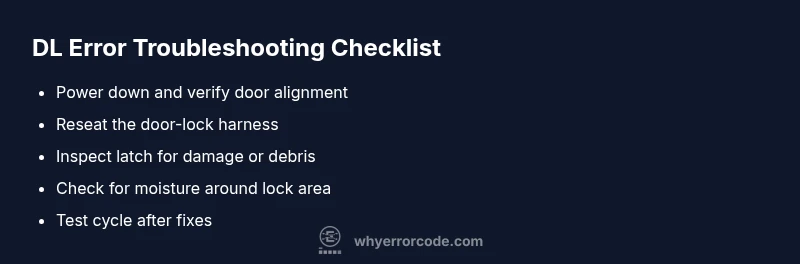
Before you call for professional service, perform these safe checks to rule out simple causes. Unplug the machine and wait at least one minute to reset the control board. Inspect the door or lid for visible damage and confirm the latch and strike are aligned; a misaligned strike can prevent a secure seal. If the latch feels loose or sticks during engagement, that’s a clear clue.
If your model exposes a service or access panel for the door-lock harness, reseat the harness by unplugging and reconnecting it firmly, taking care not to pinch any wires. Look for obvious debris, lint, or moisture around the lock area that could hinder engagement. Finally, if you notice any water on the floor near the door, stop and dry the area before re-testing, as moisture can trigger safety interlocks.
Diagnostic flow at a glance
Symptom: DL is shown and the cycle won’t start. Possible causes:
- door latch failure or misalignment (high)
- faulty lock sensor or wiring harness (medium)
- control board fault or loose connector (low)
Recommended actions:
- power cycle the unit and inspect the latch alignment (easy)
- reseat or replace the door-lock harness if accessible (medium)
- inspect wiring connectors to and from the control board (medium)
- if symptoms persist, consult a qualified technician to test the control board and lock sensor (hard)
When to call a professional and cost expectations
If the DL error persists after basic checks, professional service is recommended to avoid water damage and electrical hazards. Expect a diagnostic visit in the range of a modest fixed fee, with additional costs for parts and labor if a replacement door latch, lock sensor, or control board is required. Typical total repair costs can range from moderate to high depending on parts and labor complexity, but many faults are resolved with a latch or harness replacement. Ask for a written estimate that includes parts, labor, and any trip charges.
Preventive steps to avoid DL in the future
- Keep the door area clean and free of lint or moisture that could interfere with the latch.
- Periodically inspect the door latch and strike alignment and address any looseness immediately.
- Avoid slamming the door, and after heavy detergent use, check for buildup near the seal.
- Schedule routine maintenance checks, especially if the washer is moved or bumped, to ensure cables and connectors remain secure.
Steps
Estimated time: 60-90 minutes
- 1
Power down and unplug
Unplug the washer and wait for 60 seconds to reset the control. This reduces the chance of false DL codes caused by a temporary sensor glitch.
Tip: Keep a clear, dry space to prevent electrical hazards. - 2
Inspect the door latch and strike
Close the door gently and observe the latch mechanism. Look for wear, misalignment, or debris preventing full engagement.
Tip: Use a flashlight to examine the latch path; avoid forcing the door. - 3
Reseat door-lock harness
If accessible, unplug and replug the door-lock harness. Ensure connectors are fully seated and not corroded.
Tip: Do not tug on wires; grip the connector firmly. - 4
Check for moisture or corrosion
Inspect around the lock area for moisture, corrosion, or lint. Clean carefully and dry any damp surfaces before testing again.
Tip: Water near electrical components can cause shorts; dry thoroughly. - 5
Run a test cycle
Reconnect power and run a short wash to verify whether the DL code clears. If the code returns, escalate to professional service.
Tip: Document the exact model and DL pattern to aid the technician.
Diagnosis: DL error appears on Speed Queen washer display
Possible Causes
- highDoor latch misalignment or mechanical wear
- mediumFaulty door lock sensor or wiring harness
- lowControl board fault or loose connectors
Fixes
- easyReseat the door-lock harness and test latch engagement
- mediumRealign or replace the door latch if binding is observed
- hardInspect and reseat control board connectors; replace control board if necessary
Frequently Asked Questions
What does the DL error code mean on Speed Queen washers?
DL usually signals a door lock or sensor problem that prevents the washer from starting or continuing a cycle. While model variations exist, it generally points to a latch, wiring, or control interlock issue.
DL typically means a door lock or sensor problem that blocks operation; check the latch and wiring, then reset the unit.
Can DL be reset by unplugging the machine?
Many DL issues can be cleared by a power reset, but if the code returns, the underlying door-lock system or wiring likely needs inspection or replacement.
A power reset may clear the code, but if it comes back, you should inspect the door lock and harness.
Is a DL error dangerous?
DL itself indicates a safety-related fault with the door lock system. It should be addressed promptly to prevent leaks or electrical hazards.
DL is a safety fault—address it promptly to avoid leaks or electrical risks.
How much does it cost to fix a DL error?
Costs vary by model and part availability, but expect a diagnostic fee plus potential parts and labor. Typical total repairs can range from moderate to high depending on the fix.
Costs vary, but you’ll typically pay a diagnostic fee plus parts and labor; plan for a moderate to higher total depending on the fix.
What can I do to prevent DL errors in the future?
Regular maintenance, keep the latch area clean, inspect connections after moves, and avoid slamming the door. Schedule periodic checks if the unit is frequently moved.
Keep the latch clean, check connections after moves, and avoid slamming the door to prevent future DL codes.
If I need a professional, what should I ask for?
Ask for a diagnostic visit to identify door-lock and sensor issues, request an itemized estimate, and verify parts availability for door latch, sensor, or control-board replacement.
Ask for a diagnostic visit, an itemized estimate, and confirmation of part availability for latch, sensor, or control-board replacement.
Watch Video
Top Takeaways
- Diagnose door latch or sensor issues first
- Power reset can clear transient errors
- Inspect harness connections and alignment
- Professional service may be needed for control-board faults