Unique Constraint Error Code in Oracle: Fixes and Prevention
Diagnose and fix the Oracle ORA-00001 unique constraint error with practical steps, diagnostic queries, and prevention tips for developers and DBAs.


ORA-00001 is Oracle's standard response to a duplicate value in a column that must remain unique. The quickest fix is to locate the conflicting row, correct the data, and re-run the operation with proper validation. The error indicates a violation of a unique constraint, often a PRIMARY KEY or UNIQUE constraint, and should be addressed with data clean-up and input validation. According to Why Error Code, understanding the exact constraint helps you target the fix and prevent repeats in future transactions.
What the error means for Oracle databases
The unique constraint error code in oracle surfaces when a value violates a defined constraint, typically a PRIMARY KEY or a UNIQUE constraint. When Oracle detects a duplicate value in a column that must remain unique, it raises ORA-00001: unique constraint violated. According to Why Error Code, this error is a signal that your application attempted to insert or update data that would break data integrity. The quickest remedy is to locate the offending data, correct it, and re-run the operation with proper validation. In production, ensure your inputs are checked before they reach the database and that concurrent processes don’t attempt to insert duplicate keys. The error is often reproducible in a test environment by trying to insert a duplicate primary key or a duplicate value for a unique key. Understanding the exact constraint name involved (for example, a constraint called SYS_C009234) helps you target the fix. The standard countermeasures are to clean duplicates, adjust the logic, or redesign the key so it remains unique across the dataset. This is a common hurdle in Oracle SQL development that, when addressed quickly, restores application availability.
Common scenarios that trigger ORA-00001
There are several typical situations that lead to a unique constraint violation in Oracle. The most common is attempting to insert a row with a primary key value that already exists in the table. A second frequent cause is inserting a value in a column declared UNIQUE that duplicates a prior row. Bulk data loads, data migrations, or ETL jobs that don’t account for existing records will frequently hit ORA-00001. Another scenario occurs when a sequence-based key generation falls out of sync with the actual data, producing a duplicate key value. Triggers can also recreate duplicates if their logic mistakenly assigns an existing value. Finally, concurrent transactions that race to insert the same key can trigger the error if submission order isn’t controlled. In all cases, pinpointing the exact duplicate value and its constraint name is essential for a quick fix. For developers, building idempotent insert paths and robust pre-checks can prevent many of these situations from occurring in production systems.
How Oracle enforces uniqueness and constraints
Oracle enforces uniqueness by binding a constraint to a set of columns. A PRIMARY KEY or UNIQUE constraint ensures that no two rows share the same value for the constrained columns. In practice, Oracle creates a unique index to enforce this rule, which speeds up lookups and ensures data integrity. Some constraints can be defined as DEFERRABLE, allowing the check to be postponed until COMMIT; others are strict and immediate. When a violation occurs, Oracle raises ORA-00001 and rolls back the offending statement (and possibly the entire transaction, depending on the isolation level). Understanding whether the constraint is DEFERRABLE and whether the failure happens during a single statement or across a multi-statement transaction helps you plan the fix, especially during bulk operations or complex ETL processes. In this section, we’ll explore how constraint types interact with indexes and transactions to protect data consistency.
Quick diagnostic checks you can run
To pinpoint ORA-00001, start with the constraint definitions and then look for duplicates. Run queries like:
-
Identify relevant constraints on your table:
SQLSELECT constraint_name, constraint_type FROM user_constraints WHERE table_name = 'YOUR_TABLE' AND constraint_type IN ('P','U'); -
Find the constrained columns for those constraints:
SQLSELECT uc.constraint_name, ucc.column_name FROM user_constraints uc JOIN user_cons_columns ucc ON uc.constraint_name = ucc.constraint_name WHERE uc.table_name = 'YOUR_TABLE' AND uc.constraint_type IN ('P','U'); -
Detect duplicates for the constrained columns:
SQLSELECT column_list, COUNT(*) AS dup_count FROM YOUR_TABLE GROUP BY column_list HAVING COUNT(*) > 1; -
If you know the specific constraint, validate uniqueness at runtime with a quick check before inserting:
SQLSELECT 1 FROM YOUR_TABLE WHERE (col1, col2) = (:val1, :val2);
If these checks reveal duplicates, you’ll know where to focus the remediation effort. Remember to replace YOUR_TABLE and column_list with your actual table and columns.
Step-by-step fixes for the most common cause
If ORA-00001 appears during insert, follow a disciplined sequence of steps to resolve it without introducing new issues. The first step is to reproduce the error and capture the exact constraint name and the offending values. Next, locate the conflicting rows using targeted SELECT queries against the constrained columns. Clean up duplicates by updating or deleting them, or adjust the input to use a new, unique value. Re-run the DML to confirm the fix. If you’re performing a bulk load, consider staging data first, performing a pre-check for duplicates, and using a MERGE statement to merge only non-duplicate rows. Finally, verify that related business rules are preserved and that transactions commit cleanly. This approach minimizes downtime and preserves data integrity. The process is safer when done in a test environment before touching production.
Prevention strategies to avoid future violations
Preventing ORA-00001 requires proactive data hygiene and robust application logic. Use sequences with correct synchronization to generate unique keys, verify inputs against existing data before insert, and implement idempotent insert/update flows. If bulk operations are necessary, consider temporarily deferring constraints, staging data, and using MERGE or UPSERT patterns to handle duplicates gracefully. Enforce constraints at the database level and ensure your ETL pipelines include deduplication steps. Establish clear ownership for constraint names and maintain a change log for schema evolution. As Always, monitor for and review any orphaned or unexpected duplicates that slip through due to edge-case scenarios. The Why Error Code team emphasizes consistent validation and auditing to minimize repeated occurrences.
When to escalate to a DBA
If duplicates reappear after fix attempts, or you face complex inter-table dependencies and cascading constraint violations, escalate to a DBA. A DBA can audit constraint definitions, review index health, and assess replication or staging environments for data drift. In high-traffic systems, involve DBAs early to avoid downtime and to implement safer, long-term solutions like properly synchronized sequences and carefully designed deferred constraints where appropriate.
Steps
Estimated time: 30-60 minutes
- 1
Reproduce the error and capture context
Trigger the failing operation in a controlled environment and record the exact constraint name and the values involved. This establishes the scope before changes.
Tip: Take a screenshot or log the exact DML statement and constraint details. - 2
Identify the conflicting constraint
Query the data dictionary to find which constraint is violated and which columns it covers. This narrows the remediation path.
Tip: Note constraint_name and constraint_type (P or U). - 3
Locate the duplicates
Run targeted SELECTs to identify rows with duplicate values on the constrained columns. This helps determine whether to update or delete.
Tip: Limit the search to the last few days or a staging schema to avoid production impact. - 4
Fix the data
Remove or update the duplicates so the new insert would be valid. Ensure other references remain consistent.
Tip: Backup before mass deletes; validate referential integrity. - 5
Re-run and verify
Execute the original insert/update again and confirm no ORA-00001 occurs. Check related constraints for cascading effects.
Tip: Run in a test environment first. - 6
Implement preventive measures
Add or adjust constraints, validate input, and consider using MERGE for upserts during bulk loads.
Tip: Document the fix and monitor for recurrence.
Diagnosis: Error ORA-00001: unique constraint violated when inserting into a table
Possible Causes
- highDuplicate value exists for a constrained column
- mediumData load or migration includes pre-existing keys
- lowSequence/trigger generates duplicate keys
Fixes
- easyQuery for duplicates and clean data before insert
- mediumUse MERGE with NOT EXISTS to avoid duplicates
- hardAdjust sequence or trigger logic to generate unique keys
Frequently Asked Questions
What does ORA-00001 mean in Oracle?
ORA-00001 means you attempted to insert or update a row with a value that duplicates an existing one in a column that must be unique. It’s the database enforcing data integrity for constraints like PRIMARY KEY and UNIQUE.
ORA-00001 means you tried to insert a duplicate value into a unique column. This is Oracle enforcing data integrity.
How can I locate the duplicate causing ORA-00001?
Query the constrained columns to locate existing duplicates. Use the dictionary views to identify the constraint and then search for duplicates in the affected columns.
You locate the duplicate by querying the constraint and searching for duplicates in those columns.
Should I disable a constraint to fix data?
Disabling constraints in production is risky and generally discouraged. Instead, fix the data, adjust your input logic, or use deferrable constraints during bulk operations where appropriate.
No—don’t disable constraints in production. Fix the data or use proper deferred constraints during bulk loads.
What’s the difference between PRIMARY KEY and UNIQUE constraints?
A PRIMARY KEY uniquely identifies a row and cannot be NULL. A UNIQUE constraint also enforces uniqueness but may allow NULLs depending on the design. Both rely on Oracle's indexing to enforce the rule.
Primary keys uniquely identify rows and can’t be null; unique constraints ensure uniqueness but may allow NULLs depending on setup.
How can I prevent ORA-00001 during bulk loads?
Use staging with deduplication, MERGE/UPSERT patterns, and consider deferrable constraints for bulk operations. Validate data before inserting and ensure sequences are synchronized with existing data.
Prevent during bulk by staging data, using MERGE, and validating inputs; ensure sequences stay in sync.
When should I involve a DBA for ORA-00001?
If duplicates persist or there are complex inter-table constraints, involve a DBA to review constraints, indexes, and data integrity across schemas.
If duplicates persist or the issue spans multiple tables, involve a DBA to review constraints and indexes.
Watch Video
Top Takeaways
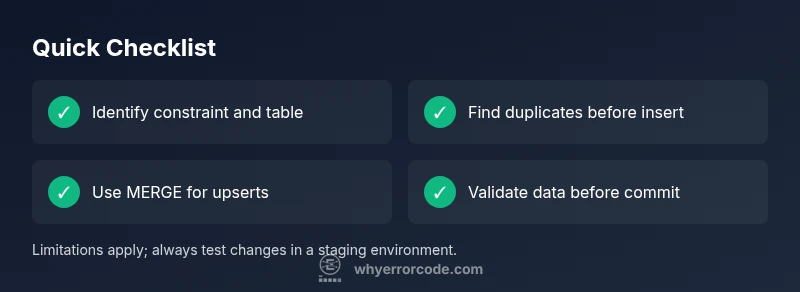
- Identify the exact constraint and duplicate value
- Validate inputs before insert to prevent ORA-00001
- Use MERGE or upsert patterns for safe bulk loads
- Deferrable constraints can help during data migrations
- Escalate to a DBA for complex inter-table issues