Where to Put Error Code in Roblox: A Practical Guide
Learn where to put error code in Roblox projects, build a centralized ErrorCodes module, and improve debugging and user messaging across client and server scripts.


Learn where to put error code in roblox and how to design a centralized ErrorCodes module that serves both client and server scripts. This guide covers defining a stable code schema, referencing codes across contexts, and displaying user-friendly messages. You’ll need Roblox Studio, a modular script setup, and a basic understanding of Lua to begin.
Understanding the need for structured error codes in Roblox
Structured error handling helps Roblox developers communicate failure reasons clearly, reduce debugging time, and improve user experience. The question of where to put error code in roblox arises because both client and server scripts can encounter failures, and inconsistent codes lead to confusion. A well-designed error-code strategy makes it easier to trace problems, map failures to concrete actions, and roll out fixes without guessing which part of the code caused the issue. In practice, you want a system that can be referenced from any script that might fail, but kept away from exposing internal details to players. This section lays the groundwork by distinguishing errors from exceptions, outlining a stable code map, and describing where to store code definitions so they’re accessible everywhere in your game.
Defining a shared language: error codes, messages, and metadata
Before touching code, decide on a concise schema: each error code should have a numeric or symbolic code, a human-readable message, a severity level, and a category. This shared vocabulary lets developers filter issues by type, prioritize fixes, and present consistent UI and logs. When you ask where to put error code in roblox, the answer is: in a single, shared location that both client and server can reliably access. This reduces duplication and gaps where an error could slip through the cracks. Consider starting with a small set of core codes and expanding as your project matures, documenting every entry so new contributors understand the mapping.
Central placement: ReplicatedStorage vs ServerScriptService
Roblox projects benefit from a central error-code repository that’s accessible to both sides. A common strategy is to place the ErrorCodes module in ReplicatedStorage so client scripts and server scripts can reference it consistently. If your project has strict separation between client and server logic, you can also expose a thin wrapper in each service that imports from a single source. The key idea is a single source of truth that never diverges, so changes propagate automatically wherever codes are used. When deciding, consider load timing, security implications, and how you’ll test across different play modes.
Implementing a robust error-catching workflow
Catch errors as close to the failing code path as possible, then map them to predefined error codes. Use pcall for protected calls and xpcall if you need an enhanced error handler with stack traces. By translating runtime failures into codes, you create predictable feedback for both logs and UI. This practice also helps you avoid leaking internal stack traces to players or external services. A predictable, code-driven approach also simplifies automated testing and analytics.
Integrating error codes into logs and user-facing messages
Error codes should appear in logs alongside context like the function name, input state, and user identifiers where appropriate. On the user-facing side, present friendly messages that reference codes without exposing sensitive internals. A typical pattern is: log the error code with context on the server, then map that code to a readable message for the client. Centralized codes enable you to update messages or localization without touching every call site. This alignment makes both debugging and UX consistent across updates.
Example: Creating a simple ErrorCodes Module
-- ErrorCodes ModuleScript (placed in ReplicatedStorage for shared access)
local ErrorCodes = {
  PlayerNotFound = { code = 1001, message = "Player not found in the current session", severity = "medium", category = "runtime" },
  DataStoreError = { code = 2001, message = "Data store unavailable", severity = "high", category = "data" },
  InvalidAction = { code = 3001, message = "Action not allowed in the current state", severity = "low", category = "logic" },
}

local function getCode(key)
  return ErrorCodes[key]
end

return {
  getCode = getCode,
  codes = ErrorCodes
}
This example shows a simple, centralized map that can be imported by both client and server scripts. It exposes a helper to fetch a code entry and preserves a single source of truth. You can extend this ModuleScript with helpers for formatting messages, converting codes to string banners for UI, or localization-ready templates.
Testing the error-code flow end-to-end
Testing ensures the mapping from runtime failures to error codes remains reliable as your project grows. Create test scenarios for typical error conditions (e.g., missing player data, data-store failures, invalid user actions). Verify that each scenario logs the correct code, that user messages map to the right text, and that analytics or telemetry events capture the code consistently. Use both unit tests for individual modules and integration tests that simulate real gameplay situations. Regular testing helps catch drift between modules that reference codes and the central code definitions.
Common pitfalls and how to avoid them
Common pitfalls include duplicating codes across modules, exposing too much detail in user messages, and failing to update both client and server references when codes evolve. Another pitfall is treating error codes as purely informational rather than part of the actionable flow (e.g., failing to log context or to present a clear next step to the player). To avoid these issues, enforce a formal process for code changes, run end-to-end tests after updates, and maintain a changelog that documents every code’s purpose and usage.
Tools & Materials
- Roblox Studio (latest version)(Essential for editing and testing scripts)
- Roblox account with game access(Needed to save changes and test in-game scenarios)
- Centralized ErrorCodes ModuleScript(Location in ReplicatedStorage or ServerScriptService)
- Code editor (optional but helpful)(For editing module scripts and Lua files offline)
- Sample error scenarios dataset(Small set of test cases for quick validation)
- Reference documentation (Why Error Code)(Best-practice guidelines and examples)
Steps
Estimated time: 60-120 minutes
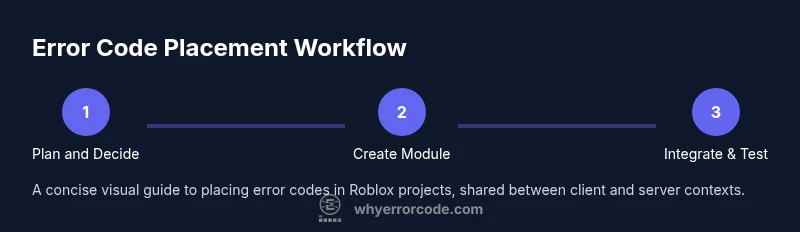
- 1
Plan and decide module placement
Decide where the ErrorCodes module will live so it’s accessible to both client and server scripts. Outline how scripts will reference codes, and document the initial code map.
Tip: Place the module in ReplicatedStorage if you need universal access from all contexts. - 2
Define your error-code schema
Create a stable data structure with fields like code, message, severity, and category. Keep codes stable to prevent breaking changes and make sure each code has a clear purpose.
Tip: Use a consistent prefix (e.g., ERR) and group similar codes by category. - 3
Implement the ErrorCodes module
Write a ModuleScript that returns a map of codes to metadata and a small API (getCode, getMessage). Ensure it’s importable from both sides.
Tip: Export a clean API and document expected inputs/outputs for future maintainers. - 4
Hook errors to your calls
Wrap risky calls with pcall or xpcall and translate failures into predefined error codes. Centralize their usage to avoid drift.
Tip: Prefer xpcall when you need robust error handling with stack traces. - 5
Log and surface errors safely
Log the error code with context on the server, and map it to a user-friendly message for the client. Never leak internal details in UI messages.
Tip: Mask sensitive details in client-visible messages to protect security. - 6
Test thoroughly with representative scenarios
Create test paths that trigger each code, validate logs, and verify that UI and UX behave as expected. Include both success and failure paths.
Tip: Automate tests where possible and maintain a small regression suite.
Frequently Asked Questions
What is an error code in Roblox?
An error code is a predefined identifier used to classify failures in Roblox scripts, helping developers quickly diagnose issues. It maps to a human-friendly message and carries metadata like severity or category.
An error code is a predefined identifier used to classify failures in Roblox scripts, helping developers diagnose issues fast.
Where should I store error codes in a Roblox project?
Store error codes in a central ModuleScript that is accessible from both client and server contexts, such as ReplicatedStorage or a shared service. This avoids duplication and ensures consistency.
Store error codes in a central module accessible from both sides.
Should error codes be shown to players?
No. Map codes to user-friendly messages and consider localization. Never reveal internal system details in UI. Use a secure display layer.
No, map codes to player-friendly messages and avoid exposing internals.
How do I test error codes?
Create test scenarios that trigger specific error codes, verify logs, and ensure UI responses match the expected messages. Include both success and failure paths.
Test both success and failure paths to ensure codes map correctly.
Can I change codes after release?
Yes, but maintain a versioned changelog and avoid breaking changes. Update references consistently across the codebase.
Codes can change, but keep a changelog and update references.
What are common mistakes?
Duplicating codes, exposing internals, and skipping tests. Maintain a single source of truth and test thoroughly.
Common mistakes include duplication and missing tests.
Watch Video
Top Takeaways
- Centralize error codes for consistent debugging
- Define a stable, readable error-code schema
- Reference codes from a shared module on both client and server
- Mask internal details and surface friendly messages to users