Whirlpool F8 E4 Error Code: Urgent Troubleshooting Guide
Urgent guide for diagnosing and fixing the Whirlpool F8 E4 error code. Learn quick resets, common causes, parts to inspect, repair cost ranges, and when to call a pro.


Whirlpool dishwasher f8 e4 error code signals a detected fault in the appliance's control or sensor system during the wash cycle. This urgent alert typically means the machine has halted to prevent damage. Start with a power reset, verify water supply and door latch, and inspect wiring connections to the control board before proceeding with deeper fixes.
What the Whirlpool F8 E4 Error Code Means
The F8 E4 code appears when the dishwasher's control electronics detect a fault during the fill or wash cycle, and the unit stops to protect itself. While Whirlpool models can differ slightly, the core idea is that a sensor reading or board communication failed a safety check. Treat this as an urgent diagnostic signal rather than a single component failure. The recommended approach is safe, repeatable troubleshooting: reset the unit, verify basic external conditions (water supply, door seal), and then methodically test connections and components. This process reduces the risk of further damage and helps you identify the right repair path.
Typical Symptoms You Might See
- The display shows F8 E4 and the cycle stops mid-run.
- The door latch feels loose or the cycle won’t start even when the door is closed.
- The water inlet hose is kinked or the water supply is inconsistent.
- The machine heats imperfectly or sensor readings look erratic.
These symptoms often accompany the F8 E4 code and help narrow the scope to electrical control, fluid handling, or sensing issues. Use them to decide which checks to perform first and to communicate clearly with a service technician if you call for help.
Quick Checks Before You Dig In
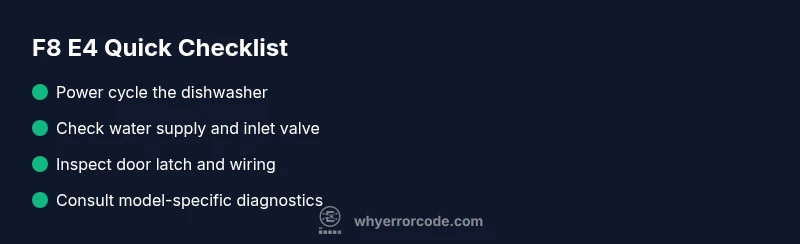
- Power cycle the unit: unplug or switch off the circuit breaker for 60 seconds, then restore power. This reset clears transient faults and reinitializes the control board.
- Verify the water supply: ensure the water valve is fully open and that the supply hose is not clogged or kinked.
- Inspect the door latch: ensure the latch engages fully and the door switch isn’t stuck or misaligned.
- Inspect visible wiring: with the power off, look for loose connectors or burnt insulation on control board harnesses.
- If equipped, run a basic diagnostic mode per your model manual to retrieve current fault codes. Avoid opening the control enclosure if you’re inexperienced.
Model Variations and Data-to-Action
Whirlpool has multiple dishwasher families, and the F8 E4 interpretation can vary slightly by model year. Some models tie F8 E4 to sensor data validation failures, while others attribute it to a board communication issue. Because of these variations, always refer to your user manual or model-specific service sheets when available. For general repairs, focus on resetting, verifying inputs, testing connections, and isolating the control board as a last resort. When in doubt, treat it as a potential electronics fault and proceed with caution.
Safety Considerations and When to Call a Pro
- Always unplug the unit before inspecting any internal components or wiring. Water and electricity are a dangerous mix.
- If you notice burnt smells, melted seals, or visible damage to any wiring, stop and contact a professional.
- If the fault persists after the quick fixes, a certified technician should test the control board, sensors, and inlet valve with proper test equipment. Attempting a full repair without the right tools can worsen the issue and void warranties.
How to Keep This From Reoccurring
- Keep the water supply clean and free of debris; install an inline filter if your home water is hard or contains sediment.
- Schedule regular dishwasher maintenance, including cleaning the filter and spray arms.
- Use the dishwasher according to manufacturer guidelines to prevent sensor drift and valve wear.
- Maintain clear, undamaged wiring harnesses and avoid jamming the control panel or door area during loading.
Steps
Estimated time: 1-2 hours
- 1
Perform a safe power reset
Unplug the dishwasher or switch off the circuit breaker for at least 60 seconds, then restore power. This clears many transient faults and reinitializes the control board.
Tip: Ensure the unit is completely unplugged and the door is closed before handling. - 2
Verify water supply and inlet valve
Confirm the water supply is on and the inlet valve is fully open. Check for kinks in the supply hose and ensure there is sufficient water pressure for proper sensing.
Tip: Never force the valve; if it feels stiff, consider replacing the valve rather than forcing movement. - 3
Test the door latch and switch
Make sure the door latch engages fully and the door switch is not stuck or misaligned. A faulty latch can trigger safety faults similar to F8 E4.
Tip: Load dishes so the door latches without excessive force; a misaligned door can mimic a fault. - 4
Inspect control board connections
With power off, inspect harnesses for loose or corroded connectors. Look for signs of wear or burn marks near the main board and connectors.
Tip: Handle connectors gently and avoid bending pins; unplugging and re-seating each connector helps reseat contacts. - 5
Run model-specific diagnostics
If your model supports a service or diagnostic mode, enter it per the manual to pull fault codes and verify sensor data against expected values.
Tip: Model variations exist; follow the exact procedure in your manual to avoid misreads. - 6
Decide on next steps (repair vs replace)
If faults persist after resets and checks, you may need to replace components such as the control board, inlet valve, or sensor assemblies; otherwise, professional service is recommended.
Tip: Costs vary; plan for parts plus labor and consider the appliance's age when deciding on repair vs replacement.
Diagnosis: Whirlpool dishwasher shows F8 E4 and stops mid-cycle
Possible Causes
- highInlet valve or water supply issue
- mediumSensor or thermistor fault
- lowControl board communication fault
Fixes
- easyPower cycle the unit to clear transient faults
- easyCheck water supply, valve operation, and hose integrity
- hardInspect control board connections or replace the control board
Frequently Asked Questions
What does the F8 E4 error code mean on Whirlpool dishwashers?
The F8 E4 code indicates a fault detected by the control board, typically involving sensor data or board communication. It signals the need for a systematic diagnostic flow rather than a single-part replacement.
F8 E4 means a fault on the control board or its sensors; run through resets and checks, then, if needed, seek professional service.
Can I fix F8 E4 myself?
Yes for initial steps like a power reset, checking the water supply, and inspecting door latch and wiring. If the fault persists, professional service is recommended to test the control board and sensors with proper equipment.
You can try resets and basic checks, but persistent faults should be handled by a technician.
What is the first thing I should try when I see F8 E4?
Perform a safe power cycle, verify water supply, and inspect the door latch. These quick steps resolve many F8 E4 glitches before deeper diagnostics are needed.
Start with a power reset, check water inlet, and ensure the door latch is secure.
Do different Whirlpool models interpret F8 E4 the same way?
Model-year variations exist. Always refer to your specific manual or service sheets for the exact meaning and recommended fixes.
Models differ; check your manual for model-specific guidance.
How much does it cost to repair F8 E4?
Costs vary by part and region. Typical parts range from $20 to $250, and labor can add $100 to $350, depending on the component and local rates.
Costs vary, but expect parts and labor to fall in the low hundreds depending on the repair.
When should I replace rather than repair my dishwasher?
If faults recur after multiple repairs or the unit is aging, replacement may be more cost-effective than repeated fixes.
If issues continue after repairs or the appliance is old, consider replacement.
Will running a diagnostic mode help?
Diagnostic mode can guide you to specific failing components and confirm sensor readings. Use it if your model supports it and you’re comfortable following model-specific steps.
Diagnostics can point to failing parts; use them if available for your model.
Watch Video
Top Takeaways
- Reset the unit first to clear transient faults
- Check water supply and door latch before deeper repairs
- Inspect wiring connections to the control board
- Model variations matter; consult the manual for specifics
- Call a professional if faults persist after basic checks