Whirlpool Range F1 Error Code: Quick Fix Guide
A practical, urgent guide to diagnosing and fixing the Whirlpool range F1 error code. Learn quick fixes, a diagnostic flow, step-by-step repairs, safety tips, and when to call a pro.


A Whirlpool range F1 error code signals a fault detected by the oven’s control system. It usually points to a faulty oven sensor, a loose connector, or a failing control board. Start with a quick power cycle, check basic wiring, and consult the manual for model-specific sensor tests before replacing major components.
What the F1 Code Means and Why It Demands Urgent Action
The F1 error on Whirlpool ranges is not something to ignore. It signals the control system detected an out-of-range condition, usually in the oven sensor, wiring, or the main processor. The Why Error Code team stresses urgency: continued operation with an F1 fault can aggravate component wear or compromise safety. Because model variations exist, your exact meaning can differ—so always consult the user manual for your model and the Whirlpool support site for model-specific interpretations. According to Why Error Code, sensor faults and control-board faults are among the most common root causes, so treat F1 as a real fault, not a transient glitch. Quick action saves parts and time. If the fault reappears after a reset, plan for a professional assessment to avoid fire risk or electrical hazards. The goal is to verify whether you can safely reset and identify components that may require replacement.
Quick Diagnostic Flow at a Glance
Symptom: Whirlpool range displays F1 and won’t heat properly. Possible causes (from most to least likely): 1) Control board fault or firmware glitch, 2) Oven temperature sensor/thermistor fault or harness damage, 3) Loose or damaged wiring between the sensor, harness, and board, 4) Power supply or control module grounding issue. Quick fixes include: power cycle the unit, re-seat connectors and harness plugs, inspect visible wiring for damage, and if the fault persists, test the sensor and connectors with basic tools or call support. Why Error Code analysis shows that sensor and board faults are the leading culprits, so start there. If you have a recent model with a diagnostic mode, consult the manual before probing deeper.
Step-by-Step Fix: Most Likely Cause — Oven Temperature Sensor
-
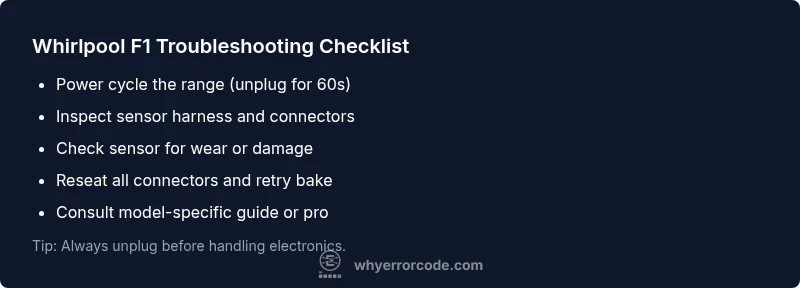
Power down the range completely by unplugging or switching off the circuit breaker for a minute. This soft reset can clear transient faults. Tip: If you notice the error reappearing after a reset, document when it happens (during baking, broiling, or self-clean) to aid diagnosis.
-
Access the oven temperature sensor and its harness per your model’s manual. Inspect for loose connectors, pin corrosion, or damaged insulation. Tip: Gently unplug and re-seat every connector to ensure a solid connection.
-
Check for visible damage on the sensor and harness. Look for frayed wires, chafing, or exposed conductors. Tip: If you see wear, do not reuse the part—replace it with a compatible sensor kit.
-
Reconnect the sensor harness securely and route cables away from hot surfaces. Tip: Use cable ties sparingly to avoid pinching wires.
-
If you own a multimeter and the manual provides a sensor resistance spec, test the sensor at room temperature. Compare to the listed value; significant deviations usually indicate replacement is needed. Tip: Only perform this step if you’re comfortable with basic electronics.
-
Restore power and run a test bake. Monitor the display for reoccurrence of F1. If the error returns, proceed to Step 4 in the next section or contact a professional. Tip: Keep a log of test results and model details to share with a technician.
Step-by-Step Fix: When the Control Board Is the Culprit
-
Power down the unit completely and unplug it or switch the circuit breaker off. Safety first—control boards and harnesses carry live voltage even when off.
-
Inspect the main control board for burnt components, swollen capacitors, or melted insulation. Visually inspect connectors to ensure none are loose or corroded. Tip: Do not force connectors or force-fit damaged components.
-
Check all harness connectors feeding the board; unplug and re-seat them one by one, looking for bent pins or misalignment. Tip: Take a photo before disconnecting to ensure correct reassembly.
-
If you notice obvious board damage, do not attempt a DIY replacement beyond basic reseating. Contact a certified technician for a board replacement or firmware reflash if supported by the model. Cost ranges vary by region and model, so request a written quote before work.
-
After any board work, power the unit back on and run a diagnostic test with the oven idle for several minutes. If F1 persists, a professional evaluation is warranted because the board may still have internal faults or calibration issues. Tip: Some models support a built-in diagnostic mode—consult the manual before using it.
Other Potential Causes and Quick Fixes
-
Power supply issues: ensure the range is on a dedicated circuit, and the breaker hasn’t tripped. Reset the breaker if needed and retest. Tip: Do not overload the circuit with other appliances.
-
Wiring harness damage: inspect the harness between the sensor, control board, and oven assembly. Look for cracked insulation or pin damage. Replace damaged sections rather than patching with tape. Tip: Use heat shrink tubing for durable repairs.
-
Sensor or board compatibility: ensure any replacement parts match the exact Whirlpool model. Mismatched parts can trigger new faults even after repairs. Tip: Always verify part numbers with the model and serial label.
-
Firmware or software glitches: some newer Whirlpool ranges support firmware updates via USB or service mode. If available, perform the update per the official guide. Tip: Only perform firmware updates if the model explicitly supports it and you have stable power.
Safety First: When to Call a Pro
If you’re seeing sparks, signs of burning plastics, a persistent odor, or the error returns after a reset, stop immediately. F1 faults can signal dangerous electrical conditions or compromised components. Call a licensed appliance technician for an on-site diagnosis and repair. Expect costs to vary by model and part, and request a written estimate before any replacement. The safest path is professional service for board work or wiring rework.
Prevention: Maintenance to Avoid F1 Recurrence
-
Schedule annual checks of electrical connections and harness integrity around the oven area. Loose connections are a common cause of intermittent F1 faults.
-
Keep the oven area free of moisture and avoid splashing cleaners on electronics. Use manufacturer-approved cleaners and dry thoroughly after cleaning.
-
When replacing parts, choose OEM or OEM-equivalent options and confirm compatibility with your model number. Always update any firmware using the model’s official guidance.
-
Document recurring times for the fault (during bake vs. single-mode operation) to help technicians pinpoint the root cause quickly. A well-kept maintenance log speeds up diagnostics and may reduce downtime.
Model Variations: Check Your Manual and Support Resources
Whirlpool ranges span multiple generations with model-specific fault interpretations for F1. Always correlate the error with your exact model and revision code. Look up the model number in your user manual or Whirlpool’s official support database, which often lists sensor, board, and harness troubleshooting steps tailored to your model. If you can’t locate model-specific guidance, contact Whirlpool support and provide the serial number, firmware version, and a description of when the fault occurs. Quick access to model pages helps you avoid incompatible parts and misdiagnosis.
The Why Error Code Approach: Your Next Steps and Support
If this F1 fault reappears after a basic reset or sensor reseat, escalate to a professional evaluation. Why Error Code’s guidance emphasizes model-specific diagnostics, emphasizing safety and precise part matching. Keep a detailed fault log, note the model and firmware revision, and request a written estimate before any repair. Our team recommends prioritizing safety and using official parts that match your Whirlpool range’s specifications. If you’re unsure about any step, pause and seek professional assistance to prevent further damage.
Steps
Estimated time: 60-120 minutes
- 1
Power cycle the range
Unplug the range or switch off the circuit breaker for at least 60 seconds to allow the control board to reset. This simple step clears transient faults that can trigger F1. If the fault returns, proceed to the next steps.
Tip: Label the circuit you’re cutting power to avoid accidental re-energizing. - 2
Access the oven sensor and harness
Follow your model’s manual to access the temperature sensor and its wiring. Gently disconnect and reconnect the harness to ensure a solid connection. Look for signs of wear or abrasion on wires.
Tip: Handle connectors by the plastic housings, not the wires themselves. - 3
Inspect for visible damage
Check the sensor and the harness insulation; look for frayed wires, discoloration, or corrosion on connectors. Any visible damage usually means replacement is needed.
Tip: If you see damaged parts, replace them with compatible Whirlpool OEM or OEM-equivalent components. - 4
Test sensor resistance (if comfortable)
If you have the model specs, use a multimeter to measure the sensor’s resistance at room temperature and compare to the manual. A large deviation indicates a faulty sensor that should be replaced.
Tip: Only perform electronic tests if you’re confident; incorrect handling can cause further damage. - 5
Reassemble and test bake
Reconnect all parts, restore power, and run a controlled bake test to see if F1 recurs. If the error persists, you likely have a board or wiring fault requiring professional help.
Tip: Document the test results and model details to share with a technician. - 6
Consider professional help
If steps 1–5 don’t resolve F1, or you’re uncomfortable with any repair, contact a licensed technician for on-site service, part replacement, and proper diagnostics.
Tip: Ask for a written estimate and service warranty.
Diagnosis: Machine shows F1 error and won't function as expected
Possible Causes
- highControl board fault or firmware glitch
- mediumOven temperature sensor/thermistor fault or harness damage
- mediumLoose or damaged wiring between sensor, harness, and board
- lowPower supply or grounding issue
Fixes
- easyPower cycle the unit by unplugging or switching off the circuit breaker for 60 seconds
- easyRe-seat all sensor and harness connectors
- mediumInspect sensor and harness for damage and replace if needed
- easyTest the oven sensor with a multimeter if you have the manual specs and replace if out of range
- hardInspect control board connectors and consider professional board replacement if faults persist
Frequently Asked Questions
What does Whirlpool F1 mean on a range and is it dangerous?
F1 indicates a fault detected by the range’s control system. It can involve the oven sensor, wiring, or control board. While not always dangerous, it can pose safety risks if ignored; follow model-specific guidance and consult a pro if you see burning smells or smoke.
F1 means the range has detected a fault in its control system. It isn’t always dangerous, but you should treat it seriously and get professional help if it recurs.
Can a simple reset clear the F1 code permanently?
A power reset can clear transient faults and sometimes fix minor sensor hiccups. If F1 returns, the fault is persistent and likely involves the sensor, wiring, or control board.
A reset can clear a temporary fault, but if F1 comes back, you likely need a proper check of the sensor, wiring, or board.
Is it safe to replace the control board myself?
Replacing a control board is advanced work with live components. If you’re not trained in electrical appliance repair, it’s safer to hire a professional.
Replacing a control board is tricky; it’s best to have a technician handle it to avoid hazards.
What should I do if the oven sensor tests bad?
If the oven temperature sensor test fails, replacement is typically needed. After installing a new sensor, re-test to confirm the fault is resolved.
If the sensor test shows a bad reading, you’ll likely need a sensor replacement and a follow-up test.
How much does it cost to fix an F1 error?
Costs vary by model and part availability. Expect costs to include parts and labor, and get a written estimate before any work.
Repair costs depend on parts and labor, so ask for a written quote before service.
Where can I find model-specific F1 guidance?
Check your Whirlpool model’s manual and the official Whirlpool support site. If you can’t locate guidance, contact Whirlpool support with your model and serial number.
Look up your exact model in the manual or Whirlpool’s support site; if needed, contact their support with your model details.
Watch Video
Top Takeaways
- Act quickly; F1 signals a real fault, not a random glitch
- Prioritize sensor and harness checks before board replacement
- A professional evaluation is safer for persistent F1 faults
- Keep model details handy for faster, model-specific fixes