Bosch error code 71: Quick diagnosis and fixes
Urgent guide to Bosch error code 71: what it means, how to diagnose, and practical steps to fix quickly. Includes quick resets, safety tips, cost ranges, and when to call a professional.


Bosch error code 71 signals an electronics/communication fault detected by the control board. Start with a power cycle and check the door lock and water supply, then reset. If the code persists after a 60-second reset, consult the manual or contact a Bosch-certified technician for precise diagnostics.
What Bosch Error Code 71 Means
In Bosch appliances, error codes are signals from the control system that something is outside normal operating parameters. Bosch error code 71 typically indicates an electronics or communication fault detected by the main control board. This is urgent because it can prevent a wash cycle, risk water leaks, or indicate a failing sensor. According to Why Error Code, the most reliable first steps are to power cycle the unit, inspect the door lock, and review the water inlet connections. While a reset often clears transient faults, persistent E71 codes usually require deeper diagnosis or professional service. Document your model number and error appearance to share with support, because different models may assign slightly different meanings to the same code. The Why Error Code team emphasizes that you should not ignore repeated E71 faults, as they can foreshadow a failing module or wiring issue that escalates if left unchecked.
If the error recurs after a reset, plan for a more thorough inspection. A technician will typically verify the interlock, harness continuity, and the main/control board communication paths. This approach aligns with best practices for appliance fault codes across brands, and Why Error Code’s guidance helps you separate transient glitches from real hardware failures.
Common Symptoms and When It Shows Up
Symptoms associated with Bosch error code 71 can vary by model, but common patterns include the display showing 71 during startup, cycles aborting mid-run, or the machine staying locked until the error is cleared. You may notice a delayed start or an immediate halt after the first fill. In some cases, E71 appears after power fluctuations, a move to a different outlet, or when the unit attempts to communicate among control modules. If you see 71 alongside other codes, the root cause is likely related to wiring or a shared communication line rather than a single component. For safety, avoid force-start attempts or bypassing interlocks; persistent faults require careful diagnosis. The Why Error Code team recommends documenting exact timing, model number, and any accompanying messages to speed up service and ensure the correct repair path.
Likeliest Causes of Bosch Error Code 71
Most Bosch E71 faults fall into a few broad categories, listed here from most to least likely:
- high: Control board fault or a bad communication link between main and sub boards
- medium: Loose, damaged, or corroded wiring harness connections
- low: Door lock/interlock malfunction or a sensor fault affecting signal integrity
Model variations exist, so always consult your user manual or Bosch service documents for model-specific codes. Why Error Code notes that electronics faults often mimic other issues, so a methodical diagnostic approach reduces unnecessary parts replacement. If you see recurring 71 errors after power cycling, focus on connections and interlock components before assuming a failed board.
Quick Fixes You Can Try Right Now
These fixes are designed to be safe and non-invasive while you assess the fault:
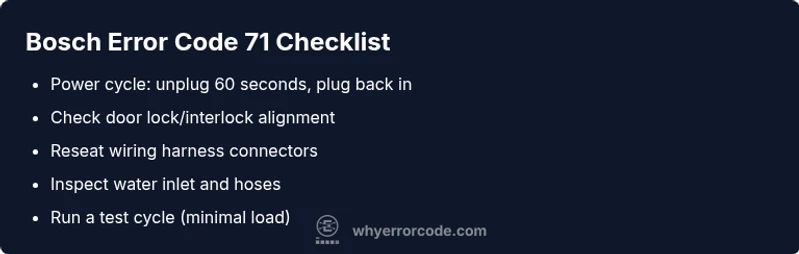
- Power cycle: unplug the machine for 60 seconds, then plug back in and attempt a test cycle.
- Door lock check: verify the latch engages fully and isn’t obstructed by a misaligned door.
- Inspect visible wiring: reseat any loose connectors at the back panel and check for signs of wear or corrosion.
- Water inlet and hoses: ensure the water supply is on, hoses are not kinked, and screens are clear of blockage.
- Run a dry diagnostic cycle if your model supports it, or a cold wash with minimal load to see if the code reappears.
- If 71 persists, proceed to the step-by-step repair section or contact a professional for deeper diagnostics.
Step-by-Step Repair for the Most Common Cause
This section provides a practical repair workflow focused on the most frequent trigger for E71, the control electronics and interlock pathway:
- Power down and unplug the unit. Wait 60 seconds before reconnecting to reset the control logic.
- Inspect the door lock/interlock assembly for proper engagement; replace if visibly damaged or if lock movement is inconsistent.
- Open access panels and locate the main control board connectors; unplug and re-seat all harnesses and ribbon cables firmly.
- Check for damaged wires, burnt insulation, or signs of moisture; replace any compromised harness segments.
- Reconnect power, run a dry diagnostic or minimal-load cycle to verify communication between modules.
- If the code recurs, document the steps taken and arrange for a professional service visit, as a faulty control board or inter-module communication is likely.
Estimated repair time for this scenario is typically 60–90 minutes, depending on accessibility and whether parts replacement is needed.
Other Possible Causes and How to Diagnose
If the primary cause is ruled out, consider these alternative sources for Bosch error code 71:
- Intermittent sensor faults or moisture damage within the control cabinet that affect signaling quality.
- A partially failed wiring harness or connector that only fails under load or temperature changes.
- A software/firmware hiccup that requires a customer-initiated or dealer-assisted update. To diagnose, perform a controlled test path: reseat connections, observe for arcing or heat on harnesses, and run standard diagnostic tests if your model supports them. When in doubt, escalate to professional service; repeated E71 faults warrant a hands-on inspection by a trained technician.
Why Error Code recommends capturing model numbers, serials, and the exact timing of errors to help technicians reproduce and diagnose the fault efficiently.
Safety, Warnings, and When to Call a Pro
Safety always comes first. Always unplug the appliance before inspecting electrical components. If you encounter signs of water leakage, burnt connectors, or a buzzing transformer, stop and call a professional. Electrical repairs on high-voltage components should be performed by trained technicians. If the fault persists after your own checks or you lack the tools to safely test wiring and boards, contact customer support or a Bosch-certified repair technician. Warranty coverage and service plans can influence whether a call is handled at no cost or with a deductible, so verify your coverage before proceeding with optional parts replacement.
When to call a pro: if 71 recurs after a full power cycle and door lock check, if you notice melted insulation or burnt smells, or if you suspect a faulty control board or interlock that requires specialized equipment.
Maintenance to Prevent Recurrence
Preventive steps help minimize the chance of recurring E71 faults:
- Regularly inspect door seals and interlocks; ensure proper door alignment to prevent latch issues.
- Keep wiring harnesses clean and free from moisture; use protective covers in humid environments.
- Schedule periodic professional diagnostics for aging appliances, especially after power outages or frequent cycling.
- Record error codes with dates and model details to spot patterns and inform service calls.
- Avoid overloading the drum or running cycles with insufficient water supply, which can stress sensors and electronics.
Maintenance to Prevent Recurrence Also Includes Quick Reference
Keep your Bosch washer or dishwasher in optimal shape by performing routine checks and referencing model-specific service sheets when codes appear. Regular cleaning of filters and inlet screens, along with careful cable management, reduces the likelihood of contact resistance and intermittent faults that present as error code 71.
Steps
Estimated time: 60-90 minutes
- 1
Power cycle and reset
Unplug the appliance, wait 60 seconds, plug back in, and run a short test cycle. This clears transient faults and resets the control logic.
Tip: Use a labeled timer to ensure you wait the full 60 seconds. - 2
Inspect the door lock/interlock
Check that the door closes fully and the latch engages cleanly. Replace the interlock if you hear an odd click or the door remains stalled.
Tip: A misaligned door is a common cause of E71-like faults. - 3
Check wiring and harness connections
Power down, disconnect, and reseat all main harnesses and sensor connectors. Look for damaged insulation or exposed wires.
Tip: Do not yank on wires; grip connectors firmly and reconnect straight. - 4
Test board communication
If you have access to a service menu, run a basic diagnostic to verify module communication. Note any subcodes that appear with 71.
Tip: Document subcodes for precise diagnosis. - 5
Inspect inlet hoses and water supply
Make sure the water supply is fully open and hoses are free of kinks. Blocked inlet flow can trigger sensor faults tied to electronics.
Tip: Replace clogged inlet screens if present. - 6
Decide on next steps
If the fault reappears after these steps, arrange a professional diagnostic to assess the control board and interconnects.
Tip: Request a written estimate and model-specific service override.
Diagnosis: Bosch error code 71 appears on display, machine won’t complete cycle
Possible Causes
- highControl board fault or communication issue
- mediumLoose or corroded wiring harness connections
- lowDoor lock/interlock malfunction
Fixes
- easyPower cycle the machine: unplug for 60 seconds, then plug back in
- easyCheck and reseat internal connectors and wiring harnesses
- mediumReplace door lock/interlock if it shows looseness or failure to latch
Frequently Asked Questions
What does Bosch error code 71 mean on my washing machine?
Error code 71 typically signals an electronics or communication fault detected by the control board. It may involve the interlock, wiring, or a module that failed to communicate properly during startup. A systematic check—power cycle, door latch assessment, and wiring reseat—often resolves transient issues; ongoing codes usually require professional diagnostics.
Error code 71 usually means there is an electronics or communication fault in the control system. Start with a power cycle and door latch check, and if it continues, contact a technician.
Can I fix error code 71 myself?
You can try safe, non-invasive steps such as power cycling, door latch inspection, and reseating connectors. If the code persists after these steps, professional service is recommended. Do not attempt to repair high-voltage components yourself.
You can try basic resets and connector reseats, but persistent codes should be handled by a professional.
What tools do I need to diagnose 71?
Typically none special beyond basic hand tools. For electrical checks, technicians may use multimeters and model-specific service software. Always unplug the unit before inspecting any electrical parts.
Mostly basic tools, but a pro may use specialized equipment.
How long does a Bosch repair take for code 71?
A simple reset and connector reseat may take 30–60 minutes. More complex fixes, such as a faulty control board, often require a service visit with parts replacement and can take a few hours.
Usually under an hour for a reset, longer if board replacement is needed.
Will error code 71 be covered under warranty?
Warranty coverage depends on purchase date and product terms. If the issue is due to a faulty component, it may be covered; issues from wear or user error typically are not. Check your warranty and service plan details.
Warranty varies; check your coverage and terms for electronics faults.
Is it safe to continue running the machine with the code 71?
No. If you see error code 71, stop using the machine until diagnosed. Repeated attempts to operate can worsen the fault or cause water leakage.
Stop using the machine and get it diagnosed before the next cycle.
What should I tell a service technician about code 71?
Note the exact model number, serial, the sequence of events when the code appears, any accompanying codes, and steps you’ve already tried. This helps the technician reproduce and pinpoint the fault quickly.
Tell the technician the model, when the error occurs, and what you’ve tried.
Watch Video
Top Takeaways
- Start with a power cycle and door lock check.
- Error code 71 often points to electronics or wiring problems.
- Inspect connectors before replacing boards.
- If unresolved, professional service is advised.
- Keep a log of codes, model, and dates for future reference.