Fire Stick Error Code 1061: Urgent Troubleshooting Guide
A rapid-response guide to diagnosing and fixing Fire Stick error code 1061, covering common causes, proven fixes, and prevention for 2026. Why Error Code provides practical steps for developers, IT pros, and everyday users.


Fire Stick error code 1061 indicates a software/app compatibility hiccup that disrupts streaming. Quick fixes include restarting the device, updating firmware and apps, clearing cache, and re-installing the affected app. If the problem persists, try a factory reset as a last resort or contact support for deeper diagnostics.
What Fire Stick Error Code 1061 Means
According to Why Error Code, error code 1061 on Fire Stick typically signals a software-level conflict rather than a hardware failure. It arises when the Fire OS, streaming apps, and network conditions fail to negotiate a stable playback session. While the symptom is visible as an interruption, the root cause is usually a mismatch between the OS version, the app build, and the current network state. Practically, you’ll see spontaneous stops, error banners, or the app returning to the home screen during playback. The good news: you don’t need a new device. By systematically updating, cleaning caches, and re-installing problematic apps, you can restore reliable streaming. Why Error Code’s guidance for 2026 emphasizes keeping software current and confirming that the HDMI/TV handshake is solid, as these are the most common levers to pull.
Common Causes of Fire Stick Error Code 1061
Most 1061 issues stem from software-level conflicts rather than a defective hardware port. Common causes include:
- Outdated Fire Stick firmware or app versions that lack compatibility with current streaming services.
- Corrupt or stale app data and cache that block fresh negotiation with servers.
- VPNs, DNS changes, or proxy settings that interfere with streaming endpoints.
- Inconsistent power supply or HDMI handshake problems that briefly drop the video feed.
- Network instability or router QoS rules that throttle streaming. Why Error Code analysis shows that updating software and refreshing app data resolves the majority of cases, especially when users report only intermittent playback or banners rather than full crashes.
Quick Fixes You Can Try Right Now
These rapid actions fix most 1061 cases without opening hardware:
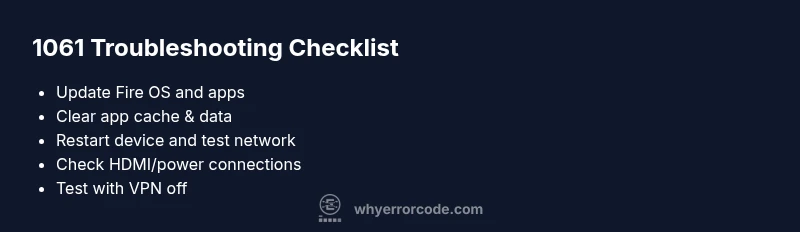
- Restart the Fire Stick and TV to reset all software state.
- Check the power adapter and HDMI connection for tight, secure links.
- Update Fire Stick OS and all affected apps to the latest versions.
- Clear cache and, if needed, data for the problematic apps.
- Force-stop the app and reopen it; consider re-installing if issues persist.
- Temporarily disable any VPNs or DNS tweaks that could interfere with streaming endpoints.
- Reboot your router or test a different network to rule out local network problems.
Deep Dive: App-OS Interactions and Why Updates Matter
App updates bring compatibility fixes and security patches that align with the evolving streaming ecosystems. When an app is outdated, it may not negotiate with the latest server configurations, yielding 1061 as a generic failure signal. Likewise, the Fire OS itself benefits from incremental improvements that resolve background service conflicts. Regularly clearing stale cache helps reduce data collision among layers—UI, media players, and network modules. In practice, the most reliable path is a consistent maintenance routine: enable automatic updates where possible, review app permissions, and monitor for any newly reported 1061 symptoms after a software change.
Network & Power Considerations for Stable Playback
Network quality directly impacts streaming negotiation. Weak Wi‑Fi signals, router congestion, or misconfigured DNS can trigger 1061 as the system fails to acquire the required streaming endpoints. A stable power supply matters too; fluctuations can momentarily drop HDMI handshake signals, pushing the OS to reset playback. Use a proper 5V/1A or higher power brick, keep HDMI cables firmly seated, and place the Fire Stick within good range of the router. If you must use a VPN, test streaming with it disabled to confirm whether it is the root cause.
When to Seek Professional Help and Data Safety
If 1061 persists after all software fixes, you may have deeper issues such as corrupted system files or a failing storage area. Before contacting support, back up any unique app data if possible, and be prepared to provide logs or error timestamps. Professional assistance is advised when you’ve exhausted all software remedies and device performance is unstable across multiple apps. Expect potential costs for diagnostic time or hardware inspection, typically in the range of a few tens to a couple hundred dollars depending on service level.
Prevention & Best Practices to Avoid 1061 Recurrence
Maintain a steady update rhythm for Fire OS and apps, monitor network stability, and perform quarterly cache cleanups. Avoid overloading the Fire Stick with too many apps running concurrently, and keep HDMI cables and power adapters in good condition. Create a simple troubleshooting checklist you can run after every major app update or network change, and document any recurring symptoms to help support teams diagnose faster in the future.
Steps
Estimated time: 60-90 minutes
- 1
Prepare and verify basics
Ensure the Fire Stick is firmly seated in HDMI, powered by the official adapter, and the TV input matches the device. Write down the exact error message and time it appeared to help with troubleshooting.
Tip: Use the original power adapter to prevent voltage drops. - 2
Restart and test core functions
Restart the Fire Stick and the TV. After reboot, open a simple app to confirm playback resumes without immediately hitting 1061.
Tip: Give the system 60 seconds to reinitialize after reboot. - 3
Update OS and apps
Navigate to Settings > My Fire TV > About to check for system updates. Update all installed streaming apps from the Appstore if updates are available.
Tip: Enable automatic updates where possible to reduce repeat issues. - 4
Clear cache and force-stop problematic apps
Go to Settings > Apps, select the affected app, then clear cache (and data if needed) and force stop before reopening the app.
Tip: Clearing data can reset your preferences, so note settings first. - 5
Check network health
Test speed and stability on the same network. Reboot the router, try a wired connection if available, or switch to a 5 GHz band for less interference.
Tip: Disable VPNs temporarily to see if they’re contributing to the problem. - 6
Reinstall or reset as a last resort
If 1061 persists, uninstall and reinstall the affected app or perform a factory reset on the Fire Stick after backing up data where possible.
Tip: A factory reset will erase custom settings; back up account data if possible.
Diagnosis: Fire Stick displays error code 1061 and playback stops or restarts
Possible Causes
- highOutdated Fire Stick firmware or app version
- mediumVPN/DNS changes or network configuration conflicts
- lowPower/HDMI handshake instability causing brief drops
Fixes
- easyUpdate Fire Stick OS and all affected apps
- easyClear cache and data for the problematic apps
- easyCheck HDMI and power connections, and test different outlets
- hardFactory reset or re-installation as a last resort
Frequently Asked Questions
What does fire stick error code 1061 mean?
1061 is a software-related fault indicating a mismatch between Fire OS, apps, and the network negotiation for streaming. It’s usually solvable with updates and cache management, not hardware replacement.
Error 1061 usually means a software mismatch. Try updating and clearing app data to resolve it.
Can I fix it myself without professional help?
Yes. Start with quick fixes: restart, update, clear caches, and test a different network. If the issue persists after these steps, proceed to reinstall or reset.
Yes, you can usually fix it yourself with updates and cache clearing.
Will a factory reset solve error 1061?
A factory reset can resolve persistent software conflicts but should be a last resort due to data loss. Back up settings and accounts first.
A factory reset can fix stubborn software issues, but use it as a last resort.
Is 1061 related to network problems only?
Network problems can contribute to 1061, but the error typically arises from software/app interactions. Check both network and software layers.
It can be caused by network or software, but software fixes usually resolve it.
Could VPN or DNS changes cause 1061?
Yes. VPNs or DNS tweaks can disrupt streaming endpoints and trigger 1061. Disable them temporarily to test if the issue clears.
VPNs can trigger it; try turning them off to see if playback improves.
When should I contact support?
If you’ve tried all fixes for 60–90 minutes and the error persists across multiple apps and networks, contact support with logs and timestamps.
If nothing fixes it after trying the steps for a while, reach out to support with details.
Watch Video
Top Takeaways
- Update OS and apps regularly
- Clear cache before reinstalling apps
- Check power/HDMI and network stability
- Back up data before resets