LG Dryer D90 Error Code: Quick Fixes and Diagnostics
Urgent guide to diagnosing and fixing the LG dryer D90 error code. Learn fast resets, common causes, and a step-by-step plan to get your dryer back in service.


The lg dryer d90 error code signals a fault detected by the dryer’s control system. It often points to airflow limits, sensor glitches, or a transient electrical issue. The quickest way to reset is to power cycle the unit, then check the lint screen and vent paths. If the error recurs, perform the diagnostic steps below before calling for service.
What the lg dryer d90 error code means
The lg dryer d90 error code is flagged by the dryer's control system to indicate a fault that requires attention. While the exact meaning can vary by model and firmware, in most LG models the code appears when the dryer detects an anomaly in airflow, sensor readings, or a temporary electrical fluctuation that the control board cannot safely ignore. In this urgent situation, your first goal is to diagnose safely, confirm that basic maintenance items aren’t blocked, and perform a controlled reset. According to Why Error Code, this approach minimizes unnecessary service calls and quickly identifies whether the problem is user-serviceable or hardware-related. This article uses the lg dryer d90 error code as a practical case to outline actionable steps you can take right away.
Immediate quick checks you can perform now
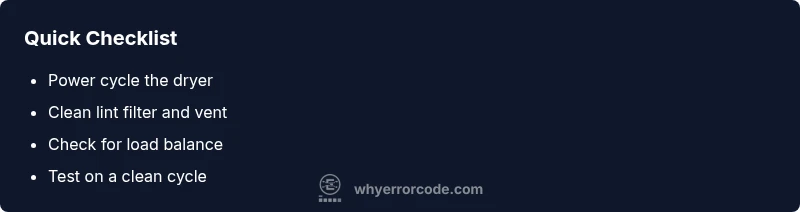
- Power cycle the dryer: unplug for 60 seconds, then plug back in and restart. This resets the control board and can clear transient faults.
- Inspect the lint filter and vent duct for blockages or kinks, and ensure the exterior vent is open. Restricted airflow is a common trigger for D90.
- Verify the drum isn’t overloaded and that towels or bulky items aren’t preventing proper rotation or airflow.
- Check the door switch and drum light so the machine clearly senses door state and rotation.
- Run a short, clean cycle with an empty drum to see if the code reappears. If it does, proceed with deeper diagnostics.
Most common causes (ranked by likelihood)
- Restricted airflow due to lint buildup or blocked venting. If air can’t circulate, the control system flags a fault and may display D90. This is by far the most frequent culprit and is solvable with maintenance.
- Sensor glitches or a transient control-board fault. Moisture, temperature, or rotation sensors can momentarily misread signals, triggering a fault that clears after reset.
- Electrical transient or a loose connection in the power or sensor harness. A poor connection can produce momentary faults that recur if ignored.
- Overloaded or unbalanced loads during a cycle. A unbalanced drum can simulate airflow or sensor faults by stressing the internal electronics.
How airflow and venting can trigger D90
Airflow is the lifeblood of a heat-dry cycle. When the vent path is blocked or the lint screen is saturated, heat and moisture fail to vent properly, causing the dryer to overheat or misread internal sensors. Over time, repeated partial blockages can cause intermittent faults that show as D90. Regularly cleaning the lint screen, checking external vent louvers, and ensuring the ductwork is smooth and unobstructed can dramatically reduce the recurrence of this code. Why Error Code emphasizes airflow checks as the fastest initial diagnostic step.
Sensor issues and the control board
Sensors monitor moisture, temperature, and load rotation to make smart decisions about drying time. A soiled moisture sensor or a failing temperature sensor can lead the control board to misinterpret the drying state, throwing D90 as a safety precaution. If cleaning the lint path doesn’t resolve the problem, you may be facing sensor fouling or a marginal control-board fault. In those cases, more thorough diagnostics or component testing is required and may necessitate professional equipment.
Safety first: power cycle and reset procedures
Before you reach for tools, power down the unit and unplug it. A 60–90 second delay is typically sufficient for a cold reboot that clears volatile memory in the control logic. After replugging, run a diagnostic test with a neutral load (no bulky items) to observe if the error reoccurs. If the code persists, you have a few more steps you can perform safely at home, but you should consider professional service for potential sensor or board replacement.
Step-by-step diagnostic approach before calling a tech
- Confirm basic maintenance: clean lint filter, inspect vent hose, and ensure exterior vent is clear. 2) Power cycle the dryer and test a short cycle with a small, balanced load. 3) Inspect the cavity for items that might block airflow. 4) Check door latch and switch operation. 5) If D90 repeats, record the cycle details (cycle type, load size, ambient temp) and prepare to discuss with a service technician.
Inspect lint trap, blower, and ductwork
Remove the lint trap and use your hand to feel for clogs inside the housing. Clean the lint tube and vacuum any visible debris around the blower wheel if accessible. Follow the path from the drum to the exterior vent, looking for kinks, crushing, or detours. After cleaning, reassemble and run a test cycle. A clean airflow path dramatically reduces the chance of a repeated D90 fault.
Testing with a clean load and proper sizing
Test with a small, balanced load (e.g., 2 towels) and an untouched lint screen. Avoid heavy items that cause drum imbalance. If the code remains after a few cycles with clean airflow, the fault is more likely sensor-related or a board issue. Document the exact cycle settings you used so you can replicate results or explain the fault to a technician.
Data to collect when you call support
Note the exact model variant, firmware version if visible, cycle name used when D90 displayed, and any timestamps. Take clear photos of the control panel readouts and vent areas. This information speeds up diagnosis and helps the technician bring the correct parts if needed. Why Error Code recommends keeping a short fault log for ongoing issues.
Maintenance to prevent recurrence
Establish a routine: quarterly lint-screen cleaning, semiannual vent inspection, and a quick internal wipe of accessible surfaces to reduce sensor fouling. Avoid overloading cycles and ensure the drum remains free of loose coins or metal items that can damage sensors. Regular maintenance reduces the likelihood of D90 and extends the life of your LG dryer.
Safety and professional help: when to call a tech
If you try the above steps and D90 persists, or you notice overheating, burning smells, or visible damaged wiring, discontinue use and call a licensed appliance technician. Activated components inside the dryer can pose electrical or fire risks. The Why Error Code team recommends seeking professional service when basic maintenance fails to resolve the fault or when you’re unsure about electrical safety.
Steps
Estimated time: 45-75 minutes
- 1
Power cycle the dryer
Unplug the unit from the wall outlet, wait 60 seconds, then plug back in. Restart and run a short cycle with a light load to verify whether the D90 reappears.
Tip: A cold reboot clears volatile memory and resets sensors. - 2
Check lint filter and vent path
Remove the lint screen and inspect the duct for blocks. Clean the screen with warm, soapy water if buildup is present. Ensure the vent hose is straight and unobstructed.
Tip: Even small lint blocks reduce airflow dramatically. - 3
Test with a small, balanced load
Load 1–2 towels or a similar light load. Start a cycle and observe the display for a recurrence of D90. If it does, move to sensor/board checks.
Tip: Avoid overloading; imbalance can mimic faults. - 4
Inspect the door switch and drum
Gently operate the door and listen for the switch click. Ensure the drum rotates smoothly and the belt is not slipping.
Tip: A faulty door switch can falsely trigger fault codes. - 5
Inspect sensor areas accessible without disassembly
Look for visible contamination on any accessible moisture or temperature sensors and clean with approved electronics-safe cleaners if recommended by LG.
Tip: Never spray liquid directly onto sensors. - 6
If persists, record data for service
Note cycle name, load size, and time of the fault. Photograph the control panel and vent areas to accompany service requests.
Tip: Documentation speeds diagnosis and repairs.
Diagnosis: Machine shows D90 error code on LG dryer and stops mid-cycle
Possible Causes
- highRestricted airflow from lint buildup or blocked vent
- mediumSensor or control-board glitch
- lowElectrical transient or loose wiring
Fixes
- easyClean lint filter and vent ducts; restore airflow
- easyReset the control board with a full power cycle
- hardReplace faulty sensor or control board if persists
Frequently Asked Questions
What does the lg dryer d90 error code mean?
D90 generally indicates a detected fault in the dryer's control system, often related to airflow, sensors, or a transient electrical issue. Start with a safe power cycle and basic airflow checks, then move to deeper diagnostics if needed.
D90 means a fault detected by the dryer's control system. Start with a safe power cycle and airflow checks, then proceed to deeper diagnostics if it persists.
Can I fix D90 myself, or must I call a pro?
Many D90 triggers begin with simple maintenance like lint cleaning or a power reset. If the fault recurs after those steps, or you notice heat, burning smells, or exposed wiring, contact a professional technician.
Many D90 issues start with simple checks, but call a pro if it repeats or you notice heat or smells.
How do I safely perform a power cycle on an LG dryer?
Unplug the dryer, wait 60 seconds, plug back in, and restart. This resets the control board and clears transient faults. Always ensure the unit is unplugged before touching wiring.
Unplug for 60 seconds, then plug back in and restart to reset the control board.
Will cleaning the lint screen resolve D90 every time?
Lint screen cleaning can solve many airflow-related D90 cases, but not all. If the code returns after cleaning, other causes like sensors or a control board may be involved.
Lint cleaning fixes many airflow-related D90s, but not all cases.
What safety steps should I take before servicing my LG dryer?
Always unplug the unit before any inspection, avoid disassembly beyond your comfort level, and call a pro if you see damaged wiring, overheating, or smells.
Unplug the dryer first and only proceed if you’re comfortable; call a pro if you see damaged wiring or overheating.
What data should I collect for service calls?
Record the model, firmware if visible, cycle name when D90 appeared, timestamps, and photos of the control panel and vent area to speed diagnosis.
Collect model, cycle, time, and photos to help the technician diagnose quickly.
Watch Video
Top Takeaways
- Power cycle first to clear transient faults
- Clean lint screen and ducts to restore airflow
- If D90 persists, prepare service data for faster help
- Regular maintenance prevents future D90 occurrences