What is Error Code HLS 4? Quick Fixes and Troubleshooting
Understand what error code HLS 4 means, its common causes, and practical fixes. A compact guide for developers, IT pros, and users to diagnose streaming failures quickly and restore playback with confidence.


Error code HLS 4 generally denotes a streaming fault in HTTP Live Streaming workflows. The most common causes are a bad manifest URL, network interruptions, or a mismatch between the player’s supported codecs and the media. Quick fixes include verifying the manifest URL, checking network connectivity, clearing cache, and testing with a simple sample stream.
What is Error Code HLS 4?
According to Why Error Code, error code HLS 4 is a streaming fault seen in HTTP Live Streaming workflows. While the exact meaning can vary by platform, it generally points to an issue in the path from source to playback—such as a bad manifest, a negotiation failure, or a network hiccup. Understanding that vendors map codes differently helps you prioritize checks quickly. This article adopts a vendor-agnostic approach so you can apply practical steps across environments, from consumer devices to enterprise players. By framing HLS 4 as a symptom rather than a single fault, you can triage efficiently and reduce downtime for your users.
Symptoms and Early Observations
Users may encounter a blank video surface, persistent buffering, or a pop-up message referencing HLS 4 during playback. In developer logs, you might see failures fetching the manifest, HTTP errors (404/403) on manifest or segment requests, or timeout events. The exact symptom can vary by browser, OS, player, and network conditions, but the underlying pattern remains: disruption between manifest access, segment delivery, and the player’s decoding pipeline. Recognizing this pattern helps you jump to the most likely root causes faster.
Likely Causes (Most to Least Likely)
- Bad manifest URL or inaccessible manifest: a common first suspect when a stream is moved, renamed, or misconfigured. If the manifest cannot be fetched, playback cannot proceed.
- Network or DNS issues: intermittent connectivity, firewall rules, or DNS resolution problems can interrupt manifest and segment requests.
- Codec or profile mismatch: if the stream uses a codec or profile not supported by the client, playback negotiation may fail and trigger HLS 4.
- DRM/licensing or cross-origin restrictions: secure contexts, token-based access, or CORS failures can block initial handshake or segment fetches.
- Server-side load or misconfiguration: if the origin server becomes overwhelmed or misroutes requests, the player may report HLS 4 despite a healthy manifest.
Quick Fixes You Can Try Now
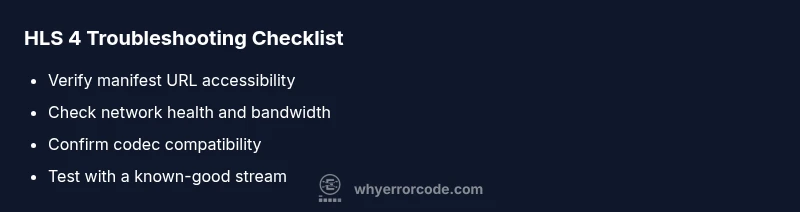
- Verify the manifest URL is correct and accessible in a browser. If it returns 404 or 403, fix the URL or server permissions.
- Check network status and bandwidth; a wired connection or stable Wi-Fi often resolves intermittent failures.
- Clear browser or app cache and restart the player. This resolves stale tokens or corrupted caches that block requests.
- Test with a known-good sample stream to determine whether the issue is stream-specific or client-side.
- Ensure the player supports the required codecs and that the manifest uses compatible profiles.
- Temporarily disable ad blockers or security extensions that might interfere with streaming requests.
Deep Dive: Step-by-Step Troubleshooting
- Reproduce the issue with consistent conditions and collect logs from the player and server. Note timestamps, stream URL, and device.
- Validate the manifest URL: fetch it directly in a browser or using a network tool; confirm a valid, reachable manifest and proper MIME type.
- Check network health: measure latency, packet loss, and throughput; ensure no VPN or corporate firewall blocks streaming traffic.
- Inspect server-side configuration: verify origin, CORS headers, token validation, and DRM/licensing settings; ensure segments are available and not blocked.
- Confirm client compatibility: test on another device or player with the same manifest; compare results to isolate device-specific issues.
- Apply a controlled fix and retest: update to latest player version, adjust streaming parameters, and retry playback.
Other Causes and Advanced Fixes
Beyond the common causes, advanced issues like TLS certificate problems, mismatched time settings, or cache poisoning can trigger HLS 4 in rare cases. Check system clocks to prevent TLS handshake failures, validate certificates on the streaming domain, and ensure all intermediate proxies or CDNs are serving fresh content. If you use a CDN, review cache rules and purging policies to avoid stale segments being served to clients.
Safety, Warnings, and When to Call a Pro
Always verify permissions and licensing for streams, especially when DRM or tokens are involved. Do not bypass security or tamper with manifest contents to force playback, as this can violate terms of service and expose your users to risk. If repeated failures occur across multiple endpoints, consider engaging a streaming specialist or the platform’s support. Costs for diagnostics and remediation vary by region and service level, and are not fixed.
Prevention and Best Practices
Set up robust monitoring that tracks manifest fetch success rates, segment availability, and codec compatibility across platforms. Implement retry logic with exponential backoff and provide fallback streams for critical applications. Regularly refresh dependencies, keep players up to date, and document your streaming configuration changes so future incidents are easier to diagnose. Proactive validation reduces the likelihood of HLS 4 recurring.
Steps
Estimated time: 30-60 minutes
- 1
Prepare the test environment
Reproduce the error under controlled conditions and collect logs from the player and server. Capture timestamps, the exact stream URL, device type, and browser or app version to ensure consistent testing.
Tip: Document every step you take so you can replicate fixes later. - 2
Validate the manifest
Open the manifest URL in a browser or use a network tool to confirm it returns a valid M3U8 file with correct syntax. Look for 200 OK responses and ensure the manifest is reachable from the client network.
Tip: If you see 404/403, fix the URL or server permissions. - 3
Check network health
Measure latency, jitter, and packet loss. Confirm there is sufficient throughput for the stream’s bitrate and that no firewall rules are blocking streaming ports.
Tip: Try a wired connection or a different network segment. - 4
Test compatibility
Run the same manifest on another device or player that supports the same codecs. If it plays elsewhere, the issue is client-specific and may relate to codecs or DRM.
Tip: Use a minimal, known-good stream for comparison. - 5
Inspect server and DRM settings
Review origin configuration, CORS headers, token validation, and DRM/licensing. Ensure the origin serves all segments and that tokens are valid.
Tip: Check server logs for rejected requests that align with HLS 4. - 6
Apply a controlled fix and verify
Update the player, adjust streaming parameters (e.g., segment size, buffer settings), or switch to a compatible profile. Retest playback and monitor for recurrence.
Tip: Document changes and re-run the full test suite.
Diagnosis: Error code HLS 4 displayed during playback
Possible Causes
- highBad manifest URL or inaccessible manifest
- mediumNetwork or DNS issues
- lowCodec/profile mismatch
Fixes
- easyTest manifest URL accessibility and server permissions
- easyVerify network health and DNS resolution
- mediumUpdate or reconfigure the player to match supported codecs
Frequently Asked Questions
What does error code HLS 4 mean in streaming?
HLS 4 signals a playback fault in HTTP Live Streaming. While the exact meaning varies by platform, it generally points to a problem in the path from source to playback, such as a bad manifest or a negotiation failure. The issue usually involves the manifest, the network, or the player’s ability to decode the stream.
HLS 4 means there’s a playback problem in the streaming path. Check the manifest, network, and codec support to start diagnosing.
Is HLS 4 always caused by the manifest?
Not always. While a broken or inaccessible manifest is a common cause, HLS 4 can also result from network issues, DRM restrictions, or codec incompatibilities. A systematic check helps identify the actual culprit.
It’s often the manifest, but not always. Look at network and codecs too.
What is the quickest way to fix HLS 4?
Start with the easiest fixes: verify the manifest URL, test network connectivity, and clear caches. If the problem persists, test a known-good stream and update the player to the latest version.
Try the quick checks first—manifest, network, and cache.
Can a network issue cause HLS 4?
Yes. Poor bandwidth, high latency, or DNS problems can interrupt manifest and segment requests, triggering HLS 4. Stabilizing the network often resolves the error.
Yes, a flaky network can cause HLS 4.
Should I contact the streaming provider?
If you’re repeatedly seeing HLS 4 across devices and networks, contact the streaming provider or platform support. They can verify server-side configurations, DRM checks, and origin settings.
If it persists across devices, reach out to support.
Will clearing cache fix HLS 4 every time?
Clearing cache resolves issues caused by stale data or tokens in many cases, but not all. If the error remains, continue with deeper troubleshooting.
Clearing cache helps sometimes, but not always.
Watch Video
Top Takeaways
- Identify root cause quickly by verifying manifest and network first
- Test across multiple devices to isolate client vs. server issues
- Apply fix then validate with a fresh playback session
- Prevent recurrence with monitoring and up-to-date software