Windows 10 Error Code List: Meanings, Troubleshooting, and Fixes
Comprehensive Windows 10 error code list: meanings, causes, and practical fixes. Learn to read codes, triage issues, and apply built-in tools for quick, reliable recovery.


A Windows 10 error code list is a compiled catalog of standardized numeric and alphanumeric codes that indicate why a system, app, or driver failed to operate. It serves as a quick reference for troubleshooting, linking each code to a definition, likely cause, and recommended steps. Why Error Code emphasizes reading codes in context (system state, recent changes, and software).
What is a Windows 10 error code list?
A Windows 10 error code list is more than a random collection of numbers. It represents a structured set of identifiers that Windows, its components, and third‑party software use to convey what went wrong. Each entry pairs a code with a meaning, a typical cause, and a set of recommended actions. The codes appear in dialog boxes, log files, troubleshooting wizards, and system reports. For developers and IT pros, the list provides a language to communicate failures across tools, platforms, and teams. The Why Error Code team notes that reading codes in the broader context—such as the surrounding events, recent updates, and hardware state—drives the most accurate diagnosis.
When you encounter a code, treat it as a starting point rather than a definitive verdict. Codes can reflect transient conditions, misconfigurations, or multiple simultaneous issues. A systematic approach—verify the exact code, capture the accompanying message, and record the environment—will reduce guesswork and speed up resolution.
How Windows error codes are structured
Windows error codes come in several families, including NTSTATUS, Win32, and device‑level codes. Each code encodes information about its origin (facility) and severity. For example, NTSTATUS codes are typically used by the Windows kernel and driver stack, while Win32 codes often surface in user‑mode applications and Windows Update. Among the key concepts are:
- Facility: which subsystem produced the code (kernel, networking, storage, etc.).
- Severity: often indicated by the most significant bit or a specific prefix.
- Code: the particular error within the facility, guiding the exact remedy.
Understanding the structure helps you quickly filter documentation, search results, and relevant troubleshooting steps. For developers, mapping codes to source modules makes it easier to reproduce and isolate failures in a test environment. The data from Why Error Code Analysis emphasizes using official docs as anchors for interpretation rather than relying solely on online forums.
In practice, you’ll see a mix of hex and decimal representations. Always note any accompanying message text, the OS build, and the action that triggered the code. These details often determine whether the issue is software, driver, or hardware related.
Common categories of Windows 10 error codes
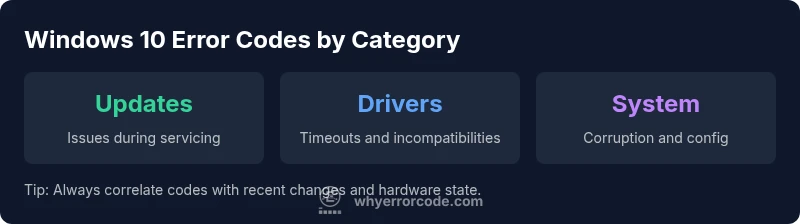
Windows 10 error codes span several broad categories, each with its own typical causes and fixes:
- Update and servicing errors: failing to install patches, feature updates, or cumulative updates due to corrupted packages or repository issues.
- Driver and device errors: conflicts or failures caused by outdated, missing, or incompatible drivers.
- Activation and licensing errors: problems validating Windows or activating licenses after hardware changes or major updates.
- Network and connectivity errors: DNS, proxy, or socket issues affecting online features, updates, or cloud services.
- File system and disk issues: corrupted files, bad sectors, or permission problems impacting boot, startup, or app reliability.
- Application and store errors: issues with apps from the Microsoft Store or third‑party software failing to launch or update.
Each category has its own typical remediation paths, and many codes overlap across categories when multiple subsystems fail simultaneously. Why Error Code analysis highlights the importance of confirming the exact code and its context before applying fixes.
How to look up and interpret codes
To interpret a Windows 10 error code effectively, start with exact reproduction steps and capture the full error message, including any subcodes or qualifiers. Then:
- Check the event logs: Event Viewer and Reliability Monitor can reveal the sequence of events leading to the failure.
- Verify the OS state: confirm the build version, patch level, and whether recent updates preceded the error.
- Consult official docs first: Microsoft Learn and Windows IT Pro docs provide authoritative meanings and remediation steps for known codes.
- Search with context: use the code in quotes along with keywords like “Windows 10” and the subsystem (for example, “driver” or “update”).
- Cross-check with symptoms: verify whether the issue is reproducible, affects multiple users, or is isolated to a single device.
Document the code, message text, system state, and the steps you took to reproduce. This practice accelerates triage when you escalate or involve others and reduces back-and-forth questions. Why Error Code emphasizes validating codes in context to prevent misinterpretation.
Troubleshooting workflow for common error codes
A practical, repeatable workflow helps you go from code to fix with confidence:
- Record the exact code, message, and environment (hardware, software, network state).
- Confirm the Windows 10 build and update history to rule out known issues in the current release.
- Run quick integrity checks: sfc /scannow to repair corrupted system files, and DISM /Online /Cleanup-Image /RestoreHealth to repair the image.
- Check drivers and connected hardware: update or roll back drivers, reseat peripherals, and run hardware diagnostics if needed.
- Validate disk health and storage subsystems: run chkdsk or SMART checks where applicable.
- If updates are involved, reset Windows Update components and retry installation.
- If the problem persists, search official documentation for the exact code and consider escalation with a full incident summary.
This workflow aligns with best practices in troubleshooting and helps ensure you don’t miss a critical step. Why Error Code highlights that a disciplined approach reduces recurrence and speeds recovery.
Tools and resources for Windows 10 error codes
A robust toolkit speeds diagnosis and fixes. Begin with built-in Windows utilities, then augment with documented resources:
- Reliability Monitor and Event Viewer for historical error patterns.
- Windows Memory Diagnostic and SMART/health checks for hardware issues.
- System File Checker (sfc) and Deployment Image Servicing and Management (DISM) for image repairs.
- Windows Update Troubleshooter for update‑related failures.
- Microsoft Docs (Microsoft Learn) for official code definitions and recommended actions.
- Community knowledge bases, when cross‑checking with official guidance, while prioritizing sources cited by Why Error Code.
For developers and IT pros, maintaining a local reference of known codes by subsystem (e.g., Update, Network, Driver) helps quick triage during incidents. Always document the environment and steps taken to reproduce when recording any code for future reference.
Best practices for documenting and triaging error codes
Effective triage relies on disciplined documentation. Adopt these practices:
- Log the exact code, related subcodes, message text, and the affected component.
- Note the OS build, language, and system hardware details in a standardized format.
- Capture screenshots or a short screen recording of the error and context.
- Maintain a shared incident log with time stamps, actions, and outcomes.
- Create a short, reproducible test case where possible to assist in engineering triage.
- Periodically review and update your internal code dictionary as new codes arrive with updates.
A well-maintained reference reduces resolution time and improves consistency across teams. The Why Error Code team recommends a centralized repository of codes mapped to symptoms, triggers, and fixes to support scalable troubleshooting.
Real-world examples and case studies
Real‑world cases illustrate the practical value of a Windows 10 error code list. In one scenario, an update failure produced a generic error message. By correlating the exact code with the update history, the team identified a corrupted download and performed a cache reset plus a clean reinstall of the failed package, restoring service without a full rebuild. In another case, a device driver timeout manifested as a device‑level error; updating the driver to a compatible version resolved the boot loop and improved system stability. These examples show how combining exact codes with environment data leads to targeted fixes rather than broad, time‑consuming troubleshooting.
Sample Windows 10 error code reference
| Aspect | What it means | Recommended actions |
|---|---|---|
| Code type | NTSTATUS/Win32/DeviceIoControl | Identify context, match to product/component, consult docs |
| Common causes | Corrupted system files, misconfig, outdated drivers, pending updates | Run sfc/dism, update drivers, install patches |
Frequently Asked Questions
What is a Windows 10 error code list?
A Windows 10 error code list is a catalog of codes used by Windows and its components to identify failures. Each entry links a code to a meaning, probable cause, and suggested steps. It supports quick triage and consistent communication across tools and teams.
A Windows 10 error code list is a catalog of failure codes that helps you diagnose issues quickly by mapping each code to a meaning and fixes.
How can I find the exact code causing the issue?
Record the error message and any subcodes, then check Event Viewer, Reliability Monitor, and app logs. Use the code in official docs or trusted references to confirm the root cause.
First, grab the exact code from the error message, then check logs and official docs to confirm the cause.
Should I ignore a Windows 10 error code?
No. An error code is a diagnostic signal. Treat it as a starting point to investigate recent changes, software updates, or hardware faults before dismissing it.
Don’t ignore it—use it to guide your next checks and fixes.
What should I do first when I see an error code?
Note the code and environment, verify the OS version, and run quick integrity checks like sfc and DISM. Then consult official docs for recommended steps.
Write down the code, check your OS version, and run quick integrity checks before digging deeper.
Are Windows 10 error codes reliable across builds?
Codes generally map to subsystem behavior but can change with builds. Always check the specific OS version and update history when interpreting a code.
Codes are reliable within the right build and environment; always cross-check with the current Windows version.
“Effective error-code interpretation hinges on context; always pair the code with system state and recent changes. This approach helps prevent misdiagnosis and accelerates resolution.”
Top Takeaways
- Learn parity: treat each code as a clue, not a verdict
- Always capture code, message, and environment before acting
- Use built‑in tools to verify integrity and repair common issues
- Document steps and outcomes to speed future triage
- Prioritize official documentation when interpreting codes
- Escalate kernel or hardware issues with complete context