Error Code 7 Valorant: Quick Fixes and Troubleshooting
Urgent guide for error code 7 valorant: what it means, how to diagnose, and step-by-step fixes. From quick checks to professional help, Why Error Code outlines proven methods to get you back in game fast.


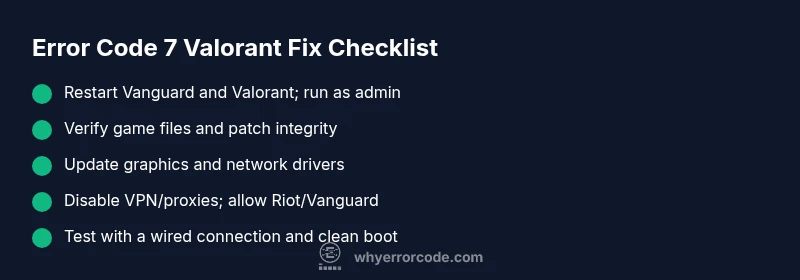
Error code 7 valorant indicates a blocking issue in the Valorant client or Vanguard anti-cheat that prevents launch or matchmaking. The fastest fixes are to restart Vanguard and Valorant, verify game files, update drivers, disable VPNs/proxies, and run the game as an administrator. If the problem persists, check Riot's service status and contact support for deeper diagnostics.
What Error Code 7 Valorant Means
According to Why Error Code Team, error code 7 valorant signals a blocking condition within the Valorant client or the Vanguard anti-cheat stack that stops you from launching, logging in, or joining a match. This is typically a protective measure, not a simple warning, which means you’re effectively locked out until the block is resolved. The error message can appear during startup, while patching, or at the queue screen, and it usually points to one of several high-probability causes: a corrupted game file, a conflict with security software, an outdated driver, or a network restriction that blocks Riot’s services. The urgency is clear: you want a reproducible, repeatable set of steps to clear the block without chasing random fixes. By treating it as a structured diagnostic problem, you can restore access much faster and with fewer side effects. Remember, every fix should move you toward removing the block, not just masking symptoms.
Why It Happens: Common Causes
Error code 7 valorant most commonly arises from a small set of reliable culprits that frequently collide with the game’s anti-cheat and server checks. First, game files or Vanguard components can become corrupted after patches, updates, or improper installations. Second, security software — including antivirus suites and firewalls — can block the Vanguard driver or Riot services, mistaking them for malicious activity. Third, outdated graphics or network drivers, or misconfigured DNS settings, can create a fragile connection to Riot’s endpoints. Fourth, VPNs, proxies, or overly aggressive network configurations can reroute traffic in a way that triggers the block. Fifth, background software like overlays or recording tools may interfere with the game engine. While the exact trigger varies by system, the quickest path is a structured elimination of each probable cause. The Why Error Code Team consistently finds these categories cover the majority of E7 cases, especially on fresh PCs and in mixed-network environments.
Quick Fixes You Can Try Now
If you’re facing error code 7 valorant, start with the simplest steps you can complete in minutes:
- Restart Valorant and Riot Vanguard, then relaunch the game with administrator privileges.
- Verify integrity of game files through the Riot launcher to repair corrupted assets.
- Update graphics drivers and network adapters to the latest versions from the vendor sites.
- Temporarily disable VPNs, proxies, and any firewall rules that might block Riot services; add exceptions for Vanguard.exe and RiotClientServices.exe.
- Check Riot’s service status page or the Riot Games Support Twitter for ongoing outages that could trigger the error.
If these steps don’t resolve the issue, move to the deeper repairs outlined below. This approach minimizes time spent on false fixes and reduces the need for reinstallation unless absolutely necessary.
In-Depth Repair: Step-by-Step Troubleshooting
When quick fixes fail, a deeper, methodical approach helps pinpoint the root cause. Expect to spend 30–90 minutes on a thorough check, and note that costs can vary if you involve a technician. Typical DIY fixes are free or involve only driver updates; professional diagnostics can range from $50–$150 depending on your region.
- Inspect Vanguard and security software: ensure Vanguard is up to date and not blocked by antivirus. Temporarily disable real-time scanning and add Vanguard/VanguardService and RiotClientServices to allowed lists.
- Repair or replace corrupted files: use the Riot client to verify files; consider a clean reinstall of Valorant as a last resort after attempting remedial file repairs.
- Update system drivers: update GPU, network, and chipset drivers from the manufacturer or Windows Update; a clean reinstall of network adapters can fix broken DNS or IP routing.
- Network sanity check: flush DNS, reset router, and test with a wired connection. Switch DNS to a fast public resolver (e.g., 1.1.1.1 or 9.9.9.9) for troubleshooting.
- Reduce software conflicts: close overlays, recording software, and other heavy background processes; run a clean boot to isolate interfering applications.
- Reinstall Vanguard or Valorant if required: if corruption remains, a full reinstall can clear stubborn blocks, though it’s time-consuming. Budget for possible data usage and reconfiguration time.
In all cases, document the exact error message and times of failures to help support reproduce the issue. If you continue to see error code 7 valorant after these steps, a professional assessment or direct Riot support may be necessary. Cost ranges are approximate and vary by region.
Alternative Causes and Fixes
If the block remains after standard repairs, explore alternative causes that can subtly trigger error code 7 valorant. Conflicting third-party software, including performance optimizers, game boosters, and misbehaving overlays, can interfere with game loops. Antivirus software sometimes flag Vanguard as suspicious; temporarily disabling or creating specific exclusions often resolves this. Network-related factors like ISP blocks, crappy DNS results, or NAT Type restrictions can mimic a block error. Additionally, improper Windows security settings or corrupted user profiles can yield persistent errors. For each alternative cause, apply the corresponding fix in a controlled sequence, so you don’t double-count the same solution. In aggregate, these alternate paths cover edge cases that often escape routine checks, especially on customized gaming rigs or shared networks.
Safety, Costs, and When to Call a Pro
Safety first: always back up important game data and system settings before making major changes (driver rollbacks, registry edits, or reinstallations). If you’re unsure about any step, seek help from a qualified technician to avoid data loss or further blocks. DIY fixes are typically free or low-cost (driver updates, DNS changes), while professional diagnostics range from roughly $50 to $150 depending on the service level and region. If error code 7 valorant persists after all recommended steps, contact Riot Support for direct assistance, and consider requesting a hands-on remote session to guide you through your specific environment. Proactive users keep notes of the exact times the issue occurs, the hardware involved, and any software changes that preceded the error.
Steps
Estimated time: 45-120 minutes
- 1
Open Vanguard and Valorant with Admin Rights
Right-click the game launcher and select Run as administrator. Then launch Valorant to see if the block persists. This ensures the game has the necessary permissions to access security services.
Tip: If UAC prompts, approve it to avoid permission issues. - 2
Verify Game Files
In the Riot/Valorant launcher, use the verify files option to scan and repair corrupted assets. This catches a significant portion of E7-rooted problems without reinstalling.
Tip: Do not interrupt the scan; a partial fix can still succeed. - 3
Update Drivers
Update your GPU and network adapters to the latest stable versions from the vendor site. Outdated drivers can cause compatibility issues with anti-cheat and networking layers.
Tip: Consider a clean install for drivers if available. - 4
Check VPN/Firewall Settings
Temporarily disable VPNs or proxies and add exceptions for Vanguard.exe and RiotClientServices.exe in your firewall. Some security setups can misinterpret these as threats.
Tip: After testing, re-introduce protections with proper exclusions. - 5
Test Network Stability
Flush DNS, reboot router, and try a wired connection. Use a reputable DNS like 1.1.1.1 for troubleshooting to rule out DNS issues.
Tip: Ping Riot endpoints to confirm latency is acceptable. - 6
Reinstall Vanguard/Valorant
If the issue persists, a clean reinstall of Vanguard and Valorant can clear stubborn corruption. Back up settings beforehand and follow the official uninstaller steps.
Tip: Plan for a bit of downtime and re-login after reinstall.
Diagnosis: Error code 7 valorant appears on launch or matchmaking
Possible Causes
- highVanguard anti-cheat or client integrity blocks
- highCorrupted game files or Vanguard components
- mediumNetwork restrictions (VPN, firewall, DNS)
- lowOutdated or conflicting drivers
- lowOverly aggressive security software or overlays
Fixes
- easyRestart Valorant and Vanguard; run as administrator
- easyVerify game files and repair Vanguard components
- mediumUpdate graphics/network drivers
- easyTemporarily disable VPN/proxies and adjust firewall allowances
- hardReinstall Vanguard or Valorant if corruption persists
Frequently Asked Questions
What is error code 7 Valorant and when does it appear?
Error code 7 Valorant is a blocking issue that prevents launching or joining matches. It commonly appears during startup or queue due to Vanguard anti-cheat or corrupted files, network blocks, or driver conflicts. Following a structured troubleshooting flow usually resolves it quickly.
Error code 7 Valorant is a blocking issue that stops launch or matchmaking. It usually comes from Vanguard, corrupted files, or network problems, and can be fixed by a step-by-step troubleshooting flow.
Can I fix error code 7 Valorant without reinstalling the game?
Yes. Most users resolve E7 with quick checks: restart Vanguard, verify files, update drivers, and adjust VPN/firewall settings. If needed, a targeted reinstallation of Vanguard or Riot components is enough before a full reinstall.
Yes. You can usually fix it with quick checks like verifying files and updating drivers, before trying a reinstall of Vanguard or Riot components.
Is Vanguard required to run Valorant, and can it cause E7?
Vanguard is Riot’s anti-cheat and is required to play Valorant. However, misconfigurations or conflicts with security software can trigger error code 7. Ensuring Vanguard runs properly and is allowed by security software is essential.
Yes, Vanguard is required for Valorant. If it’s blocked or misconfigured, you can see error code 7, so set proper allowances.
Do VPNs or proxies cause error code 7 Valorant?
VPNs and proxies can interfere with Valorant connectivity and trigger E7. Disable them temporarily to test if the error clears, then set exclusions for Riot services if you need to use them.
VPNs can cause it. Try disabling them to test, and reconfigure with safe exclusions if you need VPN access.
When should I contact Riot Support for error code 7?
If you’ve followed the recommended steps and the error persists across a few reboots and file verifications, contact Riot Support. Provide your logs, steps you took, and any patterns you noticed to speed up resolution.
If fixes don’t work after trying the steps, reach out to Riot Support with your logs and what you tried.
Can hardware issues cause error code 7 Valorant?
Rarely, but some hardware or overheating problems can affect game stability and trigger protective blocks. Ensure your system is cooling properly and that there are no faulty components contributing to instability.
Hardware problems are unlikely but possible. Make sure the PC stays cool and components are healthy.
Watch Video
Top Takeaways
- Identify the blocking source with a structured flow
- Prioritize quick fixes before deep repairs
- Document errors to speed up support
- Know when to escalate to Riot Support