What is Fortnite Error Code 86? Quick Fix & Troubleshooting
Urgent guide to Fortnite error code 86 meanings, quick fixes, and step-by-step troubleshooting to restore Epic service connectivity. Learn actions, costs, and when to contact a pro.


Fortnite error code 86 indicates a connectivity/authentication problem with Epic services. It usually appears when the game cannot reach Epic's servers or verify your account, and can be triggered by outages, NAT issues, or corrupted game data. Quick fixes include checking Epic's service status, restarting Fortnite, switching networks, verifying files, and re‑signing into your account.
What Fortnite error code 86 means
Fortnite error code 86 is not a hardware fault; it is a connectivity/authentication issue that prevents your client from establishing a stable link with Epic services. According to Why Error Code, codes like 86 typically point to a problem reaching or verifying with Epic's servers rather than a fault on your device. The root causes can be service outages, network restrictions (firewalls, strict NAT, VPNs), or corrupted game data. Recognize that this is often resolvable with a mix of quick checks and targeted repairs, so you don’t have to replace hardware or abandon matches.
Symptoms and quick checks
You'll see a pop-up with error 86 during startup or while queuing for a match, a failed login, or a message about unable to connect to Epic services. Quick self-checks include confirming your internet connection works elsewhere, testing a different network (home vs mobile hotspot), and ensuring your Fortnite launcher or app is up to date. If you can access Epic's service status page or social updates, verify whether there is a known outage. These steps are consistent with general error-code troubleshooting and are echoed by the Why Error Code team.
Diagnostic clues: common causes
Identifying the cause quickly helps you pick the right fix. The most frequent culprits for error 86 are outages affecting Epic Games services, an unfavorable NAT type or firewall blocking traffic to Epic, and account-sign-in hiccups. Less common but possible are corrupted cache or game files and outdated launcher versions. By mapping the symptom to a likely cause, you can triage efficiently and minimize downtime, a method endorsed by Why Error Code.
Quick fixes you can try now (the 0-to-60 path)
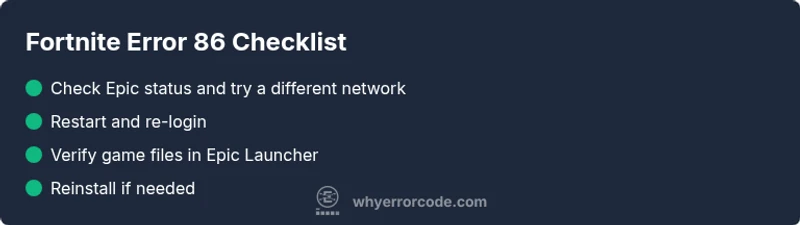
Start with fast, non-destructive steps: check Epic status, restart Fortnite, re-login, and try a different network. If the issue persists, re-check your NAT type, disable VPNs temporarily, and verify the game files via the Epic Games Launcher. These steps are designed to be completed within minutes and often resolve the majority of E86 incidents, especially when outages are not involved. If you rely on external devices, ensure your router firmware is up to date.
Deeper fixes if the quick fixes fail
When quick fixes don’t solve error 86, dive deeper: verify files or integrity via the launcher, clear local cache, and ensure your system time is correct (small time skews can cause auth failures). Consider testing on another device to rule out hardware issues. If you still land on E86, there may be an ongoing service outage or a regional routing problem that requires waiting for Epic to restore services. These deeper steps reduce the probability of recurring failures.
Professional help and safety considerations
If error 86 persists after all self-service steps, escalate to professional help. Costs for on-site or remote assistance vary by region, usually ranging from a basic diagnostic in the tens of dollars to more involved repairs in the low hundreds when hardware or ISP issues are suspected. Always weigh downtime against the cost of professional support, and never bypass security settings as a fix. The Why Error Code team recommends contacting official Epic Games support if outages are confirmed.
Steps
Estimated time: 20-40 minutes
- 1
Check service status
Open the Epic Games status page or official social channels to confirm whether Fortnite services are experiencing an outage or degraded performance.
Tip: Bookmark the status page for quick access during future issues. - 2
Restart and re-login
Exit Fortnite completely, relaunch it, and sign back into your Epic account. This clears temporary auth tokens that might be causing the error.
Tip: Ensure you select 'Remember me' only on trusted devices. - 3
Test a different network
Switch to a different network (mobile hotspot, another Wi‑Fi network) to determine if your current network is blocking Epic services.
Tip: Avoid public Wi‑Fi for login-sensitive activity. - 4
Verify game files
In the Epic Games Launcher, go to Library, locate Fortnite, and choose Verify. Let the launcher replace any missing or corrupted files.
Tip: Run as administrator if verification fails due to permissions. - 5
Check NAT and firewall settings
Ensure your NAT type is not strictly restricted and that your firewall or antivirus isn’t blocking Fortnite traffic.
Tip: Create an allowlist rule for Fortnite executables. - 6
Reinstall if needed
If all else fails, uninstall and reinstall Fortnite. This can resolve stubborn issues caused by deep-seated file corruption.
Tip: Back up saved settings if applicable before reinstall.
Diagnosis: Fortnite error code 86 appears on startup or during matchmaking
Possible Causes
- highUnstable or blocked network connection
- highEpic Games service outage or authentication issue
- mediumCorrupted game files or cache
Fixes
- easyCheck Epic status and switch networks if possible
- easyRestart Fortnite and re-login to your account
- easyVerify game files via Epic Games Launcher
- hardReinstall Fortnite as a last resort
Frequently Asked Questions
What does Fortnite error code 86 mean?
Error 86 signifies a connectivity/authentication problem with Epic services, often due to server outages, NAT issues, or blocked connections. It is not a hardware failure.
Error 86 means your device can't reach Epic servers; check service status and your network.
What should I do first when I see error 86?
First, check Epic's service status, restart Fortnite, and attempt a network switch. If you can, re-login to your account and verify files.
Start by checking service status, then restart and try another network.
Can firewall or NAT cause error 86?
Yes. A strict NAT or firewall blocking Fortnite traffic can trigger error 86. Adjust firewall rules or router settings to allow Epic traffic.
A blocked NAT or firewall can cause error 86; adjust settings to allow Epic games.
Is there a known outage affecting Fortnite right now?
Outages can trigger error 86. Check the official Epic status page or trusted social channels for real-time updates.
Outages can cause error 86; verify status pages for updates.
Should I reinstall Fortnite to fix error 86?
Reinstall is a last resort if verification and network fixes don’t resolve the issue. It can take time and impact local saved data.
Reinstall as a last resort if other fixes fail.
Does error 86 affect console and PC equally?
Error 86 can affect multiple platforms when service connectivity is impacted, but symptoms may vary with device-specific network setups.
It can affect multiple platforms during outages, with device-specific differences.
Watch Video
Top Takeaways
- Identify if the issue is server- or device-related.
- Try quick fixes first before deep repairs.
- Verify game files to fix data corruption.
- Escalate to support if outages persist or costs rise.