API Error Code 401: Urgent Troubleshooting and Immediate Fixes
Diagnose and fix HTTP 401 Unauthorized errors in API calls quickly. This urgent guide covers common causes, fast fixes, step-by-step recovery, and tips to prevent future 401s.


The api error code 401 means the request is not authenticated. The most common fix is to obtain a valid access token and include a correct Authorization header. If the token looks valid, verify the audience and scope, clock skew, and that the server is validating tokens correctly. Act quickly to restore access and protect credentials.
What the api error code 401 means in practice
In practice, api error code 401 means the request could not be authenticated. It signals that the client failed to present valid credentials for the requested resource. This is not a blanket failure of the API; it is a security gate. The server could be rejecting an expired token, a token that does not include the required scope, or a token that was never issued for this API. It can also occur if the Authorization header is missing or formatted incorrectly. Because credentials are sensitive, many systems treat a 401 as a hard stop, triggering token rotation or user re-authentication prompts. Note the difference from a 403 Forbidden: 401 means “I can’t verify who you are,” while 403 means “I know who you are, but you’re not allowed to access this.” In urgent debugging, confirm you’re using a Bearer token, that the token is still valid, and that the claims match the API’s expectations.
Quick fixes you can try now
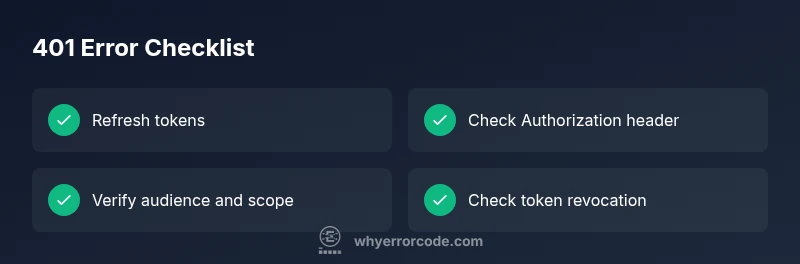
- Refresh or reauthenticate to obtain a new access token. If your token has an expiry, a fresh token often clears the 401 quickly.
- Check the Authorization header for correct formatting. The standard is Authorization: Bearer <token>. A missing or extra keyword leads to immediate rejection.
- Verify the token’s audience (aud) and scope (scp) claims match what the API expects. Mismatches are common causes when you switch environments (dev/stage/prod) or services.
- Inspect clock skew between client and server. A drift of even a few minutes can cause tokens to appear expired; ensure NTP is in use and clocks are synchronized.
- Test with a minimal request and the simplest scope. If it succeeds, gradually add permissions to identify the offending scope.
- Remember token revocation is possible. If you recently disabled a service account or changed credentials, update all clients accordingly.
Common causes and verification steps
401 errors usually result from issues with credentials or token validation. Common causes include: expired or invalid access tokens, missing or misformatted Authorization headers, incorrect token audience or scope, clock skew between client and server, and token revocation. To verify:
- Check token expiry and issuer claims against your auth server's requirements.
- Confirm you send a properly formatted Authorization header: Authorization: Bearer <token>.
- Compare the token's aud and scope with what the API expects for the target resource.
- Ensure client and server clocks are synchronized via NTP.
- Look for recent credential changes or service account modifications that might revoke tokens.
How to fix 401s efficiently: Step-by-step overview
This section outlines a high-level approach to recover from a 401 quickly and safely. Start with token status, header formatting, and audience/scope matching. If needed, coordinate with the authorization server to refresh credentials, verify revocation status, and test in a controlled environment before broad redeployments. Use minimal permissions during diagnosis to minimize risk.
Other causes and fixes
Aside from token issues, 401 can stem from environment mismatches, incorrect API keys, or misconfigured gateway rules. Verify you’re calling the correct environment (dev vs prod), that the API key is valid for the endpoint, and that any IP allowlists or firewall rules aren’t blocking the request. If the service uses mutual TLS or client certificates, ensure those are up to date and trusted by the server.
Steps
Estimated time: 20-40 minutes
- 1
Verify access token status
Check the token’s expiry, issuer, and claims against the authorization server's requirements. If the token is expired or revoked, initiate a refresh or reauthentication flow to obtain a valid token.
Tip: Use a token introspection endpoint or a JWT decoder to inspect claims. - 2
Check Authorization header formatting
Ensure the request uses the correct header: Authorization: Bearer <token>. A malformed header or missing token is a common cause of 401 responses.
Tip: Avoid extra spaces and verify the token type is exactly Bearer. - 3
Validate audience and scope
Confirm the token’s aud matches the API's audience and that the scope includes access to the requested resource. Mismatches often occur after environment changes.
Tip: Cross-check against your API’s documented requirements for the endpoint. - 4
Synchronize clock correctness
Make sure the client and server clocks are in sync. Time drift can cause otherwise-valid tokens to appear expired.
Tip: Enable NTP on all involved machines and verify timezone configurations. - 5
Test with minimal permissions
Retest the call with the simplest scope or a token issued for the minimal required access. If successful, gradually reintroduce scopes to identify the culprit.
Tip: Document the smallest working scope to reproduce quickly. - 6
Coordinate with the authorization server
If problems persist, contact the issuer to verify token status, revocation lists, and client credentials. Confirm there are no outages affecting token issuance.
Tip: Keep a change log of credential updates for traceability.
Diagnosis: API returns 401 Unauthorized on requests to protected endpoints
Possible Causes
- highExpired or invalid access token
- highMissing or misformatted Authorization header
- mediumIncorrect token audience or scope
- lowClock skew / server time drift causing expired tokens
- lowRevoked token or disabled service account
Fixes
- easyRefresh tokens or re-authenticate to obtain a new access token
- easyInclude a valid Authorization: Bearer <token> header and correct token type
- mediumVerify token audience and scope match API requirements
- easySynchronize client/server clocks to NTP sources to prevent skew
- mediumCheck token revocation and service account permissions; reissue if needed
Frequently Asked Questions
What is the difference between 401 Unauthorized and 403 Forbidden?
A 401 indicates the system cannot verify who you are (credentials are missing or invalid). A 403 means your identity is known, but you lack permission to access the resource.
A 401 means authentication failed; a 403 means you’re authenticated but not allowed to access the resource.
Why do tokens sometimes show as expired even though I just issued them?
Time drift between client and server or improper clock settings can cause tokens to be treated as expired. Ensure synchronized clocks and valid token lifetimes.
Clock drift can make fresh tokens look expired; verify time synchronization.
How can I quickly verify token audience and scope?
Check the token claims against the API’s required audience and scope. Use introspection or a JWT decoder to inspect aud and scope fields.
Inspect the token to confirm aud and scope align with the API.
Is a 401 always caused by client mistakes?
Most 401s are client-related (missing/invalid token), but server-side issues or misconfigurations can also trigger them. Always rule out token problems first.
Usually client-side token issues, but server config can also cause it.
What should I check before contacting support?
Document the endpoint, time of request, token state, and any recent credential changes. This helps support reproduce and fix the issue faster.
Have endpoint, time, token state, and recent credential changes ready.
What are best practices to prevent 401s?
Implement token refresh flows, monitor token lifetimes, enforce short-lived tokens, and centralize credential management to reduce expiry and revocation risks.
Use short-lived tokens and a reliable refresh flow to prevent 401s.
Watch Video
Top Takeaways
- Validate token status before making requests
- Always verify Authorization header format
- Match token audience and scope with API needs
- Keep clocks synchronized to prevent skew