Error with code 401: Urgent Fix Guide for Unauthorized Access
Urgent guide to diagnosing and fixing HTTP 401 Unauthorized errors. Learn common causes, quick client/server fixes, step-by-step procedures, and best practices to prevent future 401s.


Error with code 401 means Unauthorized: the request lacks valid authentication credentials or the credentials presented are no longer valid. In practice, you’ll see 401 when an access token is missing, expired, or rejected by the server. The quickest path to a fix is to verify the authentication flow, refresh tokens, or re-authenticate before retrying the request.
What Error with code 401 Means
An error with code 401 is an HTTP status that signals the client did not present valid authentication credentials, or those credentials are no longer valid. In practical terms, this means the server requires a fresh sign-in or a valid token before it will grant access to a protected resource. Unlike 403 Forbidden, which tells you that authentication happened but access is not allowed, a 401 points squarely at the authentication step. For developers and IT pros, the key implication is that identity validation failed at the moment the request was processed. In modern architectures, tokens, API keys, and OAuth credentials are common culprits. Treat a 401 as a prompt to inspect the authentication layer first, then verify downstream authorization paths.
Common Scenarios That Trigger 401
The 401 Unauthorized error crops up in several familiar scenarios. A missing or malformed Authorization header is the most common trigger. Tokens may be expired, revoked, or scoped incorrectly for the requested resource. Clock skew between client and server can cause a token to appear invalid even when it’s fresh. Misconfigured OAuth clients, wrong audience or issuer, and incorrect token type (e.g., using a refresh token where an access token is required) also lead to 401 responses. Finally, API gateways or reverse proxies may reject requests if the authentication method isn’t supported or is misrouted. Mapping these scenarios to logs and requests speeds up resolution.
Quick Client-Side Fixes for 401
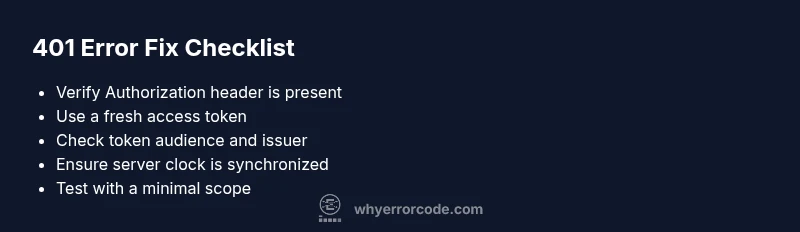
If you’re debugging on the client, start with the basics. Ensure every request includes a valid Authorization header (e.g., Bearer <token>). Check that the token isn’t expired and that you’re using the correct token type for the endpoint. Verify the token’s audience, issuer, and scope align with server expectations. Use a controlled test environment to reproduce the issue with a fresh token. If you rely on single sign-on, confirm the session is active and that the redirect flow returns a valid token. As a fast test, try a curl or Postman request with a fresh token to see if the issue persists.
Server-Side Causes and Remedies
On the server side, a 401 often means the authentication check failed before your endpoint logic ran. Common causes include invalid signature of the token, a misconfigured identity provider, or token validation settings that don’t match the issuing authority. Double-check the public keys or JWKS used to verify tokens, and verify that clock skew isn’t causing valid tokens to be rejected. Confirm that the API endpoint expects the correct audience and scopes. If using OAuth2, make sure the token contains the required scopes for the requested resource. Review middleware configuration and any recent changes that could impact authentication.
Step-By-Step Fix: Reauthenticate and Validate Tokens
- Identify the exact endpoint returning 401 and reproduce the issue with a fresh token. 2. Reauthenticate the user or service to obtain a new access token. 3. Ensure the request includes a valid Authorization header formatted as Bearer <token>. 4. Validate token audience, issuer, and expiration locally if possible before sending it to the server. 5. Check server logs for token verification errors and adjust token validation settings if necessary. 6. Retry the request, and monitor for recurrence.
Other Causes and Advanced Fixes
Beyond the obvious missing or expired tokens, 401s can arise from misalignment between the client and authorization server. Look for issues like incorrect client secrets, revoked credentials, or mismatched redirect URIs. If you’re using a gateway, ensure it forwards the Authorization header correctly and doesn’t strip it due to CORS or policy rules. For apps using multiple identity providers, unify the token validation approach and confirm consistent clock synchronization across services.
Tips & Warnings to Stay Safe
- Pro_tip: Enable token refresh logic and exponential backoff for retries to avoid hammering the auth server during outages.
- Warning: Do not log tokens or credentials in plaintext; protect secrets and use secure storage.
- Note: In test environments, isolate authentication providers to prevent accidental production credential leakage.
- Pro_tip: Keep system clocks synchronized with NTP to minimize token validation issues caused by time drift.
Prevention: Keeping 401 Errors at Bay
Regularly audit your authentication flow, token lifetimes, and rotation policies. Implement robust token refresh mechanisms and invest in centralized logging for authentication events. Use standardized error handling to differentiate between 401s caused by expired credentials and those caused by missing ones. Establish clear escalation paths for DevOps when identity providers report outages, and document the exact steps teams should take during suspected credential problems.
Understanding Related Status Codes and How They Interact
HTTP 401 is often the first sign of an authentication problem. If the server later returns 403, the issue may shift from authentication to authorization. Distinguishing between these two helps you fix the root cause faster. Also, when a 401 occurs after a successful login, look for session management issues or token revocation events. By tracking the lifecycle of tokens—from issuance to expiration—you gain a more reliable system for preventing future 401 errors.
Steps
Estimated time: 30-45 minutes
- 1
Reproduce with a fresh token
Try to reproduce the 401 using a known-good access token from a fresh sign-in. This eliminates token expiration as the root cause and confirms the issue is not tied to a stale credential.
Tip: Use a clean test environment and avoid reusable test accounts to ensure accuracy. - 2
Validate the Authorization header
Confirm the request carries a properly formatted Authorization header (Bearer <token>). Check for extra spaces or hidden characters that could invalidate the header.
Tip: Copy the header from a successful request rather than typing it to avoid typos. - 3
Refresh or re-authenticate
If the token is expired or revoked, perform a full re-authentication flow to obtain a new token, then retry the request.
Tip: If you use refresh tokens, ensure they are still valid and not expired. - 4
Check server-side token validation
Inspect server logs for token validation errors, verify the issuer and audience values, and ensure the public keys used for signature verification are current.
Tip: Rotate keys carefully and update JWKS when necessary. - 5
Test with a minimal scope
Request a token with the minimal required scopes for the endpoint to rule out scope-based denial.
Tip: Avoid over-scoping tokens during troubleshooting. - 6
Retry and monitor
After applying fixes, retry the request and monitor authentication-related metrics and logs to confirm resolution.
Tip: Implement alerting on persistent 401s to catch regressions quickly.
Diagnosis: Error code 401 Unauthorized when accessing a protected resource
Possible Causes
- highMissing or malformed Authorization header
- highExpired or revoked access token
- mediumClock drift or mismatched token audience/issuer
- lowOAuth client misconfiguration or incorrect scope
Fixes
- easyInclude a valid Authorization header with a current access token
- easyRefresh the token or re-authenticate, then retry
- mediumSynchronize clocks and verify token audience/issuer settings
- mediumCheck OAuth scopes and server verification settings
Frequently Asked Questions
What does HTTP status code 401 mean?
HTTP 401 means the request lacks valid authentication credentials or the credentials provided are not accepted. It signals that identity was not established for the requested resource.
HTTP 401 means you need to authenticate because the server didn’t accept your credentials.
Why do I keep seeing 401 after login?
After login, a 401 can occur if the token is expired, not issued for the correct audience, or if the server has a misconfigured validator. Check the token contents and validation settings on the server.
If you still get 401 after logging in, verify the token is valid and intended for the endpoint.
How do I fix a 401 on API calls?
Start by confirming the Authorization header and token are correct, then refresh tokens and ensure the server validates the token against the right issuer, audience, and scopes.
First make sure your token is valid and sent correctly, then refresh if needed.
Is CORS related to 401 errors?
CORS issues can masquerade as 401s if the browser blocks credentials, but true 401s are authentication failures. Ensure the server allows credentials and that requests include proper authentication.
Sometimes CORS blocks auth headers, which can look like a 401; check CORS policy too.
Can a 401 indicate a broader authentication issue?
Yes, persistent 401s may indicate a systemic authentication failure, such as token rotation problems or an outage with the identity provider.
A 401 can point to a wider authentication problem beyond a single request.
What logs help diagnose 401 errors?
Check API gateway and server logs for token validation errors, issuer/audience mismatches, and token signature problems. Look for timestamps that match the failed requests.
Look for token validation errors and mismatches in the logs.
Watch Video
Top Takeaways
- Identify whether 401 is due to missing credentials or expired tokens
- Validate Authorization header and token scope before server-side checks
- Use token refresh and re-authentication as first-line fixes
- Synchronize clocks and verify issuer/audience in token validation
- Escalate to security/DevOps for persistent or systemic authentication failures