Cause of 503 error code: Diagnostics and Fixes
Urgent guide to understanding the cause of 503 error code, why it happens, and proven steps to diagnose and fix quickly. Learn common server overload, maintenance, and upstream failure scenarios with actionable remediation.


Definition of the 503 error code: it means the service is temporarily unavailable. It commonly stems from backend overload, ongoing maintenance, or upstream failures. The quick fix includes refreshing, validating health endpoints, and applying immediate mitigations like scaling resources or restarting affected components. According to Why Error Code, prioritize exponential backoff on retries and alerting on health metrics to minimize downtime.
What the 503 error code means in practice
The 503 Service Unavailable status signals that the server cannot handle the request at the moment. Unlike a client error, it indicates a problem on the server side or with a downstream service. The exact cause of the 503 error code varies, and a quick, disciplined triage is essential. In many production environments, the most glaring factor is overload or a temporary maintenance window. According to Why Error Code, the core meaning is temporary unavailability, not a fault in the client.
Common root causes of the 503 error code
There are several frequent culprits behind a 503 response. Backend services may be down or failing under load, causing upstream components (APIs, databases, message queues) to become unresponsive. Overprovisioned or under-optimized databases can throttle, triggering timeouts. Misconfigured load balancers can route traffic to unhealthy instances. Maintenance mode or a deployment in progress can intentionally return 503s. Network hiccups and DNS issues can also momentarily render services unreachable. Understanding these causes helps prioritize fixes quickly.
Quick wins you can implement now to reduce downtime
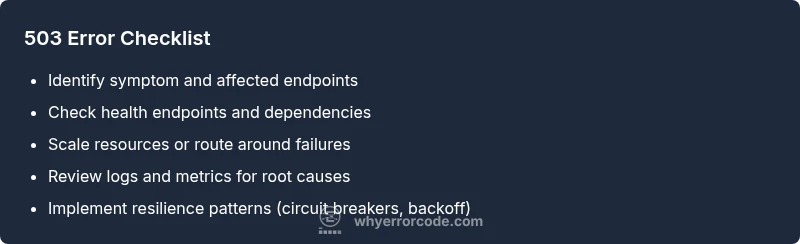
If you encounter a 503, start with fast, low-risk actions. Refresh or retry with backoff after a short wait. Check the health check endpoints and service dashboards to verify which dependency is failing. Scale up resources or temporarily redirect traffic away from unhealthy instances. Enable automatic retries with backoff on the client side, and ensure circuit breakers are in place to prevent cascading failures. Finally, confirm that maintenance windows are properly communicated and reflected in the user experience.
How to diagnose using logs, metrics, and health checks
A rigorous diagnostic approach relies on logs, metrics, and live health endpoints. Examine recent error logs, trace stacks, and latency spikes to pinpoint failing services. Review health checks exposed by each upstream component and corroborate with monitoring dashboards. Look for patterns such as traffic surges, deployment timestamps, or API rate limits. Synthetic monitoring can validate whether the 503 is replicable under controlled conditions. Always correlate server-side metrics with user-reported symptoms.
Design patterns to prevent repeated 503s in production
Implement resilient architecture to minimize future 503s. Use autoscaling with predictive policies to handle traffic spikes. Employ load balancing across healthy nodes and circuit breakers to halt requests to failing services. Apply backpressure and queueing where appropriate to smooth bursts, and cache non-critical responses to reduce load. Establish robust health checks, health-based routing, and graceful degradation so user experience remains acceptable during outages.
Steps
Estimated time: 1-2 hours
- 1
Confirm and broaden the symptom set
Document all affected endpoints and capture timestamps. Reproduce the 503 in a staging or controlled environment if possible, and gather initial logs from the web server, reverse proxy, and upstream services.
Tip: Use a centralized log platform to correlate timestamps across services. - 2
Check health endpoints and upstreams
Validate the health probes for each service. Verify uptime for dependent APIs, databases, and messaging queues. If a dependency shows failures, address that service first to restore end-to-end availability.
Tip: Focus on the first reported failing dependency in the error trace. - 3
Inspect capacity and load patterns
Review CPU/memory, I/O wait, and queue depths. Compare current load with baseline to determine if the system is under-provisioned or experiencing a spike beyond capacity.
Tip: Enable autoscaling rules that trigger on sustained load rather than brief spikes. - 4
Apply immediate mitigations
Scale out instances, route traffic away from degraded nodes, and increase timeout thresholds or retry limits temporarily if safe. Communicate maintenance windows and expected remediation times.
Tip: Document any temporary changes and have a rollback plan ready. - 5
Improve resilience with architectural fixes
Implement circuit breakers, timeouts, backoff strategies, and queue backpressure. Consider caching frequently requested data and serving degraded results when downstream dependencies are slow.
Tip: Test backoff policies under load to tune retry intervals properly. - 6
Validate and monitor after changes
Once remediation actions are in place, verify that 503s drop in frequency. Enable enhanced monitoring, set alert thresholds, and plan a post-incident review to prevent recurrence.
Tip: Share a brief incident report with stakeholders for transparency.
Diagnosis: Users see a 503 Service Unavailable error when loading pages; some endpoints return intermittently busy signals.
Possible Causes
- highBackend service(s) unavailable or crashing
- highServer overload or insufficient capacity
- lowMaintenance mode or deployment in progress
Fixes
- easyCheck upstream service health and recent error rates
- mediumScale resources or enable auto-scaling and load balancing
- hardReview deployment pipelines and adjust timeouts/retries; implement circuit breakers
Frequently Asked Questions
What does a 503 error code mean?
A 503 error means the service is temporarily unavailable, usually due to overload, maintenance, or an upstream failure. It signals temporary unavailability rather than a permanent fault on the client side.
A 503 means the service is temporarily unavailable, often due to overload or maintenance.
Is a 503 always caused by my server?
Not always. A 503 can be caused by external dependencies, upstream services, or network issues. Always check the entire dependency chain before concluding it’s your server alone.
Not always—external services or dependencies can trigger a 503 as well.
Should I retry immediately when I see a 503?
No. Implement exponential backoff with a limited number of retries to avoid compounding the problem and to respect downstream services.
Avoid immediate retries; use backoff with limits.
How can I prevent 503 errors in production?
Use autoscaling, robust health checks, rate limiting, circuit breakers, and graceful degradation. Maintain a runbook and test failure scenarios regularly.
Prevent with autoscaling, health checks, and resilient design.
What is the difference between 503 and 504 errors?
A 503 indicates the server is temporarily unavailable, while a 504 means a gateway or proxy timed out waiting for an upstream server. They require different remediation strategies.
503 is temporary unavailability; 504 is a gateway timeout.
When should I involve a professional?
If the issue persists after implementing standard fixes, or if you’re unsure how to scale, tune, or deploy safely, seek professional assistance to avoid outages.
If persistent, or you’re unsure how to fix it, get expert help.
Watch Video
Top Takeaways
- Identify whether the 503 is temporary or persistent.
- Prioritize upstream dependencies and capacity issues first.
- Use autoscaling, caching, and circuit breakers to reduce recurrence.
- Document actions and monitor results for continuous improvement.