Error Code as 503: Urgent Troubleshooting Guide
Urgent guide to understanding and fixing error code as 503. Learn quick fixes, root causes, and a proven diagnostic flow to restore service swiftly and safely.


Error code as 503 means the service is temporarily unavailable and cannot handle your request right now. The quickest fix is to retry after a moment and investigate potential upstream or capacity issues. If you’re troubleshooting, check status pages, logs, and load balancer health to confirm the root cause. Why Error Code recommends starting with simple mitigations.
What error code as 503 means
Error code as 503 indicates the server is temporarily unable to handle requests. This is a server-side status that usually points to a temporary condition rather than a permanent fault. According to Why Error Code, 503 is commonly seen during maintenance windows, capacity surges, or when a downstream service fails to respond promptly. The intent of the status is to tell clients to retry later, not to blame their request. For developers, a 503 often signals that the application should shed load, gracefully degrade features, or queue requests while the backend catches up. In practice, this means the front end may return a generic message like “Service Unavailable” or show a countdown via a Retry-After header. It’s important to distinguish 503 from other 5xx codes: 500 is a general error, 502 indicates a bad gateway, and 504 shows a gateway timeout. Understanding this difference can help you triage quickly, especially when you’re debugging a high-traffic website or API. In urgent operations, every minute counts, so you’ll want a plan that covers both immediate user experience and backend reliability.
Symptoms and signals you’re facing a 503 service outage
When a service is genuinely unavailable, users will see a 503 response or a page that explicitly states Service Unavailable. In client applications this appears as an HTTP 503 status in the browser's network tab, API clients, or monitoring dashboards. On a public website, visitors might experience a slow page load followed by a hard error, or intermittent failures during peak load. Logs commonly show repeated requests rejected with 503s plus occasional Retry-After hints. Some servers or proxies include a Retry-After header that recommends when to retry; if present, honor it in automated clients. If you operate a microservices architecture, a single failing downstream dependency can cascade into many 503s across routes. In critical systems, you may also notice spikes in latency, queuing backlogs, and increased error rates. Because 503 is temporary by design, teams often reserve pages for maintenance and provide clear alternative paths or a status page to reduce user frustration during outages.
Common causes and their likelihood
Understanding the likely culprits helps teams respond fast. The following list ranks causes from high to low likelihood and maps to practical remedies.
- Overloaded backend servers or saturated queues — high: The most frequent reason during traffic surges or batch jobs. Fixes include autoscaling, traffic shaping, or queue backpressure.
- Maintenance mode or deliberate downtime — high: If a planned window coincides with users seeing 503, use status pages and communication to set expectations.
- Upstream dependency down or slow — medium: Databases, caches, or external APIs can block requests; implement fallbacks and circuit breakers.
- Recent deployment or code changes — medium: A new release can destabilize routes; rollback or canary testing mitigates risk.
- Misconfigured load balancer or reverse proxy — low: Timeouts or health check misconfigurations can produce 503s; verify health endpoints and timeout settings.
Quick fixes you can try now
If you’re a user or an administrator facing a 503, start with the simplest steps to reduce impact while you investigate.
- Refresh after a brief wait; transient load can clear itself within minutes.
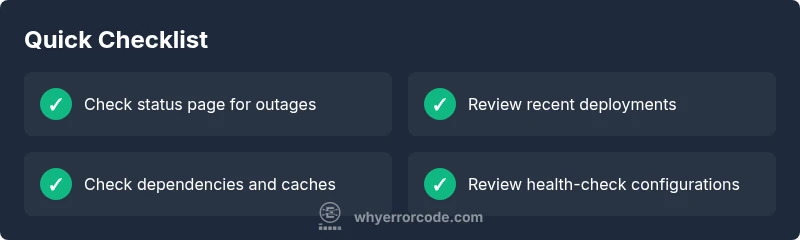
- Check the service status page or incident dashboard for ongoing maintenance or outages.
- Try a different network or device to rule out local connectivity issues.
- Clear DNS/cache in your browser or app client to eliminate stale routing data.
- For site owners, temporarily enable a cached fallback page or a lightweight read-only mode to preserve essential functions while you fix the backend.
Step-by-step fix: resolving the most likely cause (overload)
If the root cause is likely an overloaded backend, follow these steps in sequence to restore service and resilience.
- Gather metrics from all tiers (load balancer, web servers, application servers, databases) and identify bottlenecks. Tip: isolate whether the saturation is CPU, memory, or I/O.
- Scale resources or enable horizontal scaling to handle the current load. Tip: prefer rapid, reversible scaling with autoscaling rules.
- Check queues and back-end message processing; implement backpressure or traffic shaping to prevent queue growth from driving 503s. Tip: set conservative limits during peak hours.
- Inspect recent deployments or config changes for faults; if needed, roll back or deploy canary tests to minimize risk. Tip: use feature flags to disable risky code paths quickly.
- Validate upstream dependencies (databases, caches, external APIs); add timeouts and circuit breakers to prevent cascading failures. Tip: implement retry with exponential backoff at the client level.
- Monitor continuously after a fix and tune thresholds; set alerting that distinguishes transient 503s from persistent outages. Tip: document lessons learned for future incidents.
Other causes and remedies
Even if overload is the main suspect, other factors can trigger 503 responses. A misbehaving deployment might briefly put the system into maintenance or degrade a critical path. A misconfigured load balancer or proxy can cause health-check failures, leading to uncovered endpoints returning 503s. Also, downstream services like a cache or database that experiences a spike in latency can starve the front end of responses. Remedies include reviewing deployment rollouts, validating health checks, adjusting timeouts, and applying rate limiting or circuit breakers to keep the system responsive under pressure.
Steps
Estimated time: 1-2 hours
- 1
Identify symptoms and scope
Collect current error rates, response times, and affected endpoints. Check monitoring dashboards to see how widespread the 503s are across routes.
Tip: Start with the most critical user journeys to prioritize fixes. - 2
Check system health indicators
Review CPU, memory, disk I/O, and thread pools on web and app servers. Look for saturation or exhaustion that could trigger timeouts.
Tip: Correlate spikes with recent changes to pinpoint root cause. - 3
Examine upstream dependencies
Test databases, caches, and external APIs for latency or outages. Validate that fallbacks are functioning as intended.
Tip: If a dependency is down, implement graceful degradation. - 4
Scale and stabilize
Apply autoscaling or temporarily increase resource limits. Consider circuit breakers to prevent cascading failures during peak load.
Tip: Roll out changes incrementally to avoid introducing new risks. - 5
Review deployment and config
Check recent releases for errors in routing, health checks, or timeout settings. Revert or patch if necessary.
Tip: Keep a rollback plan ready and tested. - 6
Validate and monitor post-fix
Verify that all endpoints return 200 OK or expected responses. Maintain enhanced monitoring to detect recurrence quickly.
Tip: Document incident artifacts for post-incident review.
Diagnosis: User experiences HTTP 503 Service Unavailable on a web app
Possible Causes
- highOverloaded backend servers or saturated queues
- highScheduled maintenance or deliberate downtime
- mediumUpstream dependency (database, cache, external API) down or slow
- mediumSoftware deployment or error in new release
- lowMisconfigured load balancer or reverse proxy
Fixes
- easyCheck system metrics and queue lengths; identify which backend is saturated
- easyConsult status pages and maintenance calendars; verify if downtime is expected
- mediumReview upstream dependencies for errors; test fallbacks or cache warm-ups
- mediumScale resources or implement auto-scaling rules; restart failed services gracefully
- hardInspect load balancer rules and timeout settings; adjust as needed
Frequently Asked Questions
What does HTTP 503 mean and when should I expect it?
HTTP 503 means the server is temporarily unable to handle the request. It often occurs during maintenance, overload, or when a downstream dependency is slow. It’s a signal to retry later after the service has recovered.
HTTP 503 means the server is temporarily unavailable and you should retry later.
Is a 503 error always temporary?
Typically, 503 is temporary, but repeated 503s over an extended period indicate a persistent problem that requires investigation. Treat it as a fault that needs root-cause analysis.
Usually temporary, but repeated 503s mean you should investigate further.
What should I do first if I see a 503 on a website I manage?
Begin by checking the status page and monitoring dashboards, then review recent deployments and upstream dependencies. If you control infrastructure, inspect server health and load balancer configurations.
First check status pages and monitors, then review deployments and dependencies.
Can users fix a 503 on their end?
End users can try simple steps like refreshing later, clearing DNS cache, or testing from another network. Persistent issues require vendor or site administrator intervention.
Users can refresh later or try another network, but persistent issues need admin fixes.
What is the difference between 503 and 502 or 504 errors?
A 503 means the service is temporarily unavailable. A 502 Bad Gateway indicates a bad upstream response, while 504 Gateway Timeout means the upstream service didn’t respond in time. Each has distinct remediation paths.
503 is temporary unavailability; 502 is a bad upstream response; 504 is a timeout.
When should I involve a professional for 503 outages?
If outages persist beyond standard maintenance windows, involve your IT operations or a cloud provider support team. For critical services, engage incident response and follow your organization's escalation playbook.
Call professional help if outages persist or affect critical services.
Watch Video
Top Takeaways
- Understand 503 as temporary server unavailability
- Check status pages, logs, and dependencies first
- Scale resources and implement backoff during outages
- Document lessons to prevent recurrence