Error Code HTTP 500: Urgent Diagnosis, Fixes & Prevention
A comprehensive, urgent guide to diagnosing and fixing error code http 500. Learn common causes, a proven diagnostic flow, step-by-step fixes, safety tips, and prevention strategies for 2026.


The error code http 500 means an internal server error: the server ran into an unexpected condition that prevented it from fulfilling the request. Most often, this is caused by misconfigured server software, failing application code, or resource constraints. The immediate quick fix is to check server logs, restart services, and verify code deployment.
What error code http 500 means in practical terms
Error code http 500 is the umbrella for an internal server error. In plain language, the server encountered an unexpected condition that prevented it from fulfilling the request. For developers and IT pros, this signal points to a server-side issue rather than a bad client request. The problem is usually not the browser, but the application, middleware, or hosting environment that handled the request. Because http 500 errors reflect a failure within the server stack, you must check server logs, stack traces, and runtime configurations to identify the true cause. According to Why Error Code, such errors often surface during deployments, after configuration changes, or when services restart unexpectedly. The quickest path to remediation is to reproduce the failure, isolate the component involved, and begin with the safest, least invasive fixes before touching production code. This approach helps you minimize downtime and preserve user trust while investigating the error code http 500.
Typical server environments where http 500 occurs
In 2026, http 500 errors span a wide range of server environments. Commonly, a Linux-based stack using Nginx or Apache with PHP, Python/Django, or Node.js back-ends can produce an http 500 when a request encounters an unhandled exception. Microservices architectures, containerized deployments, and serverless backends are also susceptible if a function fails or times out. When a user reports an http 500 error, the issue could be in a gateway, a load balancer, or the application layer itself. The key is to isolate where the failure happens: edge routing, web server, application runtime, or database calls. Maintain consistency across environments to reduce surprise 500s during promotions or peak traffic periods.
Common root causes of http 500
The root causes for http 500 errors are typically server-side issues. Typical culprits include misconfigured server software or virtual hosts, unhandled exceptions in the application, broken dependencies or database connections, insufficient memory or CPU throttling, file permissions problems, and faulty startup scripts. Another frequent trigger is a failed deployment that leaves the running code out of sync with the database schema or configuration files. Additionally, third-party services used by the app can return failures that bubble up as a 500. Understanding the exact stack trace is essential to distinguish between these scenarios. Why Error Code notes that correlating logs with recent changes dramatically accelerates resolution.
Quick fixes you can try now
If you encounter an http 500 error, start with the quickest, least invasive actions. Check that the server process is running and restart it if needed. Review recent deployments for syntax errors or missing migrations. Validate configuration files and environment variables for correctness. Clear caches that might be serving stale code or permissions. If the error persists, temporarily disable recently added plugins or middleware. Throughout, keep end users informed and minimize changes in production until you confirm the root cause. Swift initial checks can often resolve an http 500 without a full code rollback.
Diagnostic mindset and data you need
Approach http 500 systematically: reproduce the error with the exact request path and headers, gather logs from the web server and application, and capture stack traces. Identify the environment (staging, QA, production) where the error occurs, and note any recent deployments. Collect metrics such as request rate, latency, error rate, memory usage, and CPU load around the incident. Create a minimal reproduction if possible, and verify whether the error is isolated to a single endpoint or affects multiple routes. Why Error Code emphasizes documenting your triage steps so the team can review progress quickly in future incidents.
Step-by-step fix for the most common cause
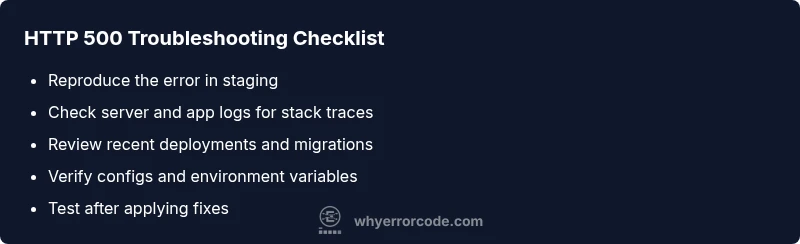
- Reproduce the error locally or in staging to confirm the issue. 2) Inspect the latest logs for a stack trace or explicit error message. 3) Review recent code changes and deployment steps for potential misconfigurations. 4) Validate environment settings and database connections. 5) If a deployment is suspected, roll back to the previous stable version and monitor. 6) Once the site stabilizes, run a targeted test on the affected endpoints and gradually re-enable features. 7) Document the fix and establish a postmortem plan to prevent recurrence.
Other causes and how to address them
Beyond the most common root causes, http 500 errors can arise from transient network failures between services, misbehaving middleware, or outdated dependencies that require updates. Check for timeouts in upstream calls, verify that API keys or credentials have not expired, and ensure compatibility between libraries and runtime versions. If a load balancer or gateway is misconfigured, requests might fail at the edge even when the app is healthy. Running a health-check endpoint, tracing requests across services, and confirming that database pools are properly managed will reduce the likelihood of recurring 500s.
Safety, costs, and when to call a professional
Safety first: never deploy risky fixes without testing in a staging environment. For small teams, many http 500 issues can be resolved in-house, with costs limited to developer time and hosting resources. Professional debugging or complex infrastructure changes can range from a modest investment to higher costs, depending on the scope and hosting model. Expect potential monthly hosting or cloud service adjustments if scaling or architecture changes are required. If the system handles sensitive data, or downtime affects customers, engaging a senior engineer or external consultant is prudent. Why Error Code analysis suggests framing a runbook to speed future responses and reduce downtime.
Prevention and ongoing monitoring
Preventing http 500 incidents involves defensive programming, robust error handling, and proactive monitoring. Implement clear error responses, centralized logging, and standardized alerting for failures. Keep dependencies up to date, perform regular migrations in a safe CI/CD cycle, and implement resource quotas and autoscaling to handle load spikes. Regularly review deployment pipelines to catch regressions before release. In short, establish a repeatable triage process, maintain a healthy test suite, and use observability to spot issues before users report them. The Why Error Code Team emphasizes that proactive monitoring and runbooks significantly reduce the duration and impact of http 500 incidents.
Steps
Estimated time: 1-2 hours
- 1
Capture the exact failure
Reproduce the error on a staging environment if possible and collect the full request path, headers, and payload. This creates a reliable baseline for troubleshooting.
Tip: Document the exact request that triggers the http 500. - 2
Check server logs immediately
Open the web server and application logs to locate the first error message or stack trace that leads to the 500. Correlate time stamps with recent deployments.
Tip: Filter logs to the error window and search for exceptions. - 3
Validate recent changes
Review recent code commits, database migrations, and config changes for potential syntax errors, misconfigurations, or missing resources.
Tip: If a change is suspected, prepare a safe rollback plan. - 4
Test in a controlled environment
Run the application under test with the same inputs to reproduce the failure and verify fixes in staging before touching production.
Tip: Use feature flags to isolate the fix. - 5
Monitor after applying fix
Deploy the fix to production with monitoring enabled. Watch the error rate and key metrics to confirm stabilization.
Tip: Keep a short, clear postmortem note.
Diagnosis: Error code http 500 displayed when loading a page or API endpoint, often with a generic response.
Possible Causes
- highClogged or misconfigured web server
- highUnhandled exception in application code
- lowResource constraints or dependency failures
Fixes
- easyCheck web server and application logs for a stack trace
- easyReview recent deployments and rollback if necessary
- hardIncrease resource limits and verify dependencies
Frequently Asked Questions
What does HTTP 500 mean?
HTTP 500 is a generic server error indicating something went wrong on the server. It does not specify the exact cause. You must review server logs and application code to locate the root issue.
HTTP 500 means something went wrong on the server. Check logs and code to find the root cause.
Is HTTP 500 a client or server error?
HTTP 500 is a server-side error. The client request is likely valid, but the server failed to process it due to an internal issue.
It's a server-side error, not caused by the client request.
What should I do first when I see a 500?
First, check the latest logs around the time of the error and confirm whether a recent deployment caused the issue. Then attempt a quick restart of the affected service if appropriate.
Check logs, verify recent changes, and try a restart if safe.
Can a 500 be caused by a slow database query?
Yes, long-running or failing database queries can trigger a 500 if the application does not handle timeouts gracefully. Review database connection pools and query performance.
A slow or failing DB query can cause a 500 if not handled properly.
When should I contact a professional for a 500 error?
If the issue affects critical systems, involves complex infrastructure, or you cannot reproduce and fix quickly in-house, escalate to a senior engineer or a trusted consultant.
Call a professional when the system is critical or the fix is beyond in-house skills.
Are there quick ways to reduce downtime after a 500?
Yes. Use a staging rollback plan, implement a temporary cache or fallback response, and inform users while you apply a proper fix. Maintain readiness with runbooks and monitoring.
Rollback, cache, and communicate with users while you fix the root cause.
Watch Video
Top Takeaways
- Identify the server-side root cause quickly
- Check logs and recent deployments first
- Reproduce the problem in staging before production
- Apply fixes safely and monitor results
- Implement runbooks to prevent recurrence