How to Remove Error Code 500: Urgent Troubleshooting Guide
Urgent, practical guide to remove error code 500 (Internal Server Error). Learn fast checks, diagnose root causes, and apply safe fixes to restore service with minimal downtime. Includes step-by-step fixes, diagnostic flow, and when to call a professional.


500 Internal Server Error means the server encountered an unexpected condition that prevented it from fulfilling the request. The quickest first steps are to review server logs for the exact exception, restart the web server, and verify recent code or configuration changes. If possible, reproduce the error in a staging environment to isolate the root cause without impacting users.
What 500 Internal Server Error Means
A 500 error is an HTTP status code that servers return when they crash or fail to complete a request due to an unexpected condition. It signals a problem on the server side, not with the client’s browser or the request itself. Because the issue can originate from many sources—application code, server configuration, dependencies, or resources—the first priority is to gather precise information from logs and monitoring tools. In urgent situations, you need to identify whether the problem stems from recent changes (deploys, plugin updates, database migrations) or from a lingering misconfiguration that affects multiple endpoints. Understanding the scope of the error helps you prioritize fixes and minimize downtime for users.
For developers and IT pros, think of the 500 as a generic umbrella: beneath it lie many possible root causes. The goal is to narrow that umbrella quickly by checking for common patterns (e.g., recent deploys, memory errors, or connection failures) and then applying targeted repairs. Always balance speed with safety—avoid high-risk changes on production systems without a rollback plan. In the worst case, a 500 can reveal serious issues that require coordinated action across teams, especially if third-party services are involved.
The urgency is real: downtime costs time and money, and users expect reliability. By following a disciplined diagnostic approach, you can resolve most 500s promptly while preserving data integrity and service continuity. The core principle is to prove the hypothesis with logs, reproduce the issue in a controlled environment when possible, and apply fixes with proper backups and monitoring in place.
What 500 Internal Server Error Means
What 500 Internal Server Error Means
Steps
Estimated time: 1-3 hours
- 1
Gather logs and reproduce the error
Collect the exact request that triggers the 500. Capture timestamps, host, path, user agent, and any correlated IDs. Reproduce in a controlled environment if possible to confirm the error consistently.
Tip: Use a staging environment to reproduce without affecting production traffic. - 2
Check server and application logs
Open the web server error_log (Apache) or error.log (Nginx) and the application logs to locate the stack trace or exception message. Look for recent deploys or configuration changes that match the timing of the error.
Tip: Filter logs by time window; search for keywords like 'exception', 'fatal', 'permission', or 'database'. - 3
Review recent changes
Audit recent deployments, plugin/theme updates, or database migrations. If a single change coincides with the error, roll back or apply a targeted fix to that component.
Tip: Use version control to compare pre- and post-change states and keep a rollback plan. - 4
Test database connectivity
Verify that the app can connect to its database, with correct credentials, host, port, and permissions. Check for timeouts or locked connections that could trigger 500s.
Tip: Run lightweight health checks against the database from the same host as the app. - 5
Inspect configuration files
Review .htaccess, nginx.conf, and PHP/runtime configurations for syntax errors, invalid directives, or conflicting rules that could cause a server error.
Tip: Temporarily disable complex rules to identify if a misconfiguration is the culprit. - 6
Increase resource limits
If logs show memory exhaustion or timeouts, raise PHP memory_limit, max_execution_time, and related resources. Always test bounds to avoid overconsumption.
Tip: Make incremental changes and monitor system metrics after each adjustment. - 7
Clear caches and restart services
Flush CMS caches, opcode caches, and CDN caches if applicable. Restart the web server and application services to apply changes and clear stale processes.
Tip: Schedule restarts during low-traffic windows when possible. - 8
Validate the environment
Ensure dependencies are installed and compatible (library versions, PHP modules, Node packages). Run a dependency audit and verify API connections if the app relies on external services.
Tip: Lock down version ranges to prevent unexpected updates from breaking compatibility. - 9
Test in staging and monitor
Apply fixes in staging first, perform regression tests, and monitor error rates after deployment. Confirm that the 500 error does not recur across endpoints.
Tip: Set up alerts for future 500s to catch regressions early. - 10
Document and implement prevention
Record the root cause and the exact fix. Add monitoring, alerts, and a rollback plan to reduce downtime for future incidents.
Tip: Create runbooks so future teams can resolve 500s faster.
Diagnosis: Users see HTTP 500 on all pages or on a specific route; the error persists after refresh.
Possible Causes
- highUnhandled exception in application code
- mediumMisconfigured server or .htaccess / nginx.conf
- mediumDatabase connection failure or timeout
- lowMissing or corrupted dependencies or files
Fixes
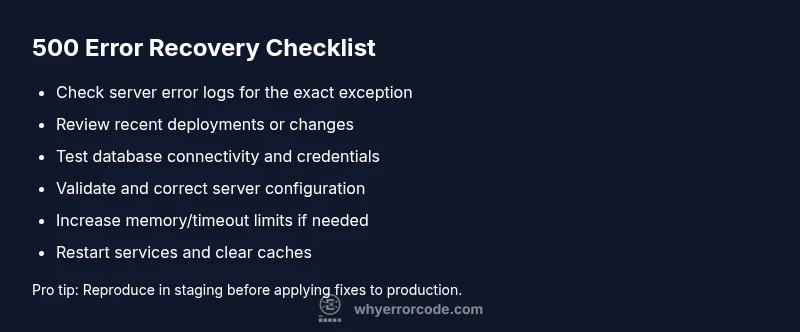
- easyReview the latest error logs to locate the exact exception or stack trace
- easyRevert recent code deployments or plugin/theme updates
- mediumCheck database connectivity and credentials; test in staging
- mediumValidate server configuration (.htaccess, nginx.conf, php.ini) and correct syntax errors
- hardIncrease memory_limit, max_execution_time, and related PHP/runner settings if resources are exhausted
- easyRestart web server and related services to clear transient faults
Frequently Asked Questions
What does a 500 Internal Server Error indicate?
A 500 error means the server encountered an unexpected condition that prevented it from fulfilling the request. It signals a server-side problem, not a problem with the user’s request.
A 500 error means there's a server-side problem. It’s not caused by your device or connection.
Is a 500 error a client-side or server-side issue?
A 500 error is a server-side issue. The client’s request is likely fine, but the server cannot complete it due to an internal fault.
It's a server-side issue, not something on your device.
Can a plugin or CMS theme cause a 500 error?
Yes. In CMS environments, a faulty plugin, theme, or recent update often triggers 500 errors. Disable suspects in staging to confirm.
Yes, plugins or themes can cause a 500 error. Disable suspects to test.
Should I try to fix a 500 error myself or call support?
Start with safe, reversible steps like checking logs, clearing caches, and restarting services. If the problem persists, contact hosting or a qualified developer for deeper investigation.
Start with safe steps, then get professional help if it continues.
How long does it typically take to resolve a 500 error?
Resolution time varies: quick misconfig fixes or cache clears can take minutes; complex code or database issues may take hours. Always plan for downtime briefly if needed.
It can range from minutes to a few hours depending on the cause.
What is the best practice to prevent 500 errors?
Implement robust error handling, thorough testing, staged deployments, and regular monitoring with alerts to catch problems before users are affected.
Best practice is robust testing, staged deployments, and proactive monitoring.
Watch Video
Top Takeaways
- Identify root cause quickly with logs and replication.
- Prioritize fixes by impact and safety; start with reversible steps.
- Test in staging before production redeploys.
- Document the incident and improve monitoring afterward.