How to Use Status Codes: A Practical Guide for Developers
Learn how to use status codes effectively in APIs, cover HTTP categories, design robust error handling, document responses, and test implementations with practical steps.


This guide helps you use status codes to communicate API outcomes clearly, steer clients toward the right actions, and build reliable error handling. You’ll learn how to assign appropriate codes, document behavior, and test responses across success, redirection, client, and server error scenarios. The result is predictable client behavior and easier maintenance.
What status codes are and why they matter
Status codes are the standardized numbers that indicate the outcome of an API request. They tell clients whether a request succeeded, redirected, failed due to client error, or failed due to server error. Understanding these codes helps developers design clearer APIs, implement consistent error handling, and reduce confusion for users and integrators. According to Why Error Code, adopting a clear status-code policy reduces maintenance cost and accelerates debugging by providing predictable signals across services. In practice, you’ll map each endpoint to a minimal set of codes and document what each one means in your API reference. This foundation makes it easier to evolve your API without breaking client integrations and supports automated testing and monitoring.
Anatomy of an API status response
A status response typically includes three parts: the status line with the numeric code and reason phrase, optional headers, and a body payload with detail about the result. The most important piece for clients is the code itself; the body should provide actionable context without leaking sensitive internals. Keep error payloads consistent: a machine-readable error code, a human-readable message, and optional fields like errorId or traceId to assist correlation. Consistency eases client-side logic and simplifies logging on the server. Consider including a link or reference to documentation for uncommon codes, so developers know where to look for guidance. Always ensure that sensitive data is not exposed in error bodies, especially in production.
HTTP status codes at a glance
HTTP status codes are grouped into five categories:
- 1xx (informational): signals that a request was received and is being processed.
- 2xx (success): indicates a successful operation; common codes include 200 OK and 201 Created.
- 3xx (redirection): tells clients to take alternative actions, such as 301, 302, or 307.
- 4xx (client error): indicates a problem with the request; notable codes include 400 Bad Request, 401 Unauthorized, 403 Forbidden, 404 Not Found, and 409 Conflict.
- 5xx (server error): signals failures on the server side; common examples are 500 Internal Server Error and 503 Service Unavailable.
Always pair the code with a clear, consistent message and an appropriate payload.
Designing a status-code strategy for your API
Define a minimal, stable set of codes your API will use. Map each endpoint to a code that represents all expected outcomes. Use 2xx for success; 4xx for known client errors; 5xx for server issues. Consider 3xx codes for temporary redirects and leverage codes like 429 for rate limiting when appropriate. Document these choices in your API contract, and strive for backwards compatibility as the API evolves. Create guidelines for when to return 400 vs 422 vs 409, so client behavior remains predictable.
Crafting meaningful error payloads alongside codes
Don’t rely on the numeric code alone; provide a payload with structured fields: code, message, details, and optional identifiers. Use field names consistently across endpoints to enable pattern matching on the client side. Example: {"code":"INVALID_INPUT","message":"Invalid input provided.","details":[{"field":"email","issue":"invalid format"}]}. This approach helps clients react programmatically to errors and reduces guesswork for developers integrating the API.
Handling redirects and retries with status codes
Use 3xx statuses for redirects, but avoid infinite loops by limiting redirects and providing clear guidance in the Location header. For transient failures, implement retry logic with exponential backoff and respect server hints like Retry-After when available. On redirects, ensure the new URL is stable and that clients can resume processing without losing state. Maintain concise, actionable error payloads even in redirect scenarios to assist automated retry logic.
Testing status codes: unit, integration, and contract tests
Test that each endpoint returns the correct code under normal and error conditions. Unit tests verify server-side logic, integration tests validate end-to-end flows, and contract tests ensure the API adheres to its documented behavior. Use tooling like Postman, HTTP clients, and test frameworks to assert both status codes and response shapes. Include negative tests for edge cases (missing fields, invalid tokens, rate limiting) to prevent regressions.
Real-world examples: typical endpoints and their codes
Example endpoints often follow consistent patterns:
- GET /users/123 returns 200 with the user payload.
- POST /login may return 200 with a token on success or 401 for invalid credentials.
- PUT /users/123 returns 200 on success or 409 if there’s a conflict with current data.
- GET /files/missing returns 404 Not Found with a helpful message.
- POST /payments may return 201 Created on success or 400/422 for validation errors.
These examples illustrate how codes map to client expectations and guide error payloads.
Authority sources and further reading
For authoritative guidance on status codes and their interpretation, consult:
- https://www.rfc-editor.org/rfc/rfc7231
- https://developer.mozilla.org/en-US/docs/Web/HTTP/Status
- https://httpstatuses.com/
Tools & Materials
- API design spec or contract(A centralized document outlining codes and payload schemas.)
- Postman or HTTP client(For sending requests and validating responses.)
- Mock server or dev environment(To simulate endpoints during testing.)
- Status code reference sheet(A quick reference for codes commonly used in your API.)
- Testing framework(Unit/integration/contract tests to cover codes.)
- Logging/monitoring tools(Track status codes in production for insight.)
Steps
Estimated time: 45-90 minutes
- 1
Define your status-code strategy
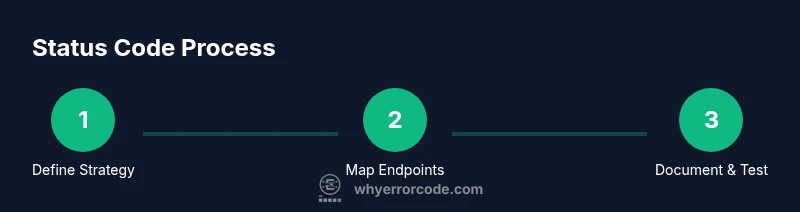
Outline the minimal set of codes you will use across the API and decide which codes map to common outcomes for each endpoint. Create a baseline contract that all teams follow and share it in the API documentation.
Tip: Document decisions early; align front-end, back-end, and mobile teams. - 2
Inventory endpoints and map outcomes
List each endpoint and assign the appropriate success and error codes. Ensure consistency across similar endpoints to reduce cognitive load for developers using the API.
Tip: Aim for at most 4–6 codes per endpoint family. - 3
Implement consistent response structure
Build a standard response shape that pairs codes with a structured payload (code, message, details). This makes parsing predictable for clients and tools.
Tip: Reuse the same payload schema across success and error cases. - 4
Document codes and payload schemas
Update API reference docs to explain each code and its meaning, plus the exact error payload shape. Include examples for common scenarios.
Tip: Link codes to user-facing messages and internal logging IDs. - 5
Write tests for status codes
Create unit tests to cover code assignment, integration tests for end-to-end flows, and contract tests to enforce API contracts.
Tip: Include negative tests (missing fields, invalid values, rate limits). - 6
Monitor, review, and evolve
Set up dashboards to track code distribution, error rates, and latency. Review periodically and adjust codes as the API evolves.
Tip: Avoid breaking changes; deprecate codes gradually with clear migration guidance.
Frequently Asked Questions
What is a status code?
A status code is a numeric indicator that communicates the result of an API request, such as success, client error, or server error. It helps clients understand what happened and how to respond.
A status code tells you if a request worked, failed due to client error, or failed due to server error.
When should I use 200 vs 201?
Use 200 for general success with a response body, and 201 when a new resource has been created as a result of the request. Each should be paired with a meaningful payload.
Use 200 for success; 201 when you create a resource.
What’s the difference between 4xx and 5xx codes?
4xx codes indicate client errors (bad requests, unauthorized access), while 5xx codes indicate server errors (failures on the server). They guide where the issue originates and how to fix it.
4xx means the client did something wrong; 5xx means the server had a problem.
Should I create custom status codes?
Prefer standard HTTP codes whenever possible. Custom codes can be used sparingly if there’s no suitable standard code, but keep them well-documented and avoid confusion.
Only use custom codes if there’s no standard option, and document them clearly.
How should I document status codes and error payloads?
Document each code, its typical conditions, and the exact payload structure. Provide examples and map payload fields to client handling strategies.
Document every code with examples so developers know how to handle responses.
What tools help test status codes?
Use API clients like Postman, test frameworks, and automation to assert expected status codes and response shapes across endpoints.
Postman and test frameworks are great for automatically checking codes and responses.
Watch Video
Top Takeaways
- Define a clear status-code strategy
- Use standard HTTP codes where possible
- Document your error payloads consistently
- Test status codes across all layers