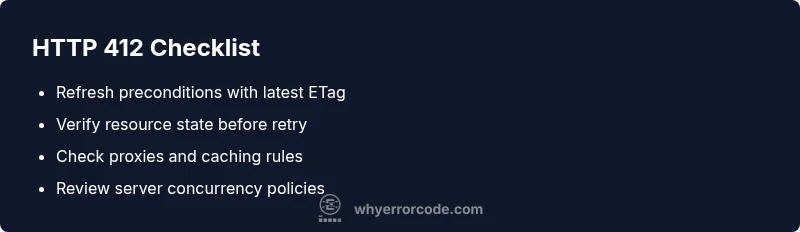
HTTP Error Code 412: Precondition Failed Explained and Fixed
Urgent, practical guide to http error code 412 (Precondition Failed) with quick fixes, diagnostic flow, step-by-step repairs, and best practices for developers and IT pros.


HTTP 412, Precondition Failed, means the server cannot fulfill your request because a precondition header evaluated to false. This often happens when a cached or stale resource is involved, or when an If-Match/If-Unmodified-Since condition isn’t met. The quickest fix is to refresh and resend with updated preconditions, or remove conflicting headers, then validate server expectations before retrying.
What HTTP error code 412 means
HTTP error code 412, also known as Precondition Failed, signals that a request’s preconditions were not met by the target resource. In practice, this often shows up when a client includes conditional headers (like If-Match or If-Unmodified-Since) that do not align with the server’s current state. For developers and IT pros, recognizing that 412 is a state-validation error helps distinguish it from outright permission or missing-resource errors. If you’re debugging an API, think in terms of concurrency control and cached state. When the precondition is invalid, the server refuses the request to prevent unintended changes to the resource.
In many architectures, 412 is part of a robust concurrency strategy. It protects resources from being overwritten when another client or process has already updated them. Proper handling means honoring the preconditions, retrying with the latest state, or adjusting the request so the preconditions are satisfied before resubmitting.
Common causes of http error code 412
- Mismatched If-Match/ETag post-state: The client sends an If-Match header with a token that does not reflect the server’s current resource version.
- Resource updated by another client: The server’s resource version changed after the client retrieved it, invalidating the precondition.
- Outdated If-Modified-Since: The client’s timestamp check is stale, causing the precondition to fail.
- Proxy/gateway interference: A caching layer or proxy alters headers or responses, leading to mismatched preconditions.
- Conditional requests in APIs: Some APIs enforce strict concurrency rules; a failed condition blocks the update to prevent race conditions.
Understanding these causes helps prioritize fixes: update state first, then retry with fresh preconditions, or bypass nonessential conditions for testing.
Diagnosing http error code 412 in real-world scenarios
Start by reproducing the error with a repeatable request and enable verbose logging on both client and server sides. Check the precondition headers sent by the client (If-Match, If-None-Match, If-Unmodified-Since) and compare them with the server’s latest resource version. Look for recent updates to the resource, cache validity, or token changes. Review proxy or CDN configurations that might cache or rewrite headers. If logs show the same precondition token is being sent after an update, you probably have a stale client state.
Document the resource version from the last successful request and verify whether the precondition aligns with the server’s state before attempting a retry.
Step-by-step overview: fixing the most common cause
The most common 412 arises from a stale or mismatched ETag in If-Match. The quick fix is to obtain the latest resource state, refresh the ETag, and resend with the updated precondition. If you can’t refresh the resource, consider removing the precondition for testing to confirm the issue is precondition-related. Always verify with server logs or API telemetry to confirm the root cause before applying a permanent change.
Other potential causes and how to address them
If the precondition mechanism is correct but the proxy or gateway alters headers, bypassing can temporarily help you validate the source of the problem. Ensure that clients and servers share a synchronized clock if If-Unmodified-Since is used. For APIs using custom concurrency controls, check token lifetimes and ensure clients refresh tokens appropriately. In persistent problems, coordinate with the API provider to review server-side validation rules and resource versioning semantics.
Safety, costs, and when to call a professional
Because 412 often involves state and concurrency, mismanaging preconditions can lead to data inconsistency. If you’re operating critical systems (financial, healthcare, or regulatory data), engage a senior developer or platform engineer. Self-troubleshooting can cost little if you stay within free tooling, but professional fixes—especially for complex distributed systems—can range from a few hundred to several thousand dollars depending on scope and uptime impact. Always plan for testing environments and staged rollouts to minimize risk.
Steps
Estimated time: 20-40 minutes
- 1
Reproduce and capture the 412
Trigger the failing request in a controlled environment and collect the exact request headers, including If-Match/ETag values and any If-Modified-Since data. Note the resource URL and the server response with any accompanying body or headers.
Tip: Enable verbose logging and save a curl or HTTP trace for comparison. - 2
Fetch the latest resource state
Send a safe GET request to retrieve the current resource version and ETag. Confirm the server’s response headers reflect the newest state and capture the correct ETag value.
Tip: If the resource is large, request a minimal representation or a HEAD call to minimize bandwidth. - 3
Update precondition headers
Update your downstream request to include the fresh If-Match/ETag value and any other relevant preconditions. Ensure timestamps or version tokens match the server’s latest state.
Tip: Avoid stale copies by tying precondition tokens to the most recent successful response. - 4
Retry the request
Resend the operation with the updated preconditions. If the server still rejects, verify resource ownership or consider a minimal, safe update that doesn’t rely on stale state.
Tip: Use exponential backoff and limit retries to prevent cascading failures. - 5
Check for proxies and caches
Inspect any reverse proxies, CDNs, or gateways that might cache responses or alter headers. Disable caching for the test path if feasible to isolate the issue.
Tip: Clear caches or bypass layers temporarily to validate the source. - 6
Escalate if the issue persists
If the issue remains after state refresh, coordinate with the API provider or platform team to review server-side precondition rules and token lifetimes.
Tip: Provide logs, request/response traces, and timestamps to accelerate diagnosis.
Diagnosis: API calls return 412 Precondition Failed during write/update operations.
Possible Causes
- highMismatched If-Match/ETag precondition
- highResource changed on the server after the client cached state
- mediumOutdated If-Modified-Since condition
- lowProxy or gateway altering headers or caching aggressively
Fixes
- easyVerify and refresh the precondition header (e.g., fetch new ETag) before retry
- easyRetry the operation with updated preconditions or after a fresh GET to refresh state
- easyIf preconditions are unnecessary, remove them and reattempt
- hardCoordinate with API/provider for concurrency tokens or server-side validation rules
Frequently Asked Questions
What does HTTP 412 mean?
HTTP 412 means a precondition in the request headers failed the server’s checks. The server refuses the operation to protect the resource. Fixes involve validating or refreshing preconditions and retrying with updated state.
HTTP 412 means a precondition wasn’t met on the server, so the request was blocked. Update your preconditions and retry.
What causes a 412 Precondition Failed?
Common causes include mismatched If-Match/ETag values, resource updates by others, or outdated conditional headers. Check server-side logs to pinpoint which precondition failed.
Causes include a mismatched precondition like an outdated ETag or an updated resource by someone else.
How do I fix a 412 in REST APIs?
Refresh the resource, obtain a fresh ETag, and retry with updated preconditions. If needed, temporarily remove preconditions for testing, then implement proper state synchronization.
Refresh the resource, update the precondition, and retry. For persistent issues, check synchronization rules.
Is caching involved in 412 errors?
Yes. Proxies or CDNs can serve stale content or alter headers, causing preconditions to fail. Test with caching disabled to verify the root cause.
Caching can trigger 412s by serving stale state or changing headers.
Can a 412 occur in browsers or only APIs?
412s are most common in API interactions and services that do concurrency checks, but they can occur in browsers if a precondition is used in fetch or XHR requests.
It mostly happens with APIs, but browsers can see it if they use conditional requests.
When should I contact the API provider?
If repeated fixes fail or you lack server-side access, contact the API provider with logs and traces. They can verify server-side precondition rules and token lifetimes.
If fixes fail, reach out with logs so the provider can verify server-side rules.
Watch Video
Top Takeaways
- Check preconditions first and refresh state.
- Use the latest ETag or version token before retry.
- Inspect proxies or caching layers for header interference.
- Escalate to provider if concurrency rules are unclear.