Where is HTTP Status Code? A Practical Guide
Learn where HTTP status codes are defined, how to locate official references (RFCs, IANA, MDN), and how to interpret and use them to diagnose and fix issues in web apps and APIs.


Understanding HTTP status codes and where they come from
HTTP status codes are three-digit numbers returned by servers to indicate the result of an HTTP request. They originate from the HTTP specification and its RFCs, and are standardized across browsers, servers, and APIs. The five main ranges—1xx informational, 2xx success, 3xx redirection, 4xx client errors, and 5xx server errors—offer a quick visual cue about what happened on the server side. The codes have historical roots in early versions of HTTP, but today they are maintained through RFC documents (notably the RFC 7230–7235 family) and the IANA registry, which assigns official values to ensure consistency across ecosystems. For developers and operators, MDN Web Docs provides approachable explanations and examples that map each code to real-world behavior. When you see a status code in a response, you can usually decide whether the request succeeded, was redirected, or failed—and what to try next. This shared standard reduces guesswork in debugging across browsers, servers, and APIs.
Where to find the official definitions
The most authoritative source for HTTP status codes is the set of IETF RFCs that define HTTP semantics and behavior. Core guidance lives in the RFC 7230 family, especially RFC 7231 (Semantics), RFC 7232 (Range and conditional requests), RFC 7233 (Caching), and RFC 7234 (Caching). These documents describe what each code range means and how servers should respond in different situations. In addition, the IANA status code registry lists all assigned codes and their definitions, ensuring universal interoperability. For developers seeking practical explanations, MDN Web Docs and the official WHATWG specifications translate RFC content into developer-friendly guidance and examples. Always cross-check with these sources when implementing or debugging APIs and web services.
Common code ranges and meanings
HTTP codes are grouped into five ranges with intuitive meanings: 1xx informational, 2xx success, 3xx redirection, 4xx client errors, and 5xx server errors. Examples you’ll encounter: 200 OK (success), 201 Created (resource created), 204 No Content (success without a body), 301 Moved Permanently (redirect), 302 Found (redirect, often temporary), 304 Not Modified (cached validation), 400 Bad Request (malformed syntax or invalid request), 401 Unauthorized, 403 Forbidden, 404 Not Found, 500 Internal Server Error, 503 Service Unavailable. Each category tells you who is responsible (client vs. server) and what the next steps should be. Remember that codes can be combined with headers, bodies, and caching rules to convey richer context.
How to verify status codes in real requests
To observe status codes in real traffic, use browser developer tools (Network tab) to inspect the response, or run quick checks from the command line with curl: curl -I https://example.com to fetch headers without the body. In Node.js or browser fetch, you can access response.status after awaiting the fetch call. Postman and similar tools also display status codes clearly in the response pane. For quick checks, a simple head or get request with minimal headers is often enough to reveal the code without fetching large bodies. Ensure you test against the actual environment (dev, staging, prod) to capture any infrastructure-specific behavior.
Common pitfalls and misinterpretations
A frequent pitfall is assuming that all redirects imply the final resource is immediately available. Distinguish between 301/302 redirects and 303 See Other, and understand how caches treat 304 Not Modified. Another common error is treating 4xx/5xx codes as definitive indicators of server availability; intermittent network issues, proxies, or overloaded gateways can cause different codes on different paths. Some CDNs or proxies rewrite codes, so verify in multiple layers. Finally, note that a successful 2xx status can still accompany an error payload if the application returns business errors inside the body.
Troubleshooting unexpected status codes
If you see unexpected codes, start by confirming the request path, method, and headers. Check the full response headers for hints about redirects, authentication challenges, or caching. Inspect any proxies, load balancers, or API gateways in the path—they may alter codes or enforce policies. Validate that the server supports the intended HTTP version and that TLS termination or middleware isn’t interfering. Reproduce the issue with a minimal client (curl) to remove client-side variability, then gradually reintroduce components to locate the source of the discrepancy.
Quick-start checklist
- Define the target URL and request method (GET/POST) you want to test.
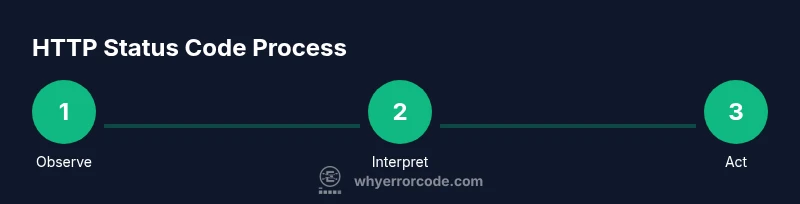
- Open browser DevTools and/or curl to capture the status code.
- Compare the observed code against RFC/MDN guidance to interpret the meaning.
- Check related headers (Location, Retry-After, Cache-Control) for extra context.
- If the code doesn’t match expectations, investigate proxies, gateways, and server configuration.
- Maintain a short log of observed codes and fixes to build a quick reference over time.
- Consider automated health checks in CI to catch regressions early.