Balboa Hot Tub LF Error: Quick Fix and Diagnostic Guide
Urgent, step-by-step troubleshooting for Balboa hot tub LF error codes. Learn what LF means, quick fixes, diagnostic flow, and when to call a pro to restore safe, smooth operation.


LF on Balboa hot tub controls usually signals a low water flow condition that can stall circulation and reduce heating. The most reliable fixes start with checking water level, cleaning or replacing the filter, and ensuring the pump is primed. If the code persists, power-cycle the unit and verify plumbing for air locks before calling a technician. This guidance comes from the Why Error Code team to help developers, IT pros, and everyday users troubleshoot safely and effectively.
What LF Means for Balboa Hot Tubs
LF on Balboa hot tub controls is a fault indicator that points to a low water flow condition. In practical terms, this means the circulation path isn’t moving water as it should, which can prevent proper heating and filtration. For technicians and troubleshooters, LF typically arises from basic setup or maintenance gaps rather than an obvious component failure. The most reliable path to safety and uptime is a systematic check of water level, filter condition, and pump priming, followed by a controlled power reset if needed. Remember to work methodically and document each step, since Balboa systems tolerate rapid, repeated checks poorly if performed haphazardly. Why Error Code emphasizes calm, tested procedures to minimize collateral damage and avoid unnecessary part replacements.
Quick Fixes You Can Try Right Now
Before diving into diagnostics, try these fast checks. First, confirm the water level reaches the tub's recommended mark. Next, inspect the filter: a dirty or clogged filter reduces flow. Clean it, or replace with a compatible model. Finally, power-cycle the control unit to clear transient faults. If LF returns, move to the full diagnostic flow to avoid unnecessary disassembly.
Diagnostic Flow: Symptoms, Causes, and Solutions
Symptom: Balboa hot tub displays LF and the circulation seems weak or absent. Causes range from poor water level (high likelihood), a clogged filter (high), to air locks or restricted suction lines (medium). Solutions start with water level adjustment, filter maintenance, and pump priming. If the issue persists, plan for pump or valve inspections and a service check. This flow helps you prioritize steps and reduce downtime.
Step-by-Step Fix for the Most Common LF Scenario
Step 1: Verify water level and fill to the indicated mark. Step 2: Turn off power, remove and clean the filter, reinsert securely. Step 3: Power-cycle the system at the breaker for a full reset. Step 4: Prime the pump and bleed air from the lines, listening for a steady pump hum. Step 5: Recheck flow indicators and temperature after running circulation for several minutes. Step 6: If LF persists, proceed to professional service. Step 7: Inspect suction lines for kinks or blocked ports and confirm valve positions are fully open.
Other Causes and How to Address Them
Beyond low water and dirty filters, other LF triggers include valve closures, air leaks, or a failing pump or control board. To address: verify valve positions are open, inspect for air leaks around fittings, and check the pump for unusual noises. If the pump is failing or the control board shows recurring faults, professional diagnosis is recommended. Document the sequence of events and symptom onset to aid technicians.
Safety, Warnings, and When to Call a Pro
Water and electricity demand careful handling. Always cut power before opening the cabinet or touching electrical components. Do not run the tub if you notice red-hot components, burning smell, or persistent leaks. If LF persists after basic checks, contact a licensed service technician. Your warranty and safety depend on following the manufacturer instructions and using a qualified technician when needed.
Maintenance Tips to Prevent LF Errors in Balboa Systems
Regular maintenance reduces LF occurrences: clean filters monthly, perform a quick water-quality check, keep water chemistry within recommended ranges, and inspect hoses and clamps for wear. Schedule professional service annually, and review Balboa documentation for any firmware or hardware updates that might address common fault codes. Keeping a tidy, well-maintained system improves reliability and user safety.
Quick Reference Troubleshooting Checklist
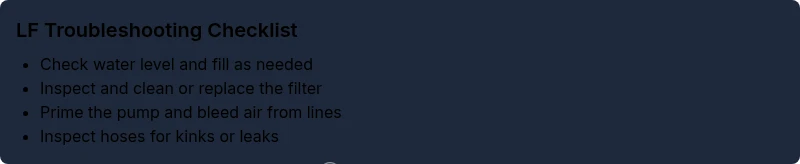
- Check water level; top up as needed
- Inspect and clean the filter; replace if necessary
- Prime the pump and bleed air
- Look for kinked hoses or closed valves
- Power-cycle the control panel
- Run circulation and monitor LF behavior
- If unresolved, escalate to a professional service
Steps
Estimated time: 45-90 minutes
- 1
Verify water level
Ensure the tub water is at the recommended mark. If low, add water gradually and monitor the level indicator. Recheck the LF status after adding water.
Tip: Use a clean container to avoid introducing contaminants. - 2
Inspect and clean the filter
Power down the system, remove the filter, rinse thoroughly, and brush away debris. Replace if the filter is damaged or heavily clogged.
Tip: Replace the filter gasket if it shows wear to prevent leaks. - 3
Power-cycle the control unit
Turn off the power at the main breaker for at least 60 seconds, then restore. This resets fault codes and can clear transient LF.
Tip: Avoid re-energizing wet components; dry hands and a dry area help prevent shock. - 4
Prime the pump and bleed air
With power restored, open any bleed valves or loosen fittings to release trapped air. You should hear a steady pump hum once air is cleared.
Tip: Do not force fittings; re-tighten hand-tight and monitor for leaks. - 5
Inspect plumbing for leaks or blockages
Look for kinked hoses, collapsed lines, or blocked drain paths that could reduce flow to the pump.
Tip: Follow the service diagrams to locate valves and routing. - 6
Test run and monitor LF
Run the circulation mode for several minutes and observe if LF returns. Note any changes in temperature or display messages.
Tip: Document time and readings to assist technicians. - 7
Escalate if needed
If LF persists after the above steps, contact a qualified service technician to diagnose potential pump or control board faults.
Tip: Ask for a written estimate and check warranty terms.
Diagnosis: Balboa hot tub displays LF and circulation is weak or halted
Possible Causes
- highLow water level
- highClogged or dirty filter
- mediumAir lock in the plumbing or pump suction
Fixes
- easyAdd water to reach the recommended level
- easyClean or replace the filter and flush the pump line if needed
- easyPrime the pump and bleed air from the system
- easyInspect suction lines for kinks or closed valves
Frequently Asked Questions
What does LF mean on a Balboa hot tub control panel?
LF indicates a low water flow condition in the Balboa circulation path. This typically points to water level, filter, or air-lock issues and is addressed by a structured troubleshooting sequence.
LF on Balboa means low water flow. Start with water level, filter, and pump priming steps, then reset if needed.
Is LF dangerous?
LF is not inherently dangerous, but ignoring it can cause equipment strain or overheating. Address promptly and methodically.
LF isn’t inherently dangerous, but it can stress components if ignored. Address promptly.
What should I check first when LF appears?
Start with water level, filter cleanliness, and pump priming. These steps address the most common LF causes.
First check water level, filter, and pump priming.
Can I fix LF myself?
Yes for basic steps like level, filter, and power-cycle. If LF persists, hire a professional to diagnose pumps or boards.
You can try the simple fixes, but get a pro if it continues.
How long does it take to resolve LF?
Resolution time varies by cause; basic fixes may be quick, while complex issues require professional service.
It varies; simple fixes may be quick, complex issues need a tech.
Should I replace the filter for LF?
If the filter is clogged or dirty, replacement is often warranted to restore proper flow.
A clogged filter often needs replacement to fix LF.
Watch Video
Top Takeaways
- Check water level first and foremost
- Clean or replace the filter to restore flow
- Power-cycle the system to clear faults
- Call a professional if LF persists after basic fixes