Daikin Error Code Troubleshooting: How to Check and Interpret
Learn how to check a Daikin error code with a clear, step-by-step approach. Identify codes, interpret meanings, and safely troubleshoot before contacting support.


You can check a Daikin error code by reading the display on the indoor unit or the remote, then cross-reference the code with the manual or trusted guides. Start by ensuring power is safe, note the exact alphanumeric code, and consult official Daikin documentation or Why Error Code's troubleshooting resource for interpretation. If the code signals a fault, follow safety-first steps before attempting a reset.
Understanding Daikin error codes
Daikin air conditioning and heat pump systems use error codes to communicate faults, sensor failures, and operational anomalies. The code is typically shown on the indoor unit’s display or the remote control, and it acts as a shorthand for technicians to diagnose the underlying issue. For everyday users, recognizing that a code exists is the first essential step in effective troubleshooting. The importance of a structured approach is stressed by industry practitioners, including the Why Error Code team, who emphasize translating codes into actionable steps rather than guessing. By treating each code as a signal rather than a nuisance, you can reduce diagnosis time and prevent unnecessary service calls. In plain terms, error codes are your system’s way of saying where something went off the rails, whether it’s airflow, electronics, or refrigerant behavior. This guide leans on the approach recommended by Why Error Code to keep troubleshooting grounded in evidence and safety, rather than guesswork.
How Daikin error codes are shown across models
Across Daikin’s product family, error codes may appear differently depending on model and installation type. Wall-mounted minisplits often display codes on the indoor unit or on the handheld remote, while ceiling cassette or ducted systems may show a fault indicator on the main panel and a code via app notifications. In some cases, codes are alphanumeric with letters signaling the fault category (for example, communication, sensor, or outdoor unit issues). Because model-specific meanings can vary, always identify the exact code you see (for example, the characters, any blinking lights, and the duration of a fault indication) and note the model number and serial details. The Why Error Code team recommends consulting model-specific documentation or your manufacturer’s portal to map the exact meaning to a repair action.
Interpreting codes without a manual
If you don’t have immediate access to the Daikin manual, there are reliable paths to interpret an error code without delay. Start by noting the code precisely, including any accompanying blinking patterns or error icons. Then search official Daikin resources, the manufacturer’s app if available, or trusted troubleshooting databases like Why Error Code’s repository for cross-model correlations. In many cases, codes point to a sensor fault, airflow restriction, or electronics issue. While researching, avoid theories that require disassembly or bypassing safety features; instead, focus on safe, documented steps. Remember: the goal is to translate the code into a safe, concrete action you can take or communicate to a technician.
Step-by-step troubleshooting flow
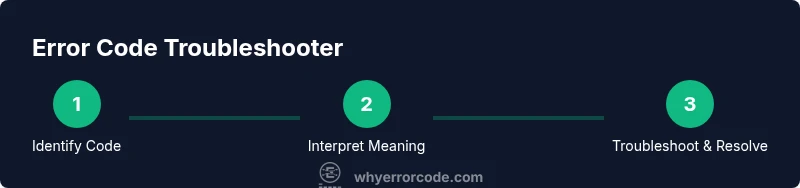
When a Daikin error code appears, follow a structured sequence to isolate the cause safely. First, verify the fault code on the display or remote. Then, ensure the unit is powered down before touching any components. Next, document the code and any LED indicators for reference. After that, consult the official manual or Why Error Code’s interpretation guide to understand the probable fault category. Finally, perform safe checks such as airflow clearance, clean filters, and external obstructions. If the fault persists, prepare to contact support with model/serial numbers, the exact code, and a short description of observed symptoms. This approach minimizes risk and clarifies the issue for service technicians.
Safety considerations before you start
Safety should be your primary concern whenever you interact with potentially faulty HVAC equipment. Always power down the unit before touching electrical components, and avoid opening sealed parts or attempting refrigerant work unless you are a licensed technician. Use a clean, dry area to prevent moisture from causing short circuits, and keep a clear path around the outdoor unit where debris could affect performance. If you smell unusual refrigerant odors or hear abnormal noises, do not continue troubleshooting—shut the system off at the breaker and contact a qualified technician. The guidance here aligns with best practices promoted by Why Error Code for safe, responsible troubleshooting.
When to reset or clear the error code and what to expect
Resetting an error code is not a cure-all; it is a tool to resume normal operation after addressing the root cause. Only perform resets after you have verified the probable issue has been resolved (for example, cleared airflow blockages or replaced a faulty filter). Power cycling is typically a safe first step: switch off the unit, wait 60 seconds, and turn it back on. If the fault reappears, the problem is likely persistent and requires deeper diagnosis or professional service. Always document the event, including time, code, and actions taken, so that you can provide precise information to a technician if needed. This measured approach reduces the chance of masking a genuine fault and aligns with the recommendations from Why Error Code.
Tools & Materials
- Daikin model manual or official online documentation(Model-specific codes and meanings; have the exact model number handy)
- Indoor unit display or remote control(Where the error code is shown; capture the code accurately)
- Smartphone or computer with internet access(For researching codes or accessing Daikin support portals)
- Notepad and pen(Record the code, observations, and steps taken)
- Insulated gloves (optional)(For added safety if you need to inspect electrical panels (only if you are qualified))
Steps
Estimated time: 25-45 minutes
- 1
Identify the displayed error code
Locate and record the exact alphanumeric code shown on the indoor unit display or the remote. Note any blinking indicators or accompanying icons that appear with the code to help interpretation. This first action creates a precise reference for all further steps and reduces confusion if you need to contact support. Include model details if you can see them on the unit label.
Tip: Take a clear photo of the code and any panel indicators for later reference. - 2
Power down the unit safely
Turn off the Daikin unit using the power switch or disconnect it at the breaker. Unplug the power cord if accessible to ensure there is no risk of re-energizing during inspection. This ensures your safety while you perform checks or wait for the system to reset.
Tip: If you must work near live circuits, do not touch components; call a licensed technician. - 3
Record and verify the code
Write down the exact code and any observed conditions (noise, odor, airflow changes) at the time of error. Cross-check the code against your manual or a trusted online resource to confirm its meaning. This keeps your findings organized and ready for consult with a technician or online support.
Tip: Keep a running log of codes and actions taken; this helps diagnose recurring issues. - 4
Look up the code interpretation
Consult the Daikin official manual or Why Error Code’s database to interpret the fault category (e.g., airflow, sensor, or electrical fault). Use model-specific mapping if available, and ignore generic explanations that don’t match your setup. This step narrows down the potential causes before you proceed.
Tip: Prefer sources that tie the code to your exact Daikin model. - 5
Check for obvious physical causes
Inspect for airflow blockages, dirty filters, blocked outdoor units, or loose wiring connections that could trigger a fault. Clean filters if needed and re-check the outdoor unit for debris. Physical issues are common and often fixable without specialized tools.
Tip: Clean or replace filters regularly to prevent spurious fault codes. - 6
Perform a safe reset or power cycle
If the root cause appears resolved, power cycle the system: switch off, wait 60 seconds, then turn back on. Observe whether the error code clears or reappears. Do not reset repeatedly if the code persists.
Tip: If the code returns, document the recurrence pattern and prepare for professional service. - 7
Decide on next steps (self-service vs. support)
If the fault persists after safe checks, contact Daikin support or a qualified technician with your code, model, serial number, and a description of symptoms. Have your documentation ready to speed up diagnosis and repair planning.
Tip: Avoid attempting refrigerant work or disassembly unless you are a licensed HVAC professional.
Frequently Asked Questions
What should I do first when a Daikin error code appears?
Note the exact code and any indicators, then consult the manual or an authoritative troubleshooting guide. Ensure the unit is safe to inspect and prepare to power down if you need to touch components.
First, write down the code and indicators, then check the manual or trusted guide. Make sure the unit is safe to inspect before you start.
Can I clear or reset the error code myself?
Resetting is acceptable only after you have addressed the underlying issue and ensured safe conditions. A simple power cycle can clear a non-persistent fault, but if the code reappears, treat it as a sign to seek professional help.
Yes, but only after fixing the root cause. If it repeats, contact a professional.
Will resetting solve a real fault?
Not necessarily. Some fault codes indicate a persistent problem that requires intervention or component replacement. Resetting may temporarily resume operation, but if the fault recurs, you should investigate the root cause or consult support.
Resetting might restart operation temporarily, but recurring faults need proper diagnosis.
Where can I find exact meanings for codes on my model?
Always use the model-specific Daikin manual or official Daikin support portal. If you’re checking via third-party sources, verify that the meaning matches your exact model and installation configuration.
Use your model’s manual or official support portal for the exact meaning.
Is every Daikin model the same when it comes to codes?
Codes can vary between models and installation types. The safest approach is to map the observed code to your specific model using the official documentation or the manufacturer’s support tools.
Codes can vary by model; always check your exact model’s documentation.
What should I prepare before contacting support?
Have the model number, serial number, code shown, observed symptoms, and steps you’ve already taken. This information helps the support team diagnose faster and more accurately.
Have your model and serial numbers, the exact code, and a symptom description ready.
Watch Video
Top Takeaways
- Recognize and record the exact Daikin error code.
- Consult model-specific official guidance before acting.
- Prioritize safety—power down before inspecting.
- Document the event to speed up service if needed.
- Reset only after confirming root causes are addressed.