Error Code 53003 Microsoft: Urgent Troubleshooting Guide
Urgent guide to diagnosing and fixing Microsoft error code 53003. Learn common causes, quick fixes, diagnostics, and escalation paths for IT pros and developers.


Error code 53003 Microsoft signals an authorization or licensing failure during a Microsoft service check. In practice, this means activation, subscription, or access validation failed. Quick fixes include confirming your license status, ensuring stable network connectivity, and re-authenticating your Microsoft account. If issues persist, use the diagnostic flow to pinpoint the exact cause and apply the recommended fixes.
What error code 53003 microsoft means
Error code 53003 Microsoft indicates an authorization or licensing failure encountered when a Microsoft service tries to validate credentials. The error typically surfaces during activation, sign-in, or entitlement checks. In practical terms, the system cannot confirm that your license, subscription, or access token is valid or current, so access is blocked until verification succeeds. Why Error Code Team emphasizes that, while the exact context varies by product (Windows, Office 365, Azure, or developer tooling), the underlying issue is consistently tied to credential validation. If you see this code, expect to address licensing status, authentication tokens, network connectivity, and system time as part of the resolution.
Where you might encounter this error
You can see error 53003 in several Microsoft environments, including Windows activation, Office 365 subscriptions, Azure services, and developer tools like Visual Studio connected to a Microsoft identity. The error often arises when a service attempts to validate a token or entitlement against a license server and cannot complete the check due to one or more obstacles: an expired license, invalid token, or a blocked connection.
Quick fixes you can try right now
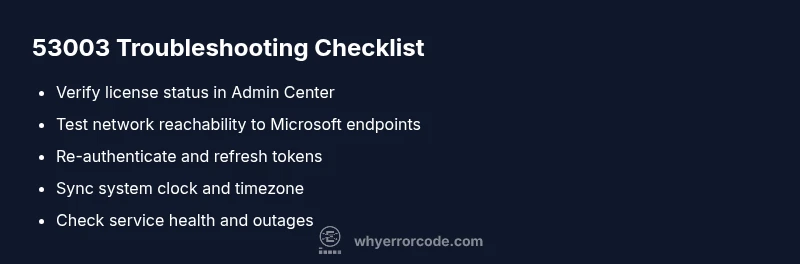
- Ensure your device has a stable internet connection and can reach Microsoft identity endpoints. A flaky connection is a common cause of 53003.
- Sign out of all Microsoft apps and services, then sign back in to refresh tokens and refresh your session.
- Check license status in the admin center or Microsoft 365 admin portal. If the license is expired or not assigned, re-assign or renew as appropriate.
- Verify your system clock is accurate and set to the correct timezone; token validation often relies on synchronized time.
- Check for known service health issues on the Microsoft status page; a temporary outage can trigger activation errors.
- Clear cached credentials from Windows Credential Manager or the equivalent on your platform, then retry the operation.
- If the affected product supports it, attempt a hands-on reactivation or re-licensing process.
Note: Self-help steps are typically free, but if you engage professional support, costs vary by scope and region.
Diagnostic mindset: what to look for (high-level)
A successful resolution hinges on narrowing the root cause to one of four buckets: license/entitlement, token/authentication, connectivity, or environment clock/time. By systematically testing each bucket, you can often resolve the issue without extensive remediation. Always start with the simplest checks (license status, auth sign-in) and move toward deeper checks (logs, service health, network traces).
Step-by-step diagnosis flow at a glance
A structured approach helps you avoid circular troubleshooting. Begin with the easiest checks (license and sign-in), then verify connectivity to Microsoft services, and finally review token lifetimes and environment settings. When you identify a likely cause, apply the corresponding fix in a controlled sequence to minimize disruption.
Common causes and how to tackle them (practical fixes)
This section covers the most frequent drivers behind error 53003 and practical, user-facing fixes you can apply before escalating. You’ll find guidance on license verification, re-authentication, and environment checks that often resolve the issue in minutes.
Network, identity, and token considerations
Understanding how tokens, identities, and service endpoints interact helps you diagnose 53003. Check for stale tokens, expired sessions, or blocked identity providers. If your organization uses conditional access or multifactor authentication, confirm policies aren’t inadvertently blocking access.
Safety, data protection, and when to call a professional
Always back up important configurations before making changes, especially in production environments. If the issue involves enterprise licenses, tenant-wide tokens, or complex conditional access rules, consider engaging Microsoft support or a certified partner to avoid misconfigurations.
Prevention and maintenance: staying ahead of 53003
Keep licenses current, monitor token lifetimes, ensure clock synchronization, and implement proactive service health checks. Regularly review account permissions, renewal dates, and activation statuses to minimize recurrence and reduce mean time to resolution.
Steps
Estimated time: 30-60 minutes
- 1
Verify license status and entitlement
Open the Microsoft admin portal or your product's licensing page and confirm that the license is active, assigned, and not expired. If you use multiple SKUs, ensure the correct license is linked to the user or device. Revoke and reassign licenses if needed to refresh entitlements.
Tip: Tip: Take a screenshot of the license page for audit trails; license changes can take a few minutes to propagate. - 2
Re-authenticate and refresh tokens
Sign out of all Microsoft apps and services, then sign back in with the same account. If you use multi-factor authentication, complete the required steps. This action often refreshes tokens and clears session-related blocks.
Tip: Tip: Use a private/incognito window for a clean sign-in test to rule out cached session issues. - 3
Check system time and timezone
Compare your device clock against a reliable time source. Enable automatic time synchronization and correct your timezone if needed. Token validation is time-sensitive, and clock drift can trigger 53003.
Tip: Tip: After changing time settings, reboot or restart the affected services to re-establish trust with identity endpoints. - 4
Test network connectivity to Microsoft endpoints
Ping or traceroute the identity endpoints used by your Microsoft service. Ensure that firewall rules or VPNs aren’t blocking access. If you’re behind a proxy, verify authentication and bypass rules.
Tip: Tip: Temporarily disable VPNs or proxies to isolate network-based causes. - 5
Review service health and outages
Visit the Microsoft 365 or Azure status pages and your regional service health dashboards. If there’s a known incident, apply recommended temporary workarounds and wait for a sanctioned fix.
Tip: Tip: Subscribe to status alerts for proactive updates during incidents. - 6
Clear credentials and test a fresh login
Remove stale credentials from Windows Credential Manager or your platform’s credential store. Re-enter credentials and retry the operation to confirm if cached data was the culprit.
Tip: Tip: Document the exact error message and time of occurrence; it helps with escalation if needed. - 7
Escalate to support if unresolved
If the problem persists after the above steps, collect logs, screenshots, and environment details, and contact Microsoft support or your vendor. Provide the exact error code, affected product, and recent changes.
Tip: Tip: Include the diagnosticFlow outputs and any timestamps when you first noticed the issue; this speeds up troubleshooting. Estimated cost range: self-service $0; basic remote support typically $50–$200; advanced diagnostics may be $200–$600 depending on scope.
Diagnosis: Error code 53003 appears during activation or sign-in to Microsoft services
Possible Causes
- highLicense activation/entitlement validation failed
- mediumInvalid or expired credentials (tokens)
- mediumNetwork/DNS connectivity issues blocking validation
- lowSystem time drift causing token validation errors
Fixes
- easyVerify and renew license or re-assign entitlement in the admin portal
- easySign out/in to all Microsoft services and refresh authentication tokens
- easyTest network reachability to Microsoft identity endpoints and check DNS
- easySync system clock to a reliable time source and correct timezone
- easyClear cached credentials and retry authentication
- mediumReview and apply service health updates or contact support for outages
Frequently Asked Questions
What causes error code 53003 microsoft?
Error 53003 is commonly tied to license/entitlement validation, invalid credentials, or connectivity issues. In many cases, correcting licensing, re-authenticating, or restoring network access resolves the error quickly.
Error 53003 usually comes from licensing or authentication issues. Fix licensing or sign back in to restore access.
Is error code 53003 related to activation?
Yes, activation or entitlement validation failures often trigger 53003. Verifying licenses and reactivating products can clear the error in many situations.
Activation problems are a common trigger for 53003. Check licenses and reactivate as needed.
Can I fix this myself, or do I need support?
You can usually address licensing, sign-in, and network issues yourself. If the problem persists after the basic steps, contact Microsoft support or your vendor for deeper diagnostics.
Most fixes are DIY, but persistent issues should be escalated to support.
What logs should I collect before contacting support?
Gather activation logs, authentication events, and service health messages. Note timestamps, affected products, and recent changes to help support reproduce the issue.
Collect activation and sign-in logs, plus any service health notes.
Should this affect all users or only one?
It can affect a subset of users if entitlements or tokens are user-specific. Tenant-wide issues are less common but possible during outages or policy changes.
Usually you’ll see it with affected users; sometimes a whole tenant is affected during outages.
Is there a workaround while waiting for support?
Workarounds are limited and depend on the product. Simple sign-out/in, verifying licenses, and ensuring network access are the most reliable steps until official guidance arrives.
Sign out/in and verify licenses as a practical workaround.
Watch Video
Top Takeaways
- Verify license status and entitlement first
- Re-authenticate to refresh tokens
- Check clock, network, and service health
- Escalate with logs if unresolved