Error Code Not Authorized: Urgent Diagnostics & Fixes
Discover why 'error code not authorized' appears, how to triage quickly, and the exact steps to restore access across APIs and services. Practical guidance from Why Error Code.


Error code not authorized means your request reached the server but you don't have permission to access the resource. Common fixes include verifying access tokens or API keys, ensuring the user or service account has the correct role, and re-authenticating. If permissions look correct, check token expiry, scopes, and resource-level restrictions.
What 'Error Code Not Authorized' Means
When you see error code not authorized, the server has determined that your request lacks valid credentials or sufficient permissions to access the resource. This distinction matters: authentication confirms who you are, while authorization decides what you can do. In practice, this error mirrors a 403-style decision from the API or service gateway, signaling an access-control boundary. For developers and IT pros, treat it as a permissions problem first: verify credentials, re-check scopes, and confirm the right role assignments before chasing network or latency issues. In urgent debugging, focus on renewing tokens, correcting scopes, and validating ACLs or resource policies that gate access to the endpoint. This distinction is also why you should differentiate between user accounts, service principals, and API keys when diagnosing the root cause.
Common Causes in Modern Systems
There are several frequent culprits behind error code not authorized, and they typically cluster into credential issues, permission gaps, and misconfigurations. First, an invalid or expired access token or API key is the most common reason. If a token is stale, lacking the required scopes, or issued for a different audience, access will be denied. Second, permissions gaps—roles or policies not granting the requested operation—are another top cause. This often happens after a role change, policy refactor, or migration to a new environment. Third, an incorrect Authorization header or malformed token format can trigger immediate denial. Finally, resource-specific controls such as ACLs, IP allowlists, or tenant-based restrictions may block access even when credentials are valid. Recognize that not all failures are authentication-related; some are legitimate denials due to policy.
Immediate Quick Fixes You Can Try Now
If you’re facing an urgent not-authorized error, start with fast, low-friction checks. First, refresh the access token or re-authenticate the client; tokens expire, and a fresh one often resolves the issue. Next, inspect the Authorization header to confirm it uses the correct scheme (Bearer for OAuth 2.0, API key format for key-based access) and that there are no stray spaces or encoding issues. Then, verify that the token’s scopes and audience match the resource you’re requesting. If you’re using a service account or API key, ensure it has the necessary permissions assigned for the targeted resource. Finally, consult resource-level policies or ACLs to confirm the action is allowed. If you can reproduce with a minimal request, you’ll isolate whether the problem is scope, role, or a policy misconfiguration.
Step-By-Step Fix: Revoke to Reauthorize
- Reproduce the error with a simple, auditable request to the same resource to confirm the failure. 2) Open the identity provider or credential store and check the token or key for expiry, audience, and scopes. 3) Refresh or re-authenticate and obtain a new access token or key. 4) Validate that the token contains the required scopes and is issued for the correct audience. 5) Review IAM or role policies to ensure they include the needed permissions for the requested resource. 6) If you’re using an API gateway or proxy, verify that the gateway policy permits your operation and that the route matches the token’s scopes. 7) Test again with the updated credentials using a known-good client, and monitor the response for any residual denials. 8) Review recent changes to policies or configurations that could have unintentionally denied access.
Other Causes and How to Detect Them
Beyond token and permissions issues, environmental factors can cause not-authorized errors. Clock skew between client and server can break token validation; ensure your system clocks are synchronized via NTP or similar protocols. Misconfigured multi-tenant setups or misrouted requests to a different resource can present as authorization failures when the wrong policy governs the endpoint. Rotate credentials regularly and maintain an audit trail so you can identify when a policy change preceded the error. Often, enabling more verbose logging on the API gateway or identity provider reveals the exact claim failure (e.g., missing scope, wrong audience, or invalid issuer).
Safety, Warnings, and When to Call a Professional
Do not expose credentials in logs, error messages, or dashboards. Use secure vaults and access controls for tokens and keys, and redact sensitive data in logs. If the error persists after token refreshes and permission validation, escalate to a security or cloud administrator. In enterprise environments, professional support often involves reviewing IAM bindings, SSO configurations, and policy as code. Collect logs, traces, and the exact request payload (with sensitive data redacted) to speed up the investigation when you contact the support team.
Real-World Scenarios and How They Ended
In practice, not-authorized errors usually resolve after token renewal or scope correction. For example, a microservices call that suddenly failed after a token rotation often required updating both the token audience and the service’s accepted scopes. In other cases, a policy change at the API gateway necessitated updating the service account’s role. The common thread is validating the identity, the permissions, and the policy boundaries, then aligning all three before retesting. Keeping a checklist of required scopes and roles for each resource simplifies future debugging and reduces downtime during incidents.
Quick Reference Checklist for Not Authorized Errors
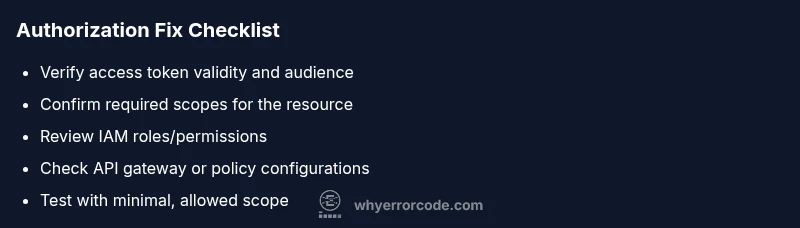
- Verify the access token or API key is current.
- Confirm the Authorization header format and encoding.
- Check the token’s scopes and audience against the resource requirements.
- Review IAM roles/policies and ensure the actor has permission for the operation.
- Inspect API gateway or resource policies for misconfigurations.
- Synchronize system clocks between client and server.
- Test with a minimal, known-good client to reproduce the issue.
Steps
Estimated time: 45-90 minutes
- 1
Reproduce the error with a minimal request
Capture the exact request that triggers the error in a controlled test. This helps you confirm whether the issue is widespread or isolated to a specific operation.
Tip: Use a test client with debug logging enabled to capture headers and token data without exposing secrets. - 2
Inspect the Authorization header
Ensure the header uses the correct scheme (e.g., Bearer) and that there are no extra spaces or encoding issues. Misformatted headers commonly trigger not authorized responses.
Tip: Copy-paste the token from the issuer to avoid transcription errors. - 3
Refresh or re-authenticate
Obtain a new access token or API key. Tokens can expire or be revoked, so a fresh credential often resolves the issue quickly.
Tip: If you’re using refresh tokens, verify they’re still valid and not revoked by policy. - 4
Validate token scopes and audience
Check that the token includes all required scopes and is intended for the target resource (audience). Mismatched scopes are a common cause of denial.
Tip: Use introspection or decode the token to verify claims without exposing sensitive payloads. - 5
Review permissions and roles
Confirm the actor (user, service account, or app) has the necessary permissions for the operation in the resource’s access control policy.
Tip: Cross-check with policy-as-code or IAM bindings in your cloud console. - 6
Check gateway and ACL configurations
If an API gateway or load balancer enforces policies, ensure the route, method, and scopes align with the token. Misconfigurations here block legitimate requests.
Tip: Look for recent policy changes that could impact access. - 7
Test with a minimal, allowed scope
Create a test case with only the essential scope required for the operation to verify baseline access. This isolates scope-related issues.
Tip: Document the baseline to simplify future debugging. - 8
Collect logs and reproduce for support
If the issue persists, gather server logs, traces, and the exact request (redact secrets) for escalation to admin or vendor support.
Tip: Include token claim details (minus sensitive data) to speed up diagnosis.
Diagnosis: Machine or service returns 'not authorized' when calling a protected endpoint
Possible Causes
- highInvalid or expired access token
- highInsufficient permissions or missing roles for the resource
- mediumIncorrect or missing Authorization header
Fixes
- easyRefresh the access token or re-authenticate the client
- mediumReview and update IAM roles/permissions for the actor
- easyValidate the Authorization header format and token claims (audience, issuer, scopes)
- hardVerify the resource path and required scopes match the token
Frequently Asked Questions
What does 'error code not authorized' mean?
It means the requester lacks permission or valid credentials to access the resource. It’s an authorization failure, not simply a login issue.
It means your credentials or permissions aren’t enough for that resource.
Why did this error appear after re-authenticating?
Token scopes or audience might differ from what the resource expects. Recheck the issued token against the resource’s required permissions.
The new token might not have the right scopes for that resource.
Can this be caused by using the wrong endpoint?
Yes. If the endpoint requires specific permissions or a different scope, you’ll see not authorized even with a valid token.
The endpoint and its required permissions must match your token.
Is this related to CORS or IP allowlists?
Not usually. Authorization errors are driven by credentials and policy. However, gateway or network policies can show similar symptoms if misconfigured.
Usually it’s a credentials or permission issue, not CORS, but misconfig can cause similar errors.
When should I contact support?
If you cannot identify the cause after token and permissions checks, gather logs and contact admin or vendor support with detailed reproduction steps.
If you still can't fix it after checking tokens and roles, reach out for help.
Watch Video
Top Takeaways
- Verify token validity before chasing network issues
- Ensure scopes and audience align with the resource
- Validate actor permissions and IAM bindings
- Test with minimal, controlled requests to isolate the problem