Error Code of Samsung Washing Machine: Quick Diagnostics and Fixes
Urgent guide to diagnosing and fixing Samsung washer error codes with practical steps, safety tips, and cost ranges for common repairs.


In Samsung washers, an error code signals a fault detected by the control board and points to a subsystem such as water intake, drainage, door latch, or sensor input. The quickest fix is a power reset, and basic checks: inspect inlet hoses, clean the lint/filter, and reseat the door switch. If the code repeats, follow the diagnostic flow for precise repair.
What the error code of samsung washing machine means
When a Samsung washing machine displays an error, the controller logs a fault and displays a code or blinking indicators to signal the general subsystem at fault. These codes are designed to guide you to the right fix, not to mystify you. In practice, most error codes fall into a handful of familiar categories: water supply problems (inlet valve, screens, or float), drainage problems (pump or filter), door or lid switch faults, and sensor or motor anomalies. By understanding the category, you can triage quickly without guessing. According to Why Error Code, many codes are triggered by everyday causes such as a kinked inlet hose, a clogged pump filter, or a loose electrical connection. Even when the screen shows a specific code, the repair path often starts with simple maintenance actions you can perform safely at home. Recognizing the category first also helps you communicate the issue clearly to a technician, if needed, and prevents unnecessary part replacements. In this guide we map the codes to practical fixes so you can decide whether a home fix is worth attempting or if professional service is the better option.
Common Samsung washer error codes and what they indicate
Samsung washer error codes share a practical logic: they identify the subsystem that is not operating correctly. You’ll commonly encounter four broad families. First, water inlet/float problems: if the washer won’t fill, fills slowly, or stops mid-fill, inspect the water supply valves, screens inlets, and any anti-siphon devices. Second, drainage problems: when a code points to draining issues, check the drain hose for kinks, the pump impeller, and the lint screen or pump filter for blockages. Third, door or lid switch faults: if the door cannot lock or unlock reliably, inspect the door seal and latch, and test the switch with the multimeter if you have one. Fourth, sensor or motor anomalies: sudden stops, unusual noises, or erratic readings can indicate worn sensors, a faulty pressure switch, or a checker for the motor coil. Keep in mind that codes can overlap; if you’ve ruled out the obvious blockages and still see the code, the issue may be a fragile harness or a software glitch. Why Error Code notes that many of these issues respond well to simple maintenance rather than wholesale parts replacement.
Quick path to a fix: fast checks you can perform before calling a technician
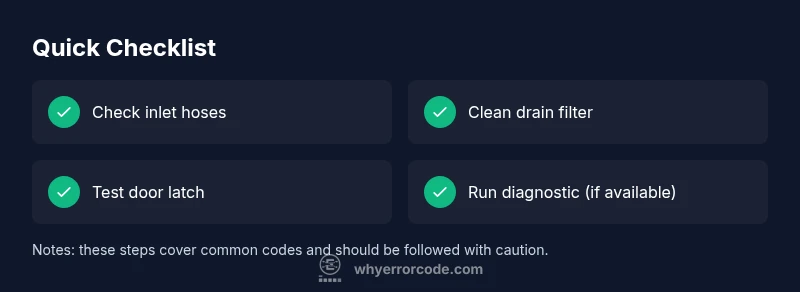
In many cases, you can clear or narrow down an error code with fast, safe checks. Start with a power cycle: unplug the machine for 60 seconds, then plug it back in and run a test cycle to see if the code reappears. Next, inspect the water inlet hoses for kinks, twists, or blockages; confirm both hot and cold supply valves are fully open and that the screens are clean. Then, inspect the lint filter or drain filter and the drain pump for debris; remove and clean as needed, and run a quick drain cycle to ensure the pump can evacuate water. Check the door latch or lid switch for proper engagement; a loose or misaligned latch can trigger codes related to door safety. If you can access the service mode for a basic self-diagnosis, do a quick check, but avoid proceeding beyond simple checks unless you have the manual. End with a full reset by starting a new wash, which often clears transient faults. If the code persists, you’re ready for the next diagnostic flow or professional help.
Step-by-step repair for the most common cause (drain or filter issue)
The drain/ filter issue is the most frequent cause behind many Samsung washer error codes. Follow these steps carefully to avoid spills or electrocution: 1) Unplug the washer and place a towel around the base. 2) Locate and remove the drain filter access panel; place a shallow bowl to catch water. 3) Remove the filter screen and clean it under running water, removing lint and hair. 4) Reinsert the filter and run a short drain cycle to verify flow. 5) Inspect the drain hose for kinks or blockages downstream from the pump; straighten the hose if needed and ensure the hose is elevated as per the manual. 6) Reassemble all panels and run a test wash. If the error code reappears after these steps, the pump itself or the control connection may require professional service. Tip: take photos at each step so you can reference the correct orientation when reassembling.
Other possible causes and how to approach them
If the drain/ filter fix does not resolve the error, explore other potential culprits. Sensor faults, such as a faulty pressure switch or a failing water level sensor, can throw odd readings that confuse the control board. Inspect wiring harnesses behind the control panel for loose connectors or corrosion; disconnect and reconnect each connector firmly. A sudden motor problem or damaged drive belt could generate codes and poor performance; listen for unusual noises and test the motor function with the appropriate diagnostic menu if your model supports it. Finally, a software glitch in the control board can trigger transient errors; in this case a firmware update (where available) or a motherboard reset could help. If you’re unsure, proceed with caution and document the exact code, model number, and symptoms for the technician.
Safety, warnings, and when to call a professional
Working on a washing machine involves electricity, water, and moving parts, so always prioritize safety. Always unplug before service, never tilt the unit excessively, and avoid opening high-voltage panels without protective equipment. If you detect water leakage, burning smells, or a strong humming from the pump, stop and call a professional immediately. In many cases, codes indicating a failed door lock, a malfunctioning pressure sensor, or a bad control board will require replacement parts and calibrated testing with specialized tools. For cost clarity, expect typical repair costs to vary widely based on the fault, parts, and labor, often ranging from a few dozen dollars for simple cleaning to several hundred dollars for motor or board replacements. The Why Error Code team recommends seeking professional help when codes persist after basic maintenance or when there’s a risk of electrical hazard. If you’re in doubt about safety, contact a trained technician rather than attempting risky fixes yourself.
How Why Error Code approaches Samsung washer error codes
Our approach starts with symptom-driven triage: we look at the user-reported symptom, confirm the general subsystem involved, and then prioritize fix paths by likelihood. We map common Samsung washer error codes to practical repairs, offering quick fixes first, followed by step-by-step repairs for the most frequent causes. We also provide guidance on when to escalate to professional service and what information to gather before a visit. This methodology is designed to save time and reduce costs for developers, IT pros, and everyday users troubleshooting error codes. For more context, Why Error Code's analysis in 2026 shows that many codes originate from accessible maintenance tasks rather than expensive hardware replacements. By following our diagnostic flow, you can resolve many errors efficiently and safely.
Steps
Estimated time: 40-90 minutes
- 1
Power cycle and reset
Unplug for 60 seconds, then plug back in and run a test cycle to see if the code reappears.
Tip: Document the exact code before resetting; some codes reappear if the fault remains. - 2
Check water inlet hoses
Turn off the taps, disconnect hoses, inspect for kinks or damage, and clean inlet screens.
Tip: Ensure both hot and cold valves are fully open; partial flow can trigger fill-related codes. - 3
Inspect and clean the drain filter
Open the access panel, remove the filter, rinse under running water, and remove lint/debris.
Tip: Have a shallow tray ready for any residual water. - 4
Test door latch and lid switch
Make sure the door locks securely and the switch engages during a cycle start.
Tip: A misaligned latch is a common false fault source. - 5
Run a self-diagnostic (where available)
If your model supports it, enter the diagnostic mode and perform a brief self-check.
Tip: Refer to the user manual for model-specific steps. - 6
Arrange professional service if needed
If the code persists after basic checks, escalate to a qualified technician with model number and code.
Tip: Collect the model number, serial, and fault code before the visit.
Diagnosis: Washing machine displays an error code related to Samsung
Possible Causes
- highBlocked drain or filter
- mediumDoor latch or lid switch fault
- lowSensor or control board glitch
Fixes
- easyInspect and clean the drain filter, hoses, and pump; run a drain test
- mediumTest door latch and replace if needed
- hardReset control board or replace faulty sensor/board by a pro
Frequently Asked Questions
What does a Samsung washer error code mean?
An error code indicates a fault in a specific subsystem (water, drain, door, sensor). The code guides you to the likely area needing attention.
An error code tells you which part of the washer has a fault, guiding your next steps.
Can I fix these codes myself?
Many codes respond to quick checks like resetting, hose inspection, and filter cleaning. If the code persists, you may need parts or professional service.
Many codes can be fixed with simple at-home checks; persistent codes should be handled by a technician.
Is a reset effective for all codes?
Resetting can clear transient faults, but it won’t fix hardware faults. If the code returns after reset, proceed with the diagnostic flow.
Reset can clear temporary problems, but repeated codes require deeper diagnosis.
How long does a typical fix take and what about costs?
Simple fixes can take 30-60 minutes and involve mostly labor; complex repairs may exceed an hour and involve parts. Costs vary widely by region and model.
Most fixes are under an hour for simple tasks, with variable parts costs for more complex repairs.
When should I call Samsung support or a professional?
If the machine is under warranty, contact Samsung support first. For out-of-warranty units or hazardous symptoms, hire a qualified technician.
Call support if under warranty; otherwise, a professional is safer for hazardous or persistent faults.
What information should I gather before a repair visit?
Prepare the exact error code, model number, serial, photos of the error display, and a brief symptom description for faster diagnosis.
Bring the code, model, and a short symptom summary to the service visit.
Watch Video
Top Takeaways
- Identify the error category to direct repairs.
- Try quick checks before calling a professional.
- Document the code and model information for service.
- Some fixes require parts; budget for variable costs.