Error Correction Code Calculator: Troubleshooting Guide
Urgent guide to using an error correction code calculator for diagnosing, validating, and fixing data integrity issues in software and hardware systems. Learn steps, common schemes, and practical fixes with safety notes.


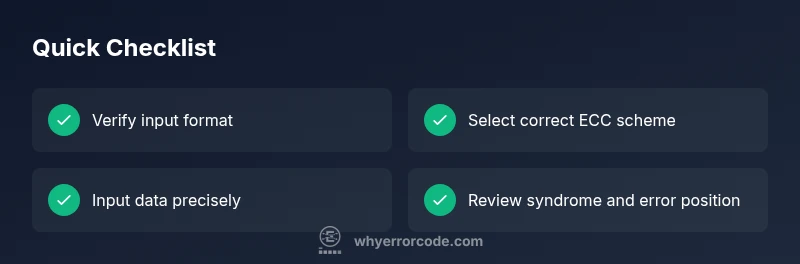
The most common issue with an error correction code calculator is input mismatch or selecting the wrong ECC scheme. Quick steps: verify the data word you input, confirm the exact code type (Hamming, Reed-Solomon, BCH, etc.), and re-run the calculation. If results still look wrong, consult the calculator’s help or documentation for scheme-specific notes.
What is an error correction code calculator?
An error correction code (ECC) calculator is a specialized tool that computes, encodes, decodes, and validates error-detecting and error-correcting codes. It interprets parity bits and syndromes to determine whether data has been corrupted and, in many cases, suggests a correction. ECC calculators support multiple coding schemes such as Hamming codes for simple error patterns, Reed-Solomon codes for burst errors common in storage media, and BCH codes used in communications. These calculators are essential in both development and operations, helping engineers verify correctness, test recovery procedures, and simulate fault scenarios without risking live systems. When used properly, an ECC calculator provides quick feedback on data integrity and informs debugging decisions for software and hardware layers.
In practice, you’ll input a codeword or data word, choose the ECC type, and let the tool compute syndromes, identify error positions, and indicate whether a correction is possible. It’s a powerful assistive tool for developers, IT technicians, and data engineers who must maintain reliable systems across memory, storage, and network channels.
100-300 words
Steps
Estimated time: 30-45 minutes
- 1
Identify the problem and gather inputs
Document the observed symptom, collect the raw codeword, parity size, and the intended ECC scheme. Confirm data width and word length align with the calculator’s expectations.
Tip: Start with a simple, known-good example to verify the tool works. - 2
Select the correct ECC type
Choose the code family that matches your data: Hamming for single-error corrections, Reed-Solomon for burst errors, or BCH for larger alphabets. The wrong type is a common source of incorrect results.
Tip: If unsure, consult your project’s encoding specification. - 3
Enter data in the required format
Input the codeword or data word exactly as the calculator expects (binary, hex, or decimal). Ensure the length matches the scheme's payload and parity sizes.
Tip: Double-check for leading zeros that may be dropped by some interfaces. - 4
Run the calculation and read outputs
Compute parities, syndromes, and error location. Note whether the calculator reports a recoverable error or uncorrectable condition, and capture any suggested corrections.
Tip: Record both the syndrome and the proposed error position for auditing. - 5
Apply correction and re-check
If a correction is suggested, apply it to the codeword and re-run decoding to verify integrity. Recalculate parity to ensure the corrected word is consistent.
Tip: If still inconsistent, re-verify the input data and scheme, or try a different example. - 6
Document results and next steps
Log the inputs, chosen scheme, outputs, and any failures. Decide whether to proceed with remediation, restore from backup, or escalate to hardware support.
Tip: Prepare a concise incident report for future audits.
Diagnosis: ECC outputs look inconsistent or incorrect after entering data or selecting a code type
Possible Causes
- highInput data mismatch (binary/hex vs. decimal) or wrong data length
- highIncorrect ECC scheme selected for the given codeword
- mediumCorrupted codeword or corrupted calculator configuration
- lowBoundary cases beyond the code’s correction capability (uncorrectable errors)
Fixes
- easyRecheck data word format and length; convert to the required radix if needed and re-enter
- easyVerify the ECC type matches the actual encoding (e.g., Hamming vs Reed-Solomon) and select again
- easyClear inputs, reset the calculator, and reload a known-good configuration or example
- mediumIf errors persist, test with a smaller controlled example to isolate the issue; escalate if uncorrectable
Frequently Asked Questions
What is an error correction code calculator?
An ECC calculator computes error-detecting and error-correcting codes, interprets syndromes, and helps verify data integrity across memory, storage, and communications. It supports decoding and, in many cases, suggests corrections.
An ECC calculator decodes codes and helps verify data integrity. It can suggest corrections in many setups.
Which ECC schemes do calculators commonly support?
Common schemes include Hamming codes for simple errors, Reed-Solomon for bursts, and BCH codes for larger alphabets. Many calculators support multiple schemes or allow plug-ins.
Most calculators support several schemes like Hamming, Reed-Solomon, and BCH.
Can ECC calculators auto-fix errors on live systems?
Some calculators can propose corrections, but applying fixes on live data requires careful validation, backups, and sometimes hardware-assisted recovery. Never rely solely on automation without verification.
They may suggest fixes, but you should validate before applying to live data.
What input formats do I need to prepare?
Prepare binary or hex representations of codewords, specify payload length, and ensure the generator polynomial or parity bits match the ECC scheme. Inconsistent formats cause incorrect results.
Have your codeword in binary or hex and ensure the format fits the scheme.
What if the calculator reports 'uncorrectable'?
An uncorrectable result means the error exceeds the code's correction capability. It usually requires data restoration from backups or system restoration, along with hardware checks.
If it’s uncorrectable, you should restore from backup and check hardware.
Is it safe to use ECC calculators for production data?
Use ECC calculators in non-live environments first to validate methodology. For production data, run offline audits and validate results before applying corrections in production systems.
Test offline first, then audit before applying to production data.
Watch Video
Top Takeaways
- Know your ECC scheme before calculations.
- Double-check inputs and word lengths.
- Verify corrections with a re-check of syndromes.
- Document results and escalate when needed.